
- Joined
- Jun 27, 2014
- Messages
- 1,315
- Reaction score
- 755
- Points
- 521
- Location
- San Jose Del Monte Bulacan
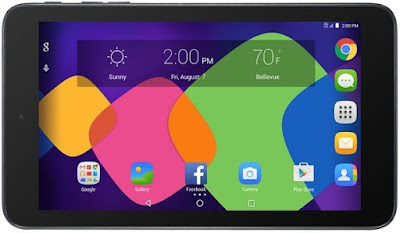
Alcatel OneTouch Pixi 7 Stock Rom / Firmware Download, Flashing
Collins Edim Alcatel, Stock Roms
DOWNLOADS
HOW TO FLASH ALCATEL ONETOUCH PIXI 7 FIRMWARE
After downloading the firmware file(s) to flash on your Pixi 7 from above links, follow the simple guide below to flash the images.
Now you have successfully flashed your Alcatel OneTouch Pixi 7 with its official stock rom.
Collins Edim Alcatel, Stock Roms
DOWNLOADS
HOW TO FLASH ALCATEL ONETOUCH PIXI 7 FIRMWARE
After downloading the firmware file(s) to flash on your Pixi 7 from above links, follow the simple guide below to flash the images.
- Power off your Alcatel OneTouch Pixi 7
- Wait for some seconds, then boot into fastboot mode. (can also be one when device is on, by typing adb reboot bootloader from cmd)
- Copy all the image files to your fastboot / adb folder on PC
- Launch Command Prompt from fastboot folder (WIN + Shift, then right click and select Open command window here)
- Now connect your Pixi 7 to PC via USB while in fastboot mode and type the following commands followed by Enter button after each line
fastboot devices
fastboot flash boot boot.img
fastboot flash recovery recovery.img
fastboot flash system system.img
Immediately the reboot command is run, your device will automatically reboot itself to system. First boot is usually slow, whilst on some devices it is just like rebooting your device. So be patient and wait for the device to boot completely.fastboot reboot
Now you have successfully flashed your Alcatel OneTouch Pixi 7 with its official stock rom.