- Joined
- Oct 9, 2014
- Messages
- 192
- Reaction score
- 1
- Points
- 1
Click here to view the original image of 622x339px.
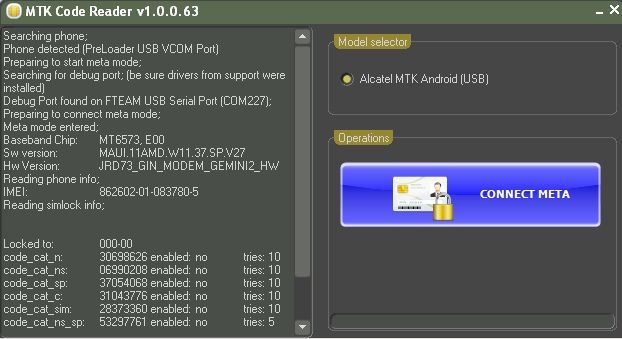
How to work with our soft:
1. Download from support or HERE MTKRacer module
2. Downlaod from support or HERE MTK_Android_Unlock_Drivers
3. Unpack the drivers and press install and connect the phone powered off in order the installation to complete. If asked point windows to the folder (categorized by OS )for the location. This will happen one more time during the unlock for the first time
4. Start MTKReader module. Press the button and connect the USB cable to the powered off phone. If you are doing this for the first time you will be requested for some drivers when sw displays looking for port. Once you install you can ignore after the drivers search dialog.