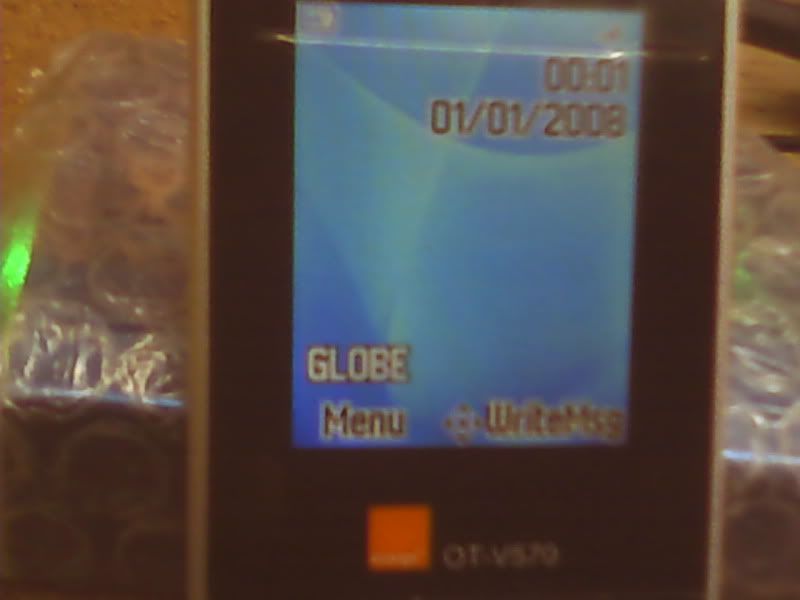
share ko lang po mga amo alcatel ot-v570 unlock!
1st-fullflash backup and eeprom para safe,.hehe
2nd-download nyo po simfree firmware,link below,.
3rd-on flash tab, check "format ffs"
4th-load firmware
5th-write flash
6th-hold power on hanggang mag-on sya,.
simfree firmware- http://www.megaupload.com/?d=0TSHUV5M
COM6 [VCP0] selected
module v2.85
Device: Alcatel-V570X, V570A
Checking data, wait...
advanced flash detection enabled
Action: write NOR flash
"smart write" active
"format ffs" active
write: Firmware
V570X-2DALAP1-2-746_XD74BM01_JRD25_06B_PCB01_GPRS_MT6225_S00.MAUI_ 06B_W07_28_SP1_V34_2008-10-31_En_Fr_Tr_Ar_simfree.B0M.bin
skip: Customization/Language Pack
skip: Customization
skip: Eeprom/ffs
Boot ...
Press and HOLD Power button now !
19200 fixed
Connecting, wait...
Initializing [6225:8A03:8A00]...
CPU: MT6225
chip: 0001:4F03:A002
status: 01
boot packet size: 0400
Release Power button now !
Boot Done
Initialize ...
detecting chip #00 in region #00...
flash: 01227E22442200:18E59F00000000
flash: Amd AMD/Fujitsu std [D 0004x008000 007Ex020000 0004x008000] 16Mb
number of flash chip/regions detected: 01/01
Initialize Done
Set baud ...
115200
Set baud Done
Initialize bootcode ...
Initialize bootcode Done
Check firmware integrity ...
detect device rom info...
detection phase #1...
detect device rom info finished
rom info structure: 2nd [enhanced] generation
startup code area #1 is Ok
startup code area #1 backup saved: C:\Program Files\InfinityBox\MModule\backup_security\id.EE27C 040.[JRD25_06B_PCB01_GPRS_MT6225_S00.MAUI_06B_W07_28_SP 1_V34.BIN_A8B79B37].rpl
rom info detection finished
device-id: EE27C040
rom info protocol ver: 05
ver. sw 1: JRD25_06B_PCB01_GPRS_MT6225_S00.MAUI_06B_W07_28_SP 1_V34.BIN
ver. sw 2: MAUI.06B.W07.28.SP1.V34, C8644857
ffs offset/size: 00C00000/00400000
ffs address assigned: 00C00000
detect device sec info...
detection phase #1...
detect device sec info finished
sim-lock status: enabled
Check firmware integrity Done
Check firmware content ...
Check firmware content Done
Backup required data ...
original imei: 35402902034547
Backup required data Done
Patch required data ...
Patch required data Done
Special operation ...
Special operation Done
Write ...
startup code area #1 check...
startup code area #1 calculation...
startup code area #1 fixed
file saved: C:\Program Files\InfinityBox\MModule\backup_security\Alcatel-V570X,V570A_JRD25_06B_PCB01_GPRS_MT6225_S00.MAUI_0 6B_W07_28_SP1_V34__system_log_EE27C040_A8B79B37_20 091027-114142.B0X.bin
Area: Firmware
flash: 01227E22442200:18E59F00000000
Write: Firmware
detect device sec info...
detection phase #1...
detect device sec info finished
security area (sec info, part #2) calculation...
customization: CD74BM01
done
flash: 01227E22442200:18E59F00000000
flash: 01227E22442200:18E59F00000000
Write: security area (sec info, part #2)
security area (sec info, part #2) calculation done
security area (sec info, part #1) calculation...
..................security area (sec info, part #1) detecting size...
security area (sec info, part #1) detecting parameters...
security area (sec info, part #1) encoding...
done
flash: 01227E22442200:18E59F00000000
flash: 01227E22442200:18E59F00000000
Write: security area (sec info, part #1)
security area (sec info, part #1) calculation done
Write Done
Finalization ...
ffs formatting...
flash: 01227E22442200:18E59F00000000
Finalization Done
file saved: C:\Program Files\InfinityBox\MModule\backup_security\Alcatel-V570X,V570A_JRD25_06B_PCB01_GPRS_MT6225_S00.MAUI_0 6B_W07_28_SP1_V34__system_log_EE27C040_A8B79B37_20 091027-120541.B0X.bin
Finished, time used: 1482 sec
Remove/Install battery now !
File system has been modified !
It is need to press and HOLD phone "Power" button
during long time (up to 1 min) to make phone Powered-On !