
You need to download the ROM file itself (cm-13.0-20151212-UNOFFICIAL-i9300.zip) as well as Google Gapps (Download). To flash these two files, you need a custom recovery such as PhilZ or TWRP (Install). "remember Choose only one - but for me the TWRP ay aking ginwa
Step 1. Download both required files, the CyanogenMod 13 Android 6.0.1 Marshmallow ROM and Marshmallow Gapps and move them to the internal storage of your Galaxy S3. - Need mo ng Sd card pra doon ma extract after ng Twrp install
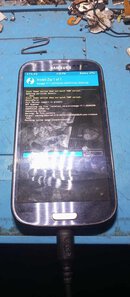
Step 2. Turn your Galaxy S3 off and boot into recovery mode, TWRP or PhilZ. To do so press and hold the volume up, home and power keys at the same time.
Step 3. Once in recovery, make a full Nandroid backup. The ROM is not stable and you will want to go back to your previous ROM.
Step 4. Wipe data, cache and dalvik cache.
Step 5. Flash CM13 ROM and then flash Marshmallow Gapps.
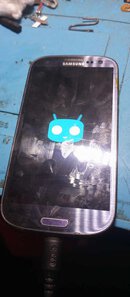
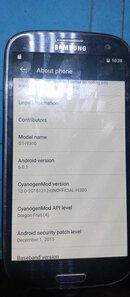
Reboot you phone and get ready to enjoy Android 6.0.1 on your Samsung Galaxy S3.
Step 1. Download both required files, the CyanogenMod 13 Android 6.0.1 Marshmallow ROM and Marshmallow Gapps and move them to the internal storage of your Galaxy S3. - Need mo ng Sd card pra doon ma extract after ng Twrp install
Step 2. Turn your Galaxy S3 off and boot into recovery mode, TWRP or PhilZ. To do so press and hold the volume up, home and power keys at the same time.
Step 3. Once in recovery, make a full Nandroid backup. The ROM is not stable and you will want to go back to your previous ROM.
Step 4. Wipe data, cache and dalvik cache.
Step 5. Flash CM13 ROM and then flash Marshmallow Gapps.
Reboot you phone and get ready to enjoy Android 6.0.1 on your Samsung Galaxy S3.
Last edited by a moderator: