
For Reference Only
Sa Mga Bago at Hindi pa alam mag Flash Ng Iphone at Ipad
This Procedure is Working both Ipad and I phone Password and Disabled
Model : I Pad
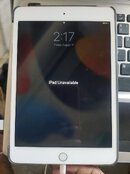
Problem : I Pad Unavailable
Procedure
1. Check IMEI First Kung naka FMI Off/On This Procedure Is For FMI Off and Kung alam ni client Icloud Account Iba Naman Procedure pag naka FMI On
Use this Site for IMEI Checker
https://sickw.com/
https://imeicheck.com/icloud-check
2. Put Your Ipad Into Recovery Mode
3. Open Itunes/3utools and Download the firmware
4. After ma download Quick Flash Sa 3Utools and Restore Naman Sa Itunes Wait until matapos
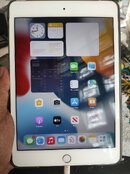
All done
Sa Mga Bago at Hindi pa alam mag Flash Ng Iphone at Ipad
This Procedure is Working both Ipad and I phone Password and Disabled
Model : I Pad
Problem : I Pad Unavailable
Procedure
1. Check IMEI First Kung naka FMI Off/On This Procedure Is For FMI Off and Kung alam ni client Icloud Account Iba Naman Procedure pag naka FMI On
Use this Site for IMEI Checker
https://sickw.com/
https://imeicheck.com/icloud-check
2. Put Your Ipad Into Recovery Mode
3. Open Itunes/3utools and Download the firmware
4. After ma download Quick Flash Sa 3Utools and Restore Naman Sa Itunes Wait until matapos
All done