files needed:
1. Halabtech tool
https://support.halabtech.com/index.php?a=downloads&b=folder&id=30502
2.qualcomm drivers
procedure:
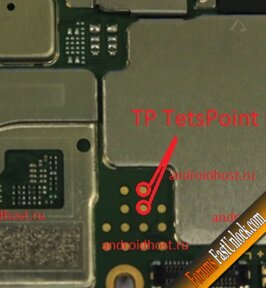
1: Open cellphone and short testpoint(see picture).dapat d nakalagay battery

2. open device manager make sure detected as QUALCOMM.....
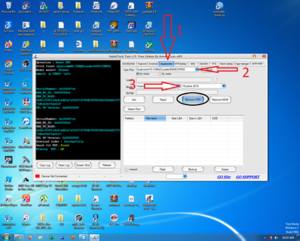
3. set halabtech tools to this.....

4.DONE
sana makatulong
1. Halabtech tool
https://support.halabtech.com/index.php?a=downloads&b=folder&id=30502
2.qualcomm drivers
procedure:
1: Open cellphone and short testpoint(see picture).dapat d nakalagay battery
2. open device manager make sure detected as QUALCOMM.....
3. set halabtech tools to this.....
4.DONE
sana makatulong