
Tips Kulang Mga idol yong mga mahihina mga net jan try nyopo update yong wifi nyo paki sunod nalang po
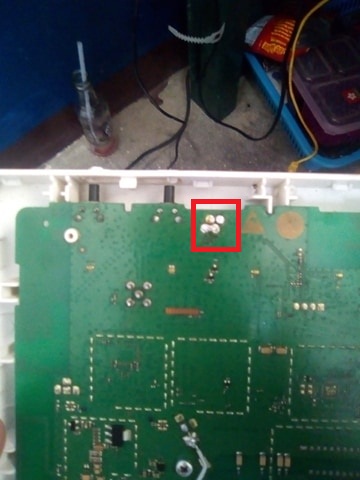
baklas po natin ang wifi natin din sulda
flashing Instruction
0.Install mo yung Lahat ng drivers
1.Do the jumper trick. (The baklas modem, short pins).
2.Connect Male to Male USB cable
3.Connect power supply (Dapat May Tutunog sa Speaker at kailangan walang ilaw si 936 pero detected siya as comport)
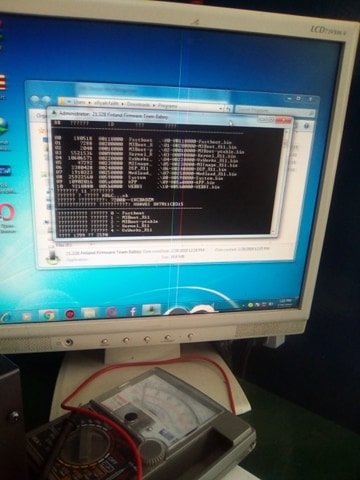
4.Run B315s-936 Erase NVRAM.exe
5.Press 3 then press Enter
6."Waiting for the Device, Please press enter when Computer detects it."
(Dapat May Tutunog sa speaker at iilaw ang white led)
7."If you see the string "Product : balongv7r2" Press Enter." Hintayin Matapos ang Erase Command.
8.Kung Tapos na, Tangalin ang power supply at ikabit ulit (Dapat May Tutunog sa speaker)
9.Run Balong_USB_Loader_1.0.1.10.exe
10.Hit Enter kapag may lumabas na "The USBLoader has been loaded successfully. Press any key"
(Wait 10 Seconds dapat may tutunog sa speaker)
11.Run B315s-936_UPDATE_21.329.01.01.19 MTS.exe
12.Wait mo hanggang matapos,
13.Pag namatay na ang BLUE LED, tapos na ang FLASHING
14.Tangalin na yung Power Supply, USB Cable at Jumper
15.Connect mo yung LAN Cable at Power Supply.
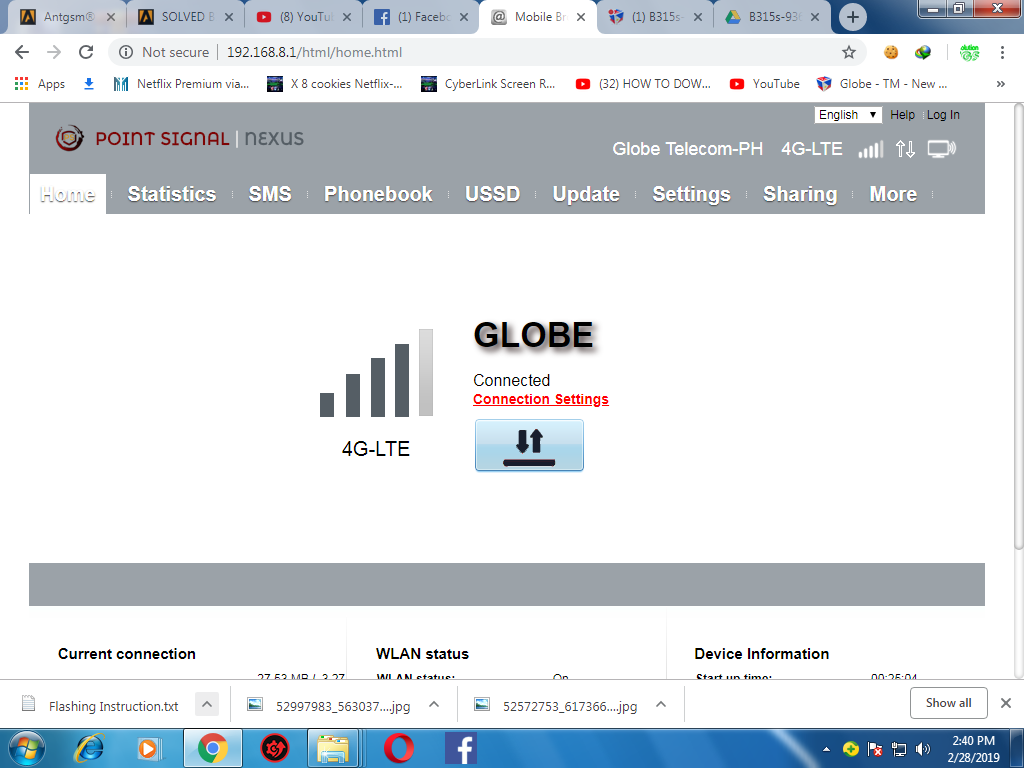
16.Browse 192.168.8.1 sa browser then check the Quick Setup Instructions Folder sa files.
Wala Na, Finish Na! Congrats..
firmware:https://drive.google.com/drive/folders/10Rboag_qzAxbyuFO41N8v6s8XiEQRncQ
yan napo pwde napo kahit anong sim openline nadin
thks lang ok na
By:khertskie
baklas po natin ang wifi natin din sulda
flashing Instruction
0.Install mo yung Lahat ng drivers
1.Do the jumper trick. (The baklas modem, short pins).
2.Connect Male to Male USB cable
3.Connect power supply (Dapat May Tutunog sa Speaker at kailangan walang ilaw si 936 pero detected siya as comport)
4.Run B315s-936 Erase NVRAM.exe
5.Press 3 then press Enter
6."Waiting for the Device, Please press enter when Computer detects it."
(Dapat May Tutunog sa speaker at iilaw ang white led)
7."If you see the string "Product : balongv7r2" Press Enter." Hintayin Matapos ang Erase Command.
8.Kung Tapos na, Tangalin ang power supply at ikabit ulit (Dapat May Tutunog sa speaker)
9.Run Balong_USB_Loader_1.0.1.10.exe
10.Hit Enter kapag may lumabas na "The USBLoader has been loaded successfully. Press any key"
(Wait 10 Seconds dapat may tutunog sa speaker)
11.Run B315s-936_UPDATE_21.329.01.01.19 MTS.exe
12.Wait mo hanggang matapos,
13.Pag namatay na ang BLUE LED, tapos na ang FLASHING
14.Tangalin na yung Power Supply, USB Cable at Jumper
15.Connect mo yung LAN Cable at Power Supply.
16.Browse 192.168.8.1 sa browser then check the Quick Setup Instructions Folder sa files.
Wala Na, Finish Na! Congrats..
firmware:https://drive.google.com/drive/folders/10Rboag_qzAxbyuFO41N8v6s8XiEQRncQ
yan napo pwde napo kahit anong sim openline nadin
thks lang ok na
By:khertskie
