
Realme c12 Password and FRP Done By MTK Client Tool
Password and FRP
FRP PROCEDURE
Open MTK Client Tool V5.2
Select Realme
Select Model Realme C12 rmx2189
Erase FRP
Turn Off Phone
Hold Vol + & - (Just Press Vol + and Vol -)
Select Start
Salpak USB
Wait Formatting OK
Done
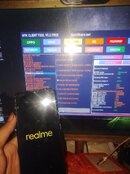
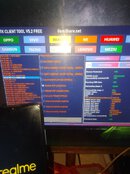
MTK Client Tool V5.2 Download
Password and FRP
FRP PROCEDURE
Open MTK Client Tool V5.2
Select Realme
Select Model Realme C12 rmx2189
Erase FRP
Turn Off Phone
Hold Vol + & - (Just Press Vol + and Vol -)
Select Start
Salpak USB
Wait Formatting OK
Done
MTK Client Tool V5.2 Download
Last edited by a moderator:

