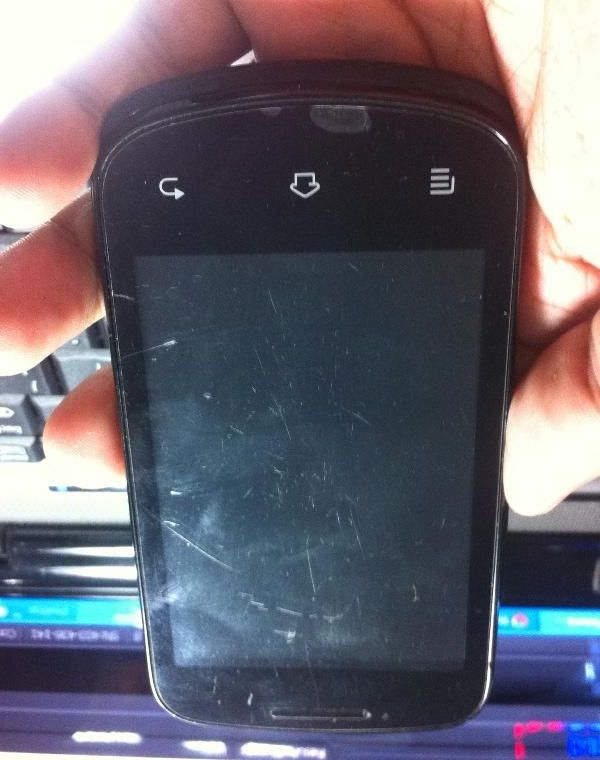
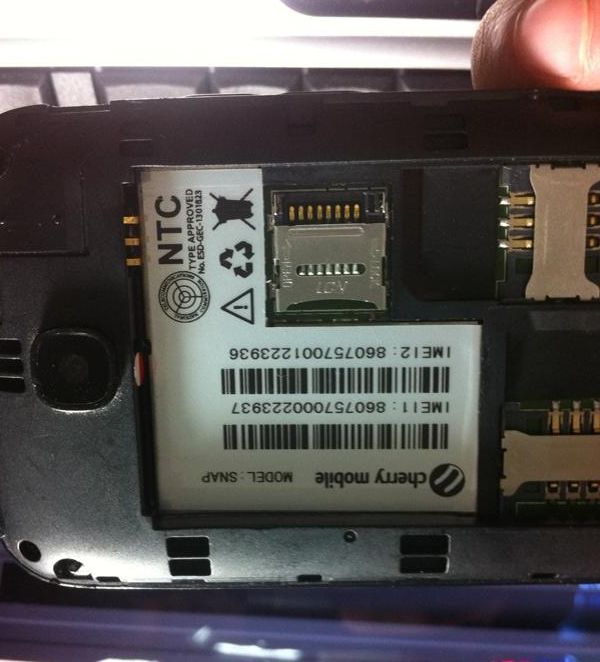
Cherry Mobile SNAP Dead Done via Flashing Pac file
Problem: Dead Set using freesoft
Solution: Flashing via Pac File
Tools:
Volcano Tool
Usb Cable
Procedure:
1, Open Volcano Tool
2, Select Android Tab
3, Tick Write Pac File
4, Select Usb Mode (spd6820)
5, Click Start
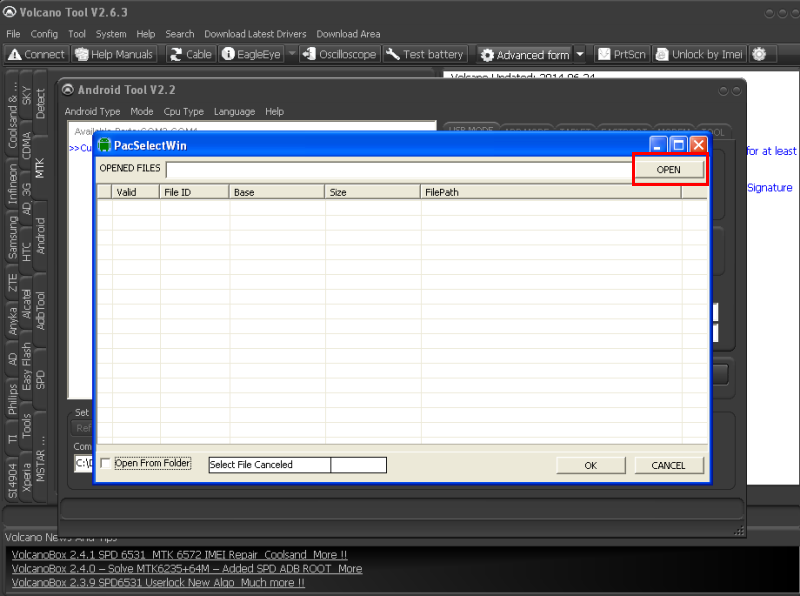
6, Click OPEN
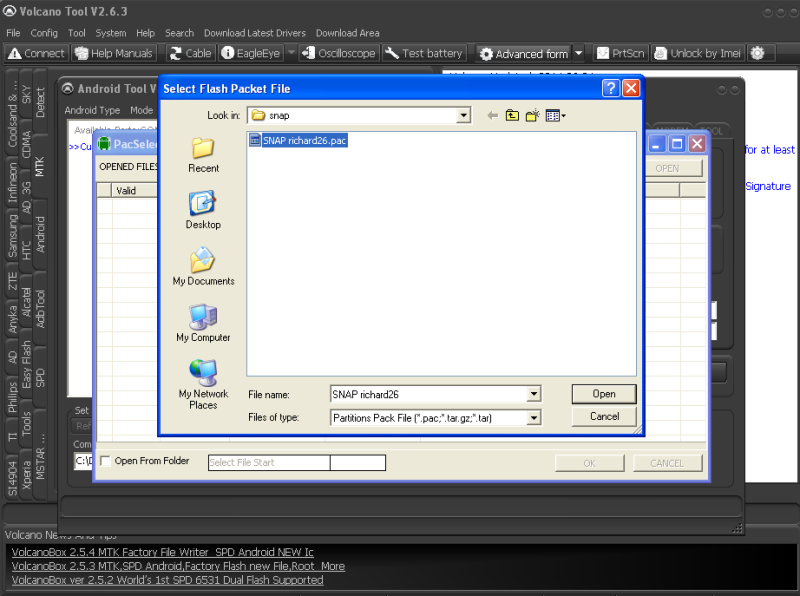
7, Select Pac File
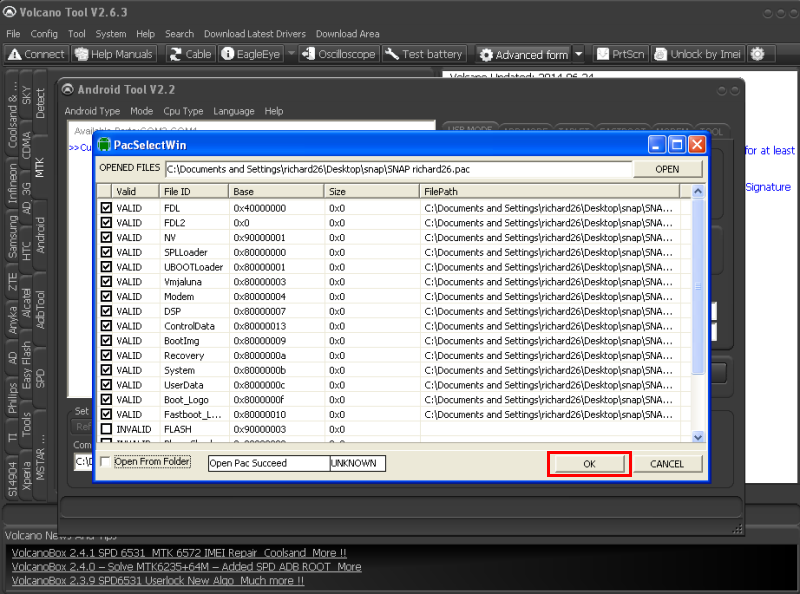
8, Wait file to load then Click OK
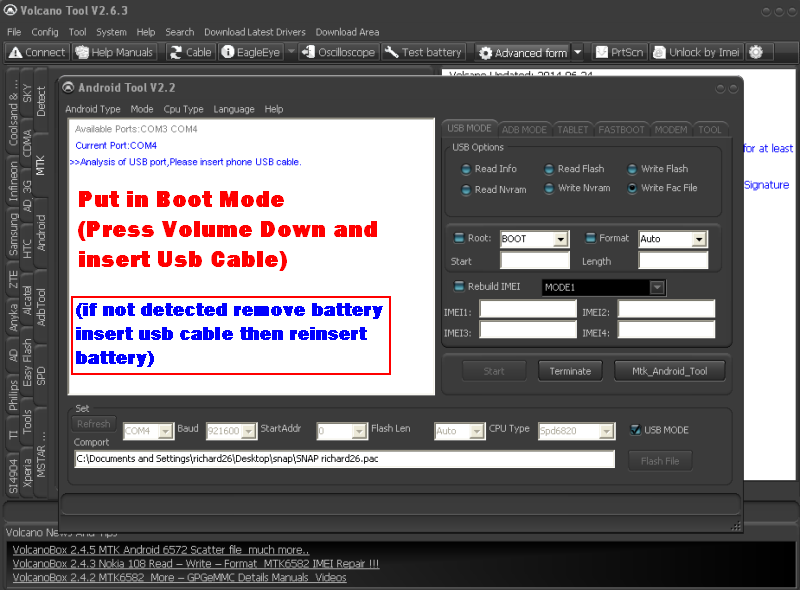
9, Put in Boot Mode (Press Volume Down and Insert Usb cable)
10, Wait Flashing to finish and your DONE...
SCREENSHOT:
Dead set pagtapos flash sa researchdownload
1, Open Volcano Tool
2, Select Android Tab
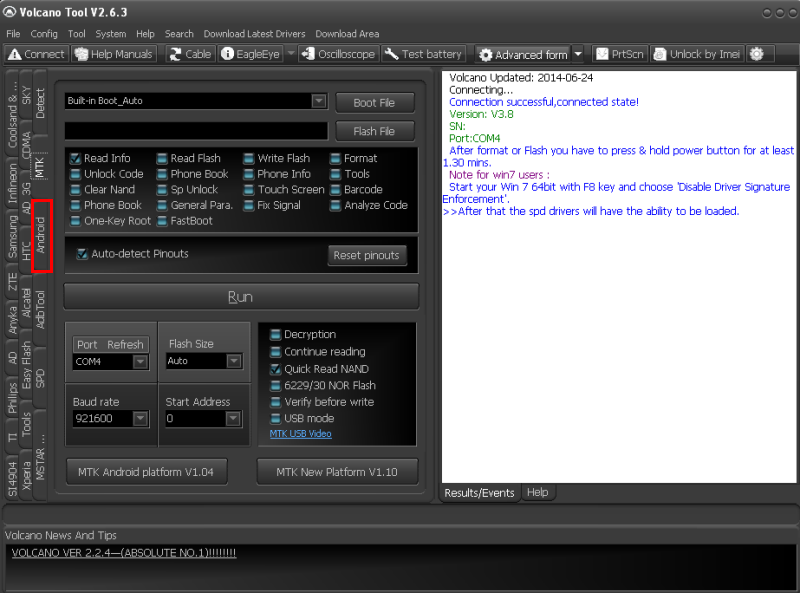
3, Tick Write Pac File
4, Select Usb Mode (spd6820)
5, Click Start
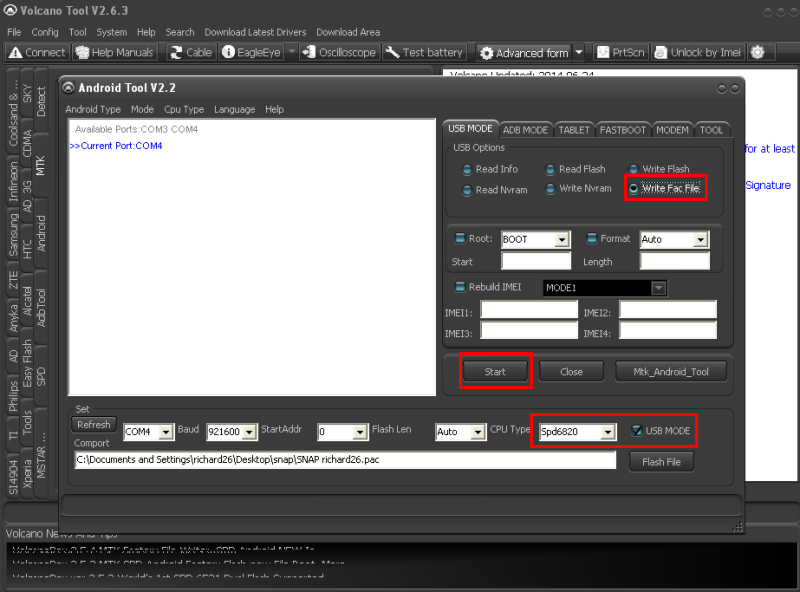
6, Click OPEN
7, Select Pac File
8, Wait file to load then Click OK
9, Put in Boot Mode (Press Volume Down and Insert Usb cable
10, Wait Flashing to finish and your DONE...
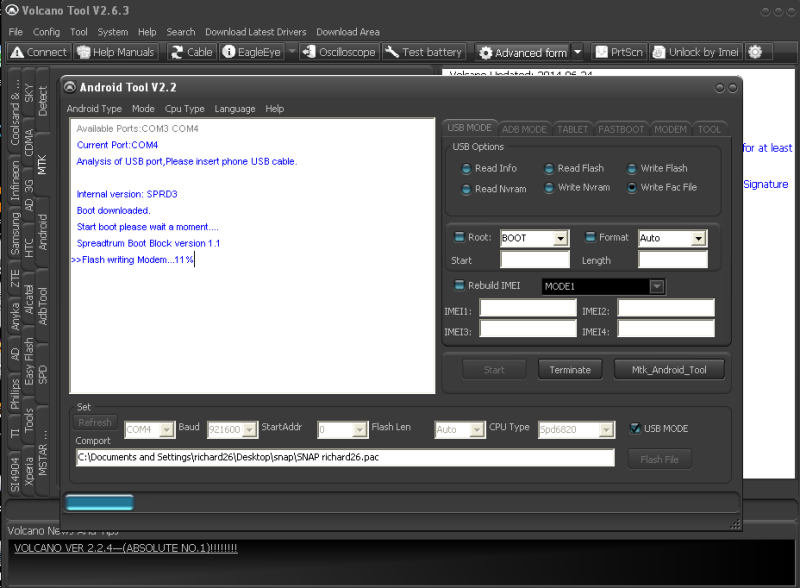
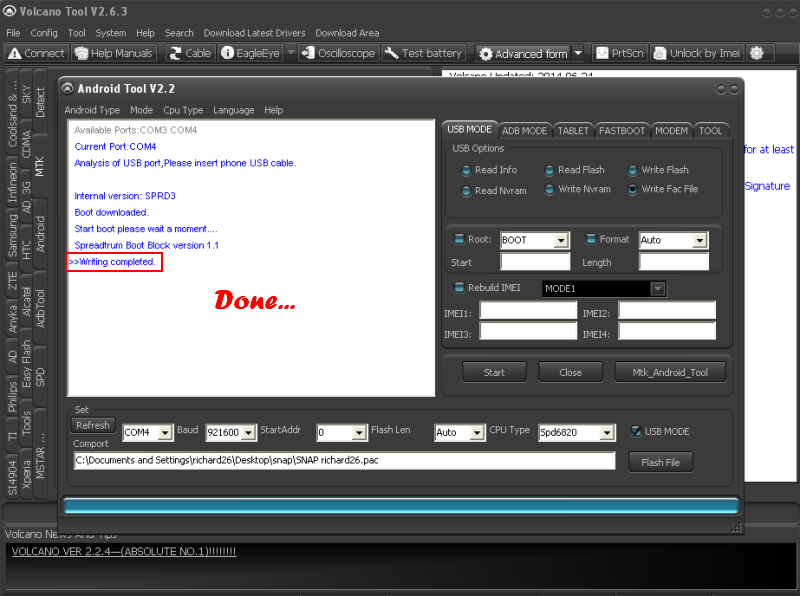
FINISH Product:
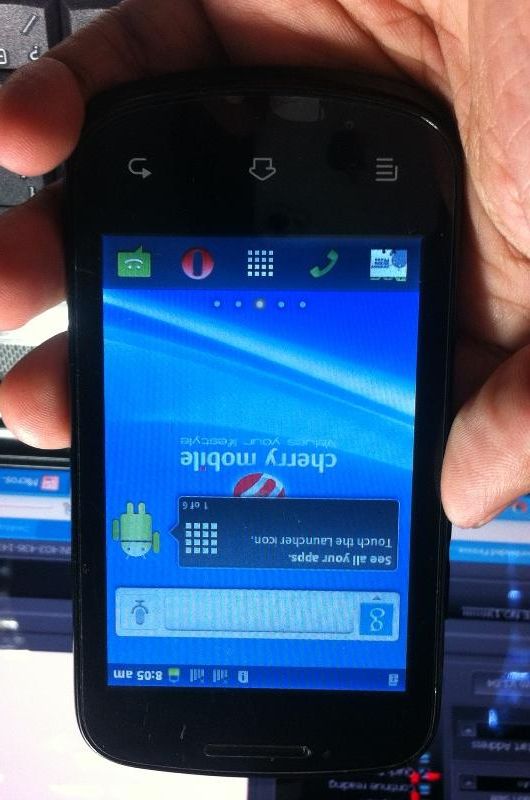
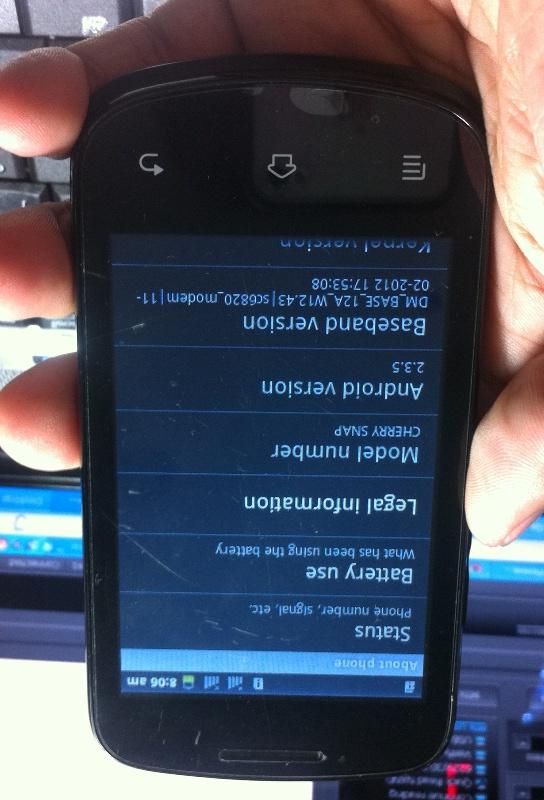
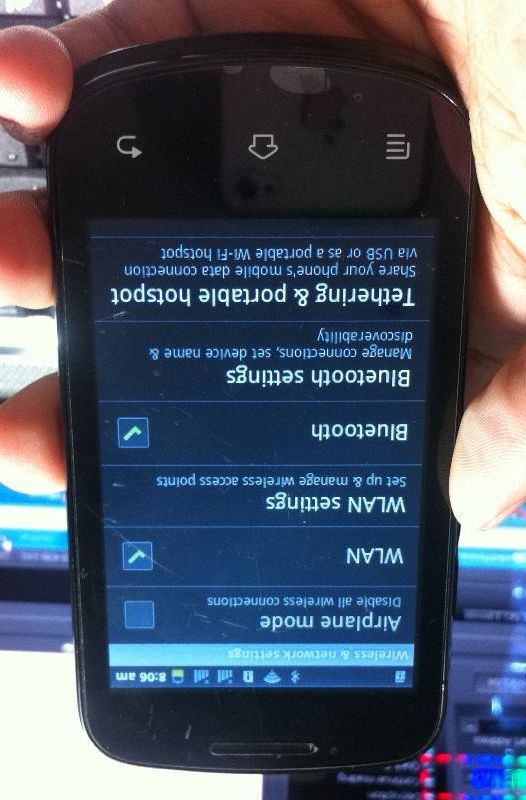
Wifi & Bluetooth 100% working

Download firmware here: CM SNAP
DONE...
Problem: Dead Set using freesoft
Solution: Flashing via Pac File
Tools:
Volcano Tool
Usb Cable
Procedure:
1, Open Volcano Tool
2, Select Android Tab
3, Tick Write Pac File
4, Select Usb Mode (spd6820)
5, Click Start
6, Click OPEN
7, Select Pac File
8, Wait file to load then Click OK
9, Put in Boot Mode (Press Volume Down and Insert Usb cable)
10, Wait Flashing to finish and your DONE...
SCREENSHOT:
Dead set pagtapos flash sa researchdownload
1, Open Volcano Tool
2, Select Android Tab
3, Tick Write Pac File
4, Select Usb Mode (spd6820)
5, Click Start
6, Click OPEN
7, Select Pac File
8, Wait file to load then Click OK
9, Put in Boot Mode (Press Volume Down and Insert Usb cable
10, Wait Flashing to finish and your DONE...
FINISH Product:
Wifi & Bluetooth 100% working
Download firmware here: CM SNAP
DONE...
=


