download exact ios of an iphone and ipad base on model HERE
Which iOS Firmware File to Download based on your iPhone Model
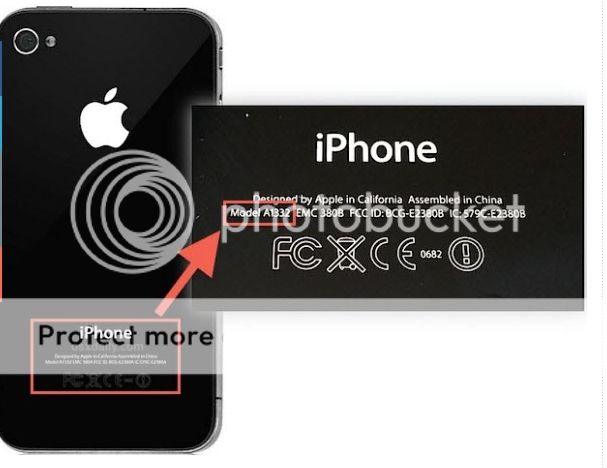
Based on the model number of your iPhone, you will be able to identify which iOS firmware file you need to download.
You can find model number on the iPhone’s back cover.
Refer to the table below to find out the identifier for your iPhone so you can figure out which iOS firmware file to download.
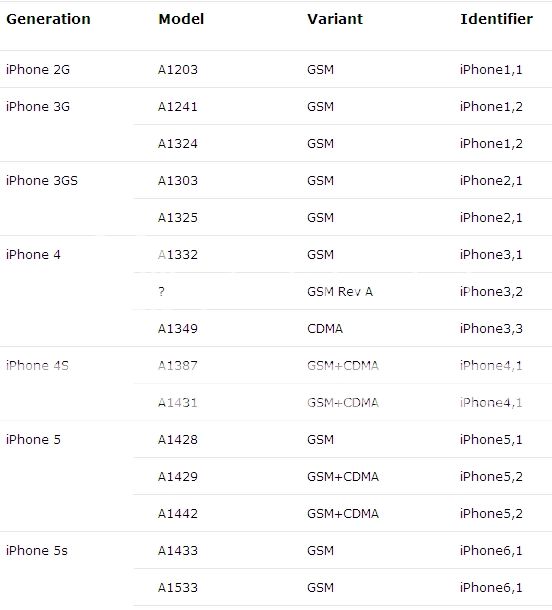
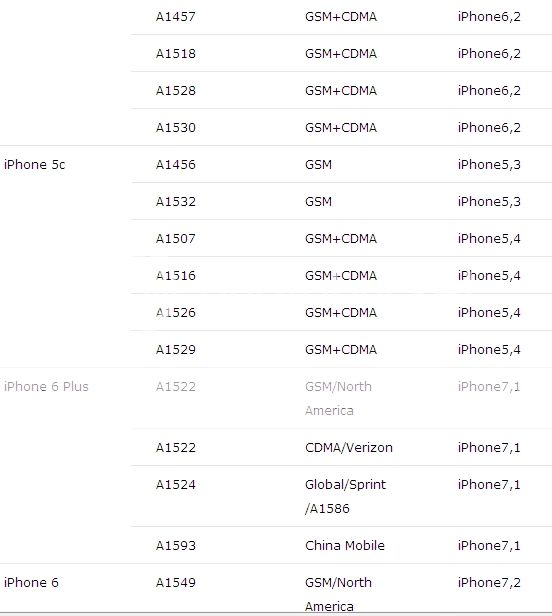
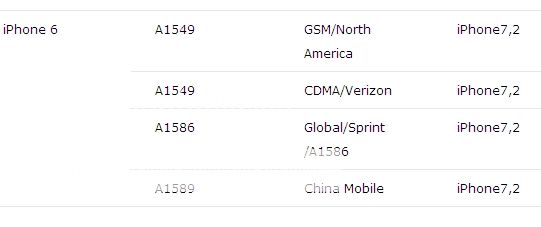
based on the identifier for your iPhone model, you can download the appropriate iOS firmware file or iOS software update for your iPhone from our download page.
Which iOS Firmware File to Download based on your iPad Model
based on the model number of your iPad, you will be able to identify which iOS firmware file you need to download.
You can find model number on the iPad’s back cover as highlighted below.

Refer to the table below to identify which iOS firmware file to download based on your iPad’s model number.
For example: You need to download iPad3,4_7.0.2_11A501_Restore.ipsw file the 4th generation iPad with Wi-Fi model with model number A1458 for iOS 7.0.2 software update.
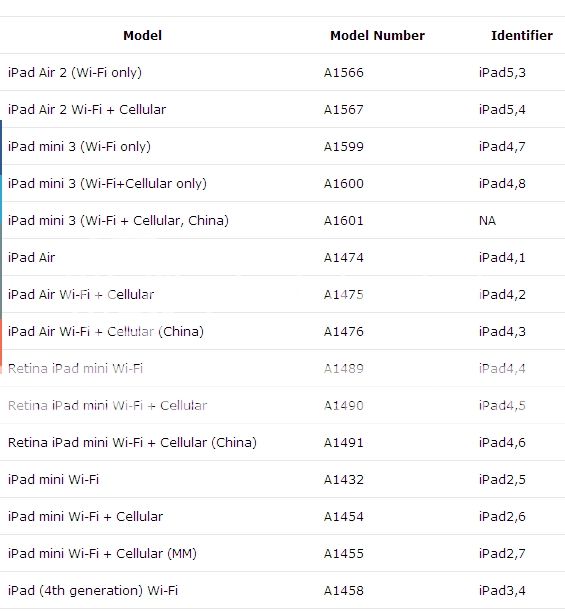
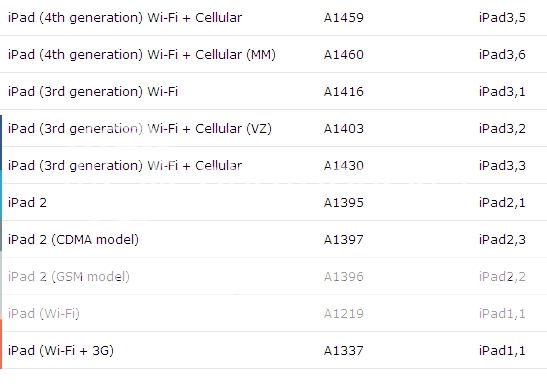
Based on the identifier for your iPad model, you can download the appropriate iOS firmware file or iOS software update for your iPad from our download page.
Based on the model number of your iPhone, you will be able to identify which iOS firmware file you need to download.
You can find model number on the iPhone’s back cover.
Refer to the table below to find out the identifier for your iPhone so you can figure out which iOS firmware file to download.
based on the identifier for your iPhone model, you can download the appropriate iOS firmware file or iOS software update for your iPhone from our download page.
Which iOS Firmware File to Download based on your iPad Model
based on the model number of your iPad, you will be able to identify which iOS firmware file you need to download.
You can find model number on the iPad’s back cover as highlighted below.
Refer to the table below to identify which iOS firmware file to download based on your iPad’s model number.
For example: You need to download iPad3,4_7.0.2_11A501_Restore.ipsw file the 4th generation iPad with Wi-Fi model with model number A1458 for iOS 7.0.2 software update.
Based on the identifier for your iPad model, you can download the appropriate iOS firmware file or iOS software update for your iPad from our download page.