
- Joined
- Jan 24, 2019
- Messages
- 28
- Reaction score
- 3
- Points
- 1
Carliv Image Kitchen is a tool for unpacking or repacking boot.img and recovery.img . It comes in handy for those looking to modify these files (e.g porting recovery or boot). To learn how to use Carliv Image Kitchen, follow this guide
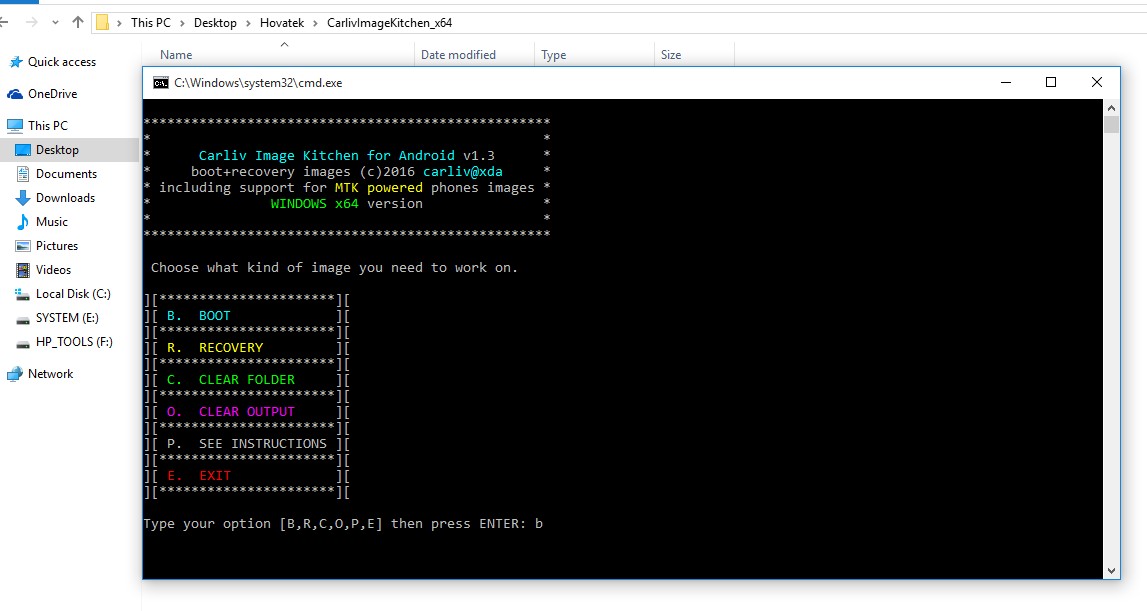
Download Carliv Image Kitchen versions for Windows
Important Notice
Download Carliv Image Kitchen versions for Windows
- Carliv Image Kitchen V1.1 32 Bit
https://drive.google.com/open?id=0B4S-Z7...GdjVl9UU1k
- Carliv Image Kitchen V1.1 64 Bit
https://drive.google.com/open?id=0B4S-Z7...lgyaXZ2Qms
- Carliv Image Kitchen V1.3 32 Bit
https://drive.google.com/open?id=0B4S-Z7...EJsb0dIYTg
- Carliv Image Kitchen V1.3 64 Bit
https://drive.google.com/open?id=0B4S-Z7...XBVaExPSGs
Important Notice
- Some recovery & boot images are signed and could result in an error when trying to unpack using this tool. In such a case, you need to first unsign the recovery or boot image before bringing back the unsigned image to this tool
- For a smooth experience, ensure that the images you supply are properly named and in .img format i.e boot.img and recovery.img
- This tool only unpacks and repacks images. It won't patch, modify or port for you