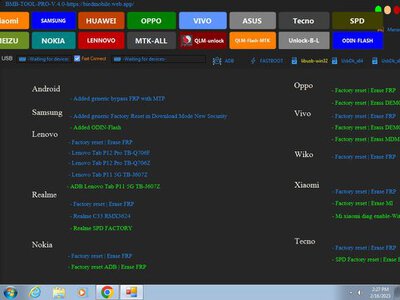
BMB Tool Pro V4.0 Qualcomm & MediaTek And Spd Tool
BMB Tool Pro is a small tool for Windows computers. It can be helpful to all users who are stuck on buying paid tools. The tool has a lot of functions that allow users to fix many Android software issues with just one click. Now, the tool is compatible with Qualcomm and MTK devices, including a myriad of options like bootloader unlocking bypassing the FRP system, Qualcomm Device flash into EDL, Bypass auth, and many more.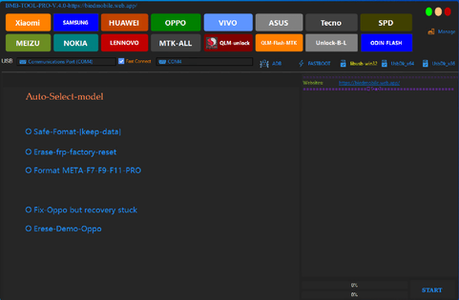
download link: https://www.mediafire.com/file/qotypvnbjgyw15v/bmb_tool_pro_v4.0.rar/file
password: Westlee_21
The Features BMB Tool Pro
- Factory Reset
- Secure Format
- Remove FRP
- Unlock Bootloader
- Vivo Enable Brom and MDM unlock
- Oppo unlock sim
- Sideloading of Mi bypass
- Samsung FRP mtp
- Samsung FRP MTK devices
- Samsung FRP, kg unlock and FRP bypass
- Fully Flashed ROM Flash Brom
- Flash ROM scatter mt Brom
- Customized Erase Partition
- Read GPT Partition
- The backup rom is full
- Unlock sim Vivo
- Dumps EDL mode Qualcomm Devices
Changelog!!!
- Auto-select model
- Incorporate Qualcomm flash to erase
- Ufs done
- Emmc done
- Aust loader is done
- Add ADB restart EDL
- Add fastboot erase FRP Nokia
- Add fastboot erase FRP SPD devices
- Add fastboot erase FRP Asus devices
- Add fastboot erase FRP LG Qualcomm
- Create a safe for keeping-data
- Add 5G unlock to oppo
- Add Samsung 5G unlock
- Add Huawei Qualcomm
- Add Samsung tap FRP *#0*# 2022 Method
How to Use?
- The first step is first to download the file using the following link
- After that, you need to remove all the files from C: drive ( important)
- Verify that you have turned off your antivirus before installing the application
- After that, you should open the folder and install the setup file following some basic instructions
- Run the “BMB-Tool-Pro-V1.0.exe“
- After that, you’ll need to install all drivers if you have already installed them. You can skip this step
- Connect the phone and attempt to accomplish any task
- Enjoy !!!
Last edited: