
since kaya ni octoplus ang g935p so try in g930psa una walang signal naging emergency call only
imie become 0000xxxxx
buti nalang naka back up ako bagu ko nag try nyan...
logs
-----------------------------------------------------------------------------------
To connect SM-G935P phone you have to perform the following steps:
1. Disconnect USB cable from phone.
2. Go to Menu->Settings->More->About Device.
3. Tap on "Build number" 7 times to enable developer options.
4. Go to Menu->Settings->More->Developer options.
5. Turn on "USB Debugging" option.
-----------------------------------------------------------------------------------
Connecting to server...
Username: yeno
Authorizing...
Checking balance...
Your balance: 120 credits.
Performed by 2.7.9.1 Software version.
-----------------------------------------------------------------------------------
To connect SM-G930P phone you have to perform the following steps:
1. Disconnect USB cable from phone.
2. Go to Menu->Settings->More->About Device.
3. Tap on "Build number" 7 times to enable developer options.
4. Go to Menu->Settings->More->Developer options.
5. Turn on "USB Debugging" option.
-----------------------------------------------------------------------------------
Platform: Samsung Android
Selected port: COM4
Selected model: SM-G930P
Operation: Read info
Reading info, please wait...
Please, press "OK" button on the phone to allow USB debugging.
Detected phone model: SM-G930P
Firmware compiled date: Tue Apr 17 21:12:21 KST 2018
PDA version: G930PVPU6BRD2
CSC version: G930PSPT6BRD2
SW version: G930PVPU6BRD2
Phone SN: 00000000000
Android version: 7.0 (NRD90M)
Sales code: SPR
Country: USA
HW platform: msm8996
HW Chip: MSM8996
HW Modem: MSM8996
Security patch level: 2018-03-01
Warranty Void: 0
SIM 1 status: card io error
Codename: heroqltespr
Performed by 2.7.9.1 Software version.
-----------------------------------------------------------------------------------
Platform: Samsung Android
Selected port: COM4
Selected model: SM-G930P
Operation: Unlock
Attention: The Unlock process may take up to 10 minutes.
Searching for a phone. Please wait...
Detected phone model: SM-G930P
Firmware compiled date: Tue Apr 17 21:12:21 KST 2018
PDA version: G930PVPU6BRD2
CSC version: G930PSPT6BRD2
SW version: G930PVPU6BRD2
Phone SN: 00000000000
Android version: 7.0 (NRD90M)
Sales code: SPR
Country: USA
HW platform: msm8996
HW Chip: MSM8996
HW Modem: MSM8996
Security patch level: 2018-03-01
Warranty Void: 0
SIM 1 status: card io error
Codename: heroqltespr
Connecting to modem port...
Found phone on COM54
Reading IMEI...OK
-----------------------------------------------------------------------------------
Connecting to server...OK
Checking smart card...OK
Username: yeno
Authorizing...OK
Checking balance...OK
Checking operation...OK
Your balance: 120 credits.
-----------------------------------------------------------------------------------
Sending device information...OK
Rebooting phone
Searching for a phone. Please wait...OK
Rebooting phone
Searching for a phone. Please wait...OK
Initializing...OK
Rebooting phone in Upload Mode...
Searching for a phone. Please wait...OK
Reading data...OK
Rebooting phone
Searching for a phone. Please wait...
Searching for signatures...OK
Sending data to server...OK
Initializing exploit...
Phone unlocking failed
Performed by 2.7.9.1 Software version.
Welcome to Octoplus Box Samsung software version 2.7.9
-----------------------------------------------------------------------------------
To connect SM-G935P phone you have to perform the following steps:
1. Disconnect USB cable from phone.
2. Go to Menu->Settings->More->About Device.
3. Tap on "Build number" 7 times to enable developer options.
4. Go to Menu->Settings->More->Developer options.
5. Turn on "USB Debugging" option.
-----------------------------------------------------------------------------------
Connecting to server...
Username: yeno
Authorizing...
Checking balance...
Your balance: 120 credits.
Performed by 2.7.9.1 Software version.
-----------------------------------------------------------------------------------
To connect SM-G930P phone you have to perform the following steps:
1. Disconnect USB cable from phone.
2. Go to Menu->Settings->More->About Device.
3. Tap on "Build number" 7 times to enable developer options.
4. Go to Menu->Settings->More->Developer options.
5. Turn on "USB Debugging" option.
-----------------------------------------------------------------------------------
Platform: Samsung Android
Selected port: COM4
Selected model: SM-G930P
Operation: Read info
Reading info, please wait...
Please, press "OK" button on the phone to allow USB debugging.
Detected phone model: SM-G930P
Firmware compiled date: Tue Apr 17 21:12:21 KST 2018
PDA version: G930PVPU6BRD2
CSC version: G930PSPT6BRD2
SW version: G930PVPU6BRD2
Phone SN: 00000000000
Android version: 7.0 (NRD90M)
Sales code: SPR
Country: USA
HW platform: msm8996
HW Chip: MSM8996
HW Modem: MSM8996
Security patch level: 2018-03-01
Warranty Void: 0
SIM 1 status: card io error
Codename: heroqltespr
Performed by 2.7.9.1 Software version.
-----------------------------------------------------------------------------------
Platform: Samsung Android
Selected port: COM4
Selected model: SM-G930P
Operation: Unlock
Attention: The Unlock process may take up to 10 minutes.
Searching for a phone. Please wait...
Detected phone model: SM-G930P
Firmware compiled date: Tue Apr 17 21:12:21 KST 2018
PDA version: G930PVPU6BRD2
CSC version: G930PSPT6BRD2
SW version: G930PVPU6BRD2
Phone SN: 00000000000
Android version: 7.0 (NRD90M)
Sales code: SPR
Country: USA
HW platform: msm8996
HW Chip: MSM8996
HW Modem: MSM8996
Security patch level: 2018-03-01
Warranty Void: 0
SIM 1 status: card io error
Codename: heroqltespr
Connecting to modem port...
Found phone on COM54
Reading IMEI...OK
-----------------------------------------------------------------------------------
Connecting to server...OK
Checking smart card...OK
Username: yeno
Authorizing...OK
Checking balance...OK
Checking operation...OK
Your balance: 120 credits.
-----------------------------------------------------------------------------------
Sending device information...OK
Rebooting phone
Searching for a phone. Please wait...OK
Rebooting phone
Searching for a phone. Please wait...OK
Initializing...OK
Rebooting phone in Upload Mode...
Searching for a phone. Please wait...OK
Reading data...OK
Rebooting phone
Searching for a phone. Please wait...
Searching for signatures...OK
Sending data to server...OK
Initializing exploit...
Phone unlocking failed
Performed by 2.7.9.1 Software version.
-----------------------------------------------------------------------------------
Platform: Samsung Android
Selected port: COM54
Selected model: SM-G930P
Operation: Unlock
Attention: The Unlock process may take up to 10 minutes.
Searching for a phone. Please wait...
Detected phone model: SM-G930P
Firmware compiled date: Tue Apr 17 21:12:21 KST 2018
PDA version: G930PVPU6BRD2
CSC version: G930PSPT6BRD2
SW version: G930PVPU6BRD2
Phone SN: 00000000000
Android version: 7.0 (NRD90M)
Sales code: SPR
Country: USA
HW platform: msm8996
HW Chip: MSM8996
HW Modem: MSM8996
Security patch level: 2018-03-01
Warranty Void: 0
SIM 1 status: card io error
Codename: heroqltespr
Connecting to modem port...
Found phone on COM54
Reading IMEI...OK
-----------------------------------------------------------------------------------
Connecting to server...OK
Checking smart card...OK
Username: yeno
Authorizing...OK
Checking balance...OK
Checking operation...OK
Your balance: 120 credits.
-----------------------------------------------------------------------------------
Sending device information...OK
Initializing exploit...OK
Preparing phone..OK
Phone will restart now. Please don't disconnect cable!
Searching for a phone. Please wait...
Initializing...OK
Unlocking phone...
Performed by 2.7.9.1 Software version.
creidt check balance
i check it for balance
Welcome to Octoplus Box Samsung software version 2.7.9
-----------------------------------------------------------------------------------
To connect SM-G930P phone you have to perform the following steps:
1. Disconnect USB cable from phone.
2. Go to Menu->Settings->More->About Device.
3. Tap on "Build number" 7 times to enable developer options.
4. Go to Menu->Settings->More->Developer options.
5. Turn on "USB Debugging" option.
-----------------------------------------------------------------------------------
Connecting to server...
Username: yeno
Authorizing...
Checking balance...
Your balance: 40 credits.
Performed by 2.7.9.1 Software version.
nabawasan kasu emergency p[arin...
so idecided to root ang return the imie back up security in octoplus...
dimo maibabalik security back up kung di naka root...
kaya bagu gawin ugaliin mag back up...
sinubukan ko narin direct unlock while in root mode...pero di gumawa at maging yun combination file na modemn lang iflash saka direct unlock its not working...emergency aprin sya...
original os nito is oreo binary 6 so i downgrade to nougat binary 6...flash file dound in samobile...
kaya baka sakaling may roon kayung ganitong encounter wag na kayu mag aksaya dahil di gagana ang direct unlock nito sa combi downgrade modemn...new secuirty.....
sceenshoot after unlock in octoplus with credit
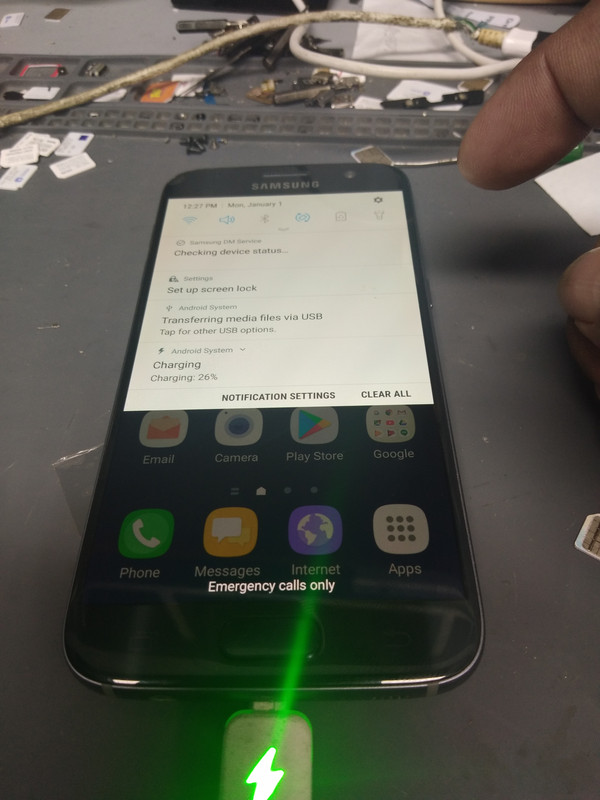
after root then direct unlock with credit (upload mode)
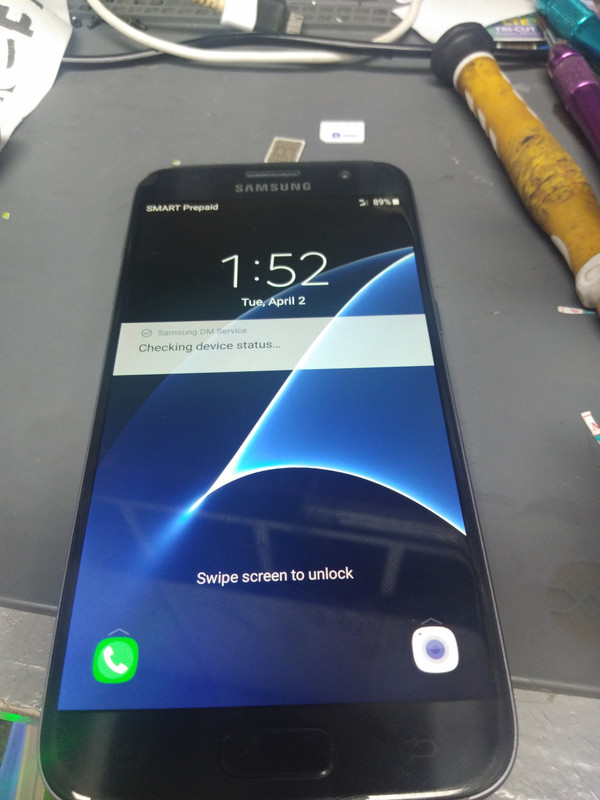
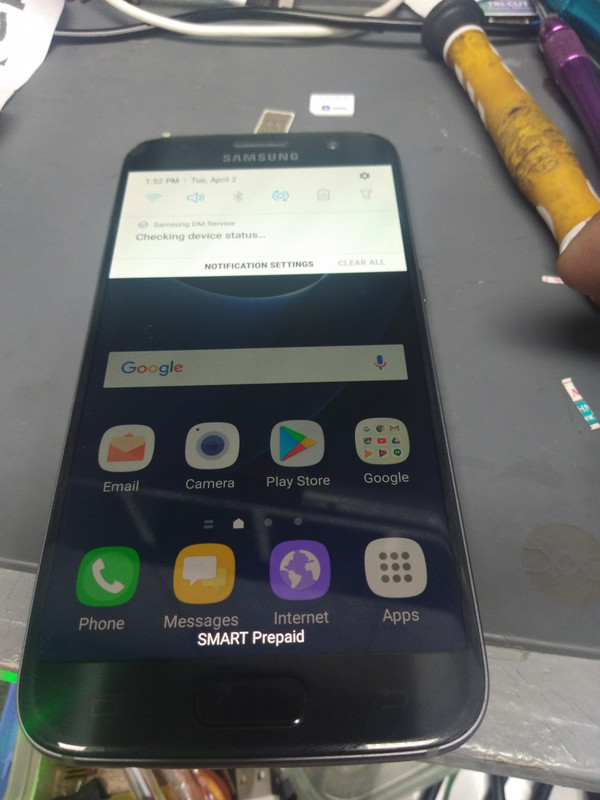
summary ko..
from oreo downgrade to nougat
root then need unlcok in octoplus with credit(upload mode) consume 80 credit...
restart is required after unlock...
root have password...
pm or used triangle...
note after root need hard resset by recovery mode para hindi sya mag boot lood..
thanks for viewing
imie become 0000xxxxx
buti nalang naka back up ako bagu ko nag try nyan...
logs
-----------------------------------------------------------------------------------
To connect SM-G935P phone you have to perform the following steps:
1. Disconnect USB cable from phone.
2. Go to Menu->Settings->More->About Device.
3. Tap on "Build number" 7 times to enable developer options.
4. Go to Menu->Settings->More->Developer options.
5. Turn on "USB Debugging" option.
-----------------------------------------------------------------------------------
Connecting to server...
Username: yeno
Authorizing...
Checking balance...
Your balance: 120 credits.
Performed by 2.7.9.1 Software version.
-----------------------------------------------------------------------------------
To connect SM-G930P phone you have to perform the following steps:
1. Disconnect USB cable from phone.
2. Go to Menu->Settings->More->About Device.
3. Tap on "Build number" 7 times to enable developer options.
4. Go to Menu->Settings->More->Developer options.
5. Turn on "USB Debugging" option.
-----------------------------------------------------------------------------------
Platform: Samsung Android
Selected port: COM4
Selected model: SM-G930P
Operation: Read info
Reading info, please wait...
Please, press "OK" button on the phone to allow USB debugging.
Detected phone model: SM-G930P
Firmware compiled date: Tue Apr 17 21:12:21 KST 2018
PDA version: G930PVPU6BRD2
CSC version: G930PSPT6BRD2
SW version: G930PVPU6BRD2
Phone SN: 00000000000
Android version: 7.0 (NRD90M)
Sales code: SPR
Country: USA
HW platform: msm8996
HW Chip: MSM8996
HW Modem: MSM8996
Security patch level: 2018-03-01
Warranty Void: 0
SIM 1 status: card io error
Codename: heroqltespr
Performed by 2.7.9.1 Software version.
-----------------------------------------------------------------------------------
Platform: Samsung Android
Selected port: COM4
Selected model: SM-G930P
Operation: Unlock
Attention: The Unlock process may take up to 10 minutes.
Searching for a phone. Please wait...
Detected phone model: SM-G930P
Firmware compiled date: Tue Apr 17 21:12:21 KST 2018
PDA version: G930PVPU6BRD2
CSC version: G930PSPT6BRD2
SW version: G930PVPU6BRD2
Phone SN: 00000000000
Android version: 7.0 (NRD90M)
Sales code: SPR
Country: USA
HW platform: msm8996
HW Chip: MSM8996
HW Modem: MSM8996
Security patch level: 2018-03-01
Warranty Void: 0
SIM 1 status: card io error
Codename: heroqltespr
Connecting to modem port...
Found phone on COM54
Reading IMEI...OK
-----------------------------------------------------------------------------------
Connecting to server...OK
Checking smart card...OK
Username: yeno
Authorizing...OK
Checking balance...OK
Checking operation...OK
Your balance: 120 credits.
-----------------------------------------------------------------------------------
Sending device information...OK
Rebooting phone
Searching for a phone. Please wait...OK
Rebooting phone
Searching for a phone. Please wait...OK
Initializing...OK
Rebooting phone in Upload Mode...
Searching for a phone. Please wait...OK
Reading data...OK
Rebooting phone
Searching for a phone. Please wait...
Searching for signatures...OK
Sending data to server...OK
Initializing exploit...
Phone unlocking failed
Performed by 2.7.9.1 Software version.
Welcome to Octoplus Box Samsung software version 2.7.9
-----------------------------------------------------------------------------------
To connect SM-G935P phone you have to perform the following steps:
1. Disconnect USB cable from phone.
2. Go to Menu->Settings->More->About Device.
3. Tap on "Build number" 7 times to enable developer options.
4. Go to Menu->Settings->More->Developer options.
5. Turn on "USB Debugging" option.
-----------------------------------------------------------------------------------
Connecting to server...
Username: yeno
Authorizing...
Checking balance...
Your balance: 120 credits.
Performed by 2.7.9.1 Software version.
-----------------------------------------------------------------------------------
To connect SM-G930P phone you have to perform the following steps:
1. Disconnect USB cable from phone.
2. Go to Menu->Settings->More->About Device.
3. Tap on "Build number" 7 times to enable developer options.
4. Go to Menu->Settings->More->Developer options.
5. Turn on "USB Debugging" option.
-----------------------------------------------------------------------------------
Platform: Samsung Android
Selected port: COM4
Selected model: SM-G930P
Operation: Read info
Reading info, please wait...
Please, press "OK" button on the phone to allow USB debugging.
Detected phone model: SM-G930P
Firmware compiled date: Tue Apr 17 21:12:21 KST 2018
PDA version: G930PVPU6BRD2
CSC version: G930PSPT6BRD2
SW version: G930PVPU6BRD2
Phone SN: 00000000000
Android version: 7.0 (NRD90M)
Sales code: SPR
Country: USA
HW platform: msm8996
HW Chip: MSM8996
HW Modem: MSM8996
Security patch level: 2018-03-01
Warranty Void: 0
SIM 1 status: card io error
Codename: heroqltespr
Performed by 2.7.9.1 Software version.
-----------------------------------------------------------------------------------
Platform: Samsung Android
Selected port: COM4
Selected model: SM-G930P
Operation: Unlock
Attention: The Unlock process may take up to 10 minutes.
Searching for a phone. Please wait...
Detected phone model: SM-G930P
Firmware compiled date: Tue Apr 17 21:12:21 KST 2018
PDA version: G930PVPU6BRD2
CSC version: G930PSPT6BRD2
SW version: G930PVPU6BRD2
Phone SN: 00000000000
Android version: 7.0 (NRD90M)
Sales code: SPR
Country: USA
HW platform: msm8996
HW Chip: MSM8996
HW Modem: MSM8996
Security patch level: 2018-03-01
Warranty Void: 0
SIM 1 status: card io error
Codename: heroqltespr
Connecting to modem port...
Found phone on COM54
Reading IMEI...OK
-----------------------------------------------------------------------------------
Connecting to server...OK
Checking smart card...OK
Username: yeno
Authorizing...OK
Checking balance...OK
Checking operation...OK
Your balance: 120 credits.
-----------------------------------------------------------------------------------
Sending device information...OK
Rebooting phone
Searching for a phone. Please wait...OK
Rebooting phone
Searching for a phone. Please wait...OK
Initializing...OK
Rebooting phone in Upload Mode...
Searching for a phone. Please wait...OK
Reading data...OK
Rebooting phone
Searching for a phone. Please wait...
Searching for signatures...OK
Sending data to server...OK
Initializing exploit...
Phone unlocking failed
Performed by 2.7.9.1 Software version.
-----------------------------------------------------------------------------------
Platform: Samsung Android
Selected port: COM54
Selected model: SM-G930P
Operation: Unlock
Attention: The Unlock process may take up to 10 minutes.
Searching for a phone. Please wait...
Detected phone model: SM-G930P
Firmware compiled date: Tue Apr 17 21:12:21 KST 2018
PDA version: G930PVPU6BRD2
CSC version: G930PSPT6BRD2
SW version: G930PVPU6BRD2
Phone SN: 00000000000
Android version: 7.0 (NRD90M)
Sales code: SPR
Country: USA
HW platform: msm8996
HW Chip: MSM8996
HW Modem: MSM8996
Security patch level: 2018-03-01
Warranty Void: 0
SIM 1 status: card io error
Codename: heroqltespr
Connecting to modem port...
Found phone on COM54
Reading IMEI...OK
-----------------------------------------------------------------------------------
Connecting to server...OK
Checking smart card...OK
Username: yeno
Authorizing...OK
Checking balance...OK
Checking operation...OK
Your balance: 120 credits.
-----------------------------------------------------------------------------------
Sending device information...OK
Initializing exploit...OK
Preparing phone..OK
Phone will restart now. Please don't disconnect cable!
Searching for a phone. Please wait...
Initializing...OK
Unlocking phone...
Performed by 2.7.9.1 Software version.
creidt check balance
i check it for balance
Welcome to Octoplus Box Samsung software version 2.7.9
-----------------------------------------------------------------------------------
To connect SM-G930P phone you have to perform the following steps:
1. Disconnect USB cable from phone.
2. Go to Menu->Settings->More->About Device.
3. Tap on "Build number" 7 times to enable developer options.
4. Go to Menu->Settings->More->Developer options.
5. Turn on "USB Debugging" option.
-----------------------------------------------------------------------------------
Connecting to server...
Username: yeno
Authorizing...
Checking balance...
Your balance: 40 credits.
Performed by 2.7.9.1 Software version.
nabawasan kasu emergency p[arin...
so idecided to root ang return the imie back up security in octoplus...
dimo maibabalik security back up kung di naka root...
kaya bagu gawin ugaliin mag back up...
sinubukan ko narin direct unlock while in root mode...pero di gumawa at maging yun combination file na modemn lang iflash saka direct unlock its not working...emergency aprin sya...
original os nito is oreo binary 6 so i downgrade to nougat binary 6...flash file dound in samobile...
kaya baka sakaling may roon kayung ganitong encounter wag na kayu mag aksaya dahil di gagana ang direct unlock nito sa combi downgrade modemn...new secuirty.....
sceenshoot after unlock in octoplus with credit
after root then direct unlock with credit (upload mode)
summary ko..
from oreo downgrade to nougat
root then need unlcok in octoplus with credit(upload mode) consume 80 credit...
restart is required after unlock...
root have password...
pm or used triangle...
note after root need hard resset by recovery mode para hindi sya mag boot lood..
thanks for viewing