
- Joined
- Sep 29, 2014
- Messages
- 33
- Reaction score
- 0
- Points
- 1
procedures po
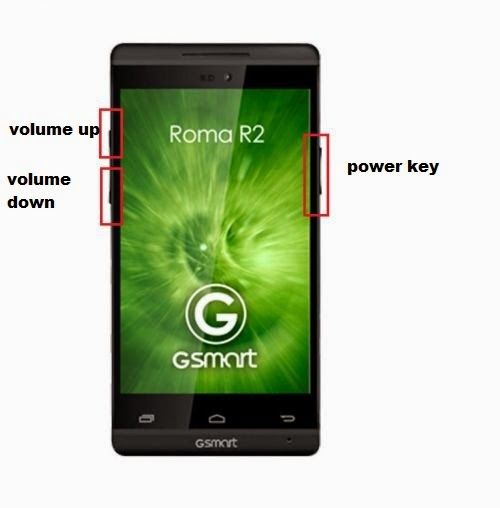
How to hard reset:
1.Power off your phone
2.Press togheter volume up + power key
3.Browse with volume up "wipe data" and push volume down to confirm
4.Browse with volume up "yes" and push volume down to confirm
5.Wait a few minutes until format is complete
6.Browse with volume up "reboot" and push volume down to confirm
7.Wait until the phone restarts
That's it!
Done GOD Blesspo sana makatulong po to ......
How to hard reset:
1.Power off your phone
2.Press togheter volume up + power key
3.Browse with volume up "wipe data" and push volume down to confirm
4.Browse with volume up "yes" and push volume down to confirm
5.Wait a few minutes until format is complete
6.Browse with volume up "reboot" and push volume down to confirm
7.Wait until the phone restarts
That's it!

Done GOD Blesspo sana makatulong po to ......