[Guide] Android Phones: Hard Reset

ric87

Registered
Joined
Jul 24, 2014
Messages
233
Reaction score
2
Points
1
Android Phones - Hard Reset

Please post here only Hard Reset of Android Phones
No question or how to please.


Help me to keep this thread clean

"Performing a factory data reset deletes all data, including downloaded applications, and resets the device back to its initial state—the state before you turned on the device for the first time.
Important Make sure to back up important data you have on the device before you perform a factory data reset."


HTC Dream

1. Turn the G1 off. If it’s frozen on, take the battery out and put it back in the unit.

2. Hold the Home and Power keys down at same time for about 25 seconds. You will see a yellow triangle screen with exclamation point in the
middle.

Now to wipe the device clean:

3. Press Alt+L.
4. Press Alt+W for a factory reset.
5. Press the Home and Back keys again for about 25 seconds.
The device should then reset again and the hard reset is complete.

++++++++++++++++++++++++++++++++++++++++++++++++++

HTC Magic

1. With the phone turned off, press and hold the HOME and BACK
2. Briefly press the END CALL/POWER button while continuing to pressHOME and BACK buttons.
3. When you see the screen with the 3 Android images, release the HOME and BACK buttons, and then press the TRACKBALL.

Tip
: If your phone hangs or freezes, remove the battery then wait for a few seconds, and then re-install it. After re-installing the battery, turn on the phone.


htc_magic_hard_reset_soft_reset.jpg


++++++++++++++++++++++++++++++++++++++++++++++++++


HTC Hero


1. With the phone turned off, press and hold the HOME and BACKand then briefly press the END CALL/POWER button. The reset process will start after a few seconds.
2. Wait for the phone to finish the reset process and then press MENU.

Tip : If your phone hangs or freezes, remove the battery then wait for a few seconds, and then re-install it. After re-installing the battery, turn on the phone.


++++++++++++++++++++++++++++++++++++++++++++++++++


HTC Tattoo


1. With the phone turned off, press and hold the HOME and BACKand then briefly press the END CALL/POWER button.
2. Press the ENTER button to begin the reset process.

Tip If your phone hangs or freezes, remove the battery then wait for a few seconds, and then re-install it. After re-installing the battery, turn on the phone.


++++++++++++++++++++++++++++++++++++++++++++++++++


HTC Desire
: reserved

++++++++++++++++++++++++++++++++++++++++++++++++++

HTC Whitestone :
reserved

++++++++++++++++++++++++++++++++++++++++++++++++++
 
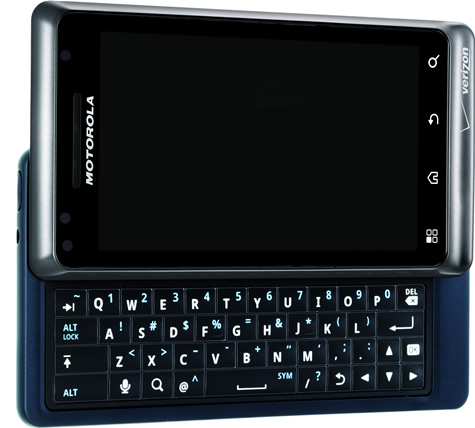
Motorola Droid

To reset your phone to factory settings and erase all the data on your phone,
Touch Menu > Settings
> Privacy > Factory data reset > Reset phone.
Warning: All data on your phone will be deleted.

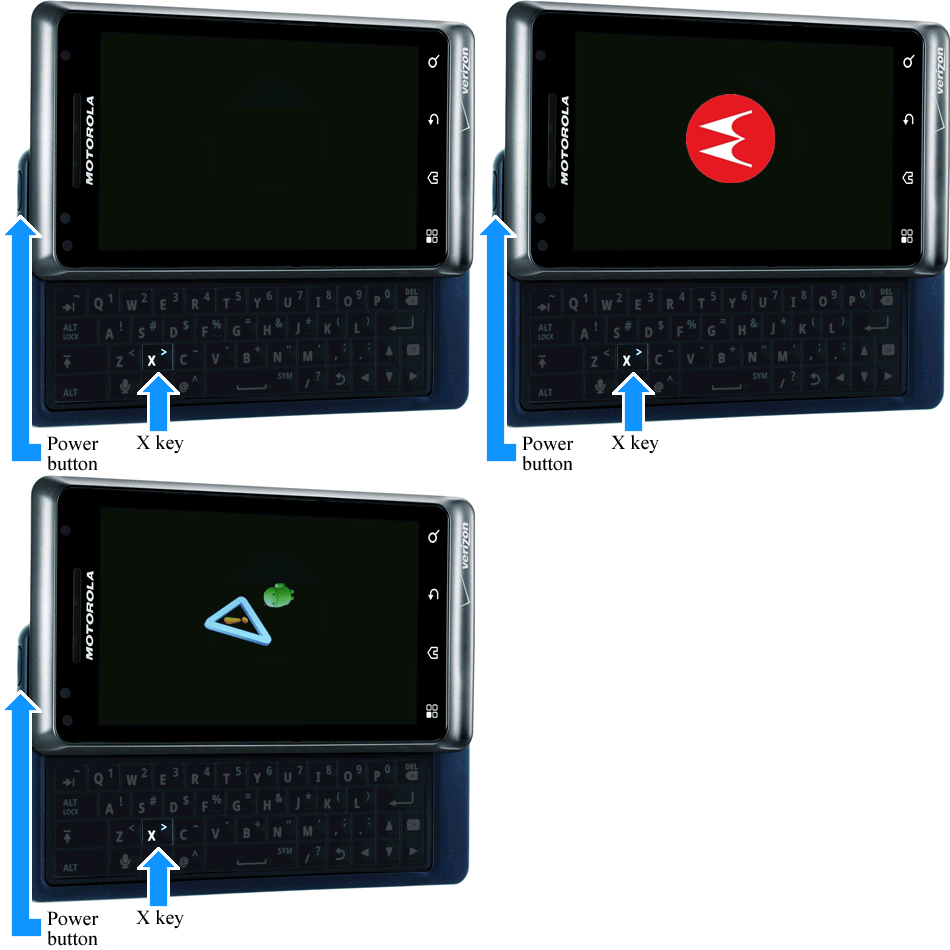
Motorola Droid Hard reset with keys

Power off device.
Press X key on hard keyboard + power button, then release both buttons.

When you see exclamation point press and hold VOLUME UP + CAMERA KEY. You will see Android system recovery menu.
With D pad go to data / factory reset, then press CENTER D Pad, then choose Yes.

++++++++++++++++++++++++++++++++++++++++++++++++++

Motorola Dext : Reserve
 
LG GW620 [Eve] Hard Reset LG GW620 [Eve] Hard Reset

To do a hard reset or data reset in LG GW620 aka EVE

Enter using Dial pad

3845#*620#

From menu select factory reset or whatever you want.

++++++++++++++++++++++++++++++++++++++++++++++++++
 
ARD RESET SAPP300 aka TMobile MYTouch My Touch Hi...

These steps will help someone Wipe and Hard Reset the TMobile My Touch
(no keyboard)

1) Press and hold the HOME button and the POWER button together.

2) Keep holding HOME and POWER together for at least 25 seconds, even if the "Startup" screen appears.

3) Release the keys when you see a black screen with a warning sign.

4) At the above warning sign screen, press the HOME and POWER buttons again simultaineously...(10 secs).. and then let them go.

5) Use the trackball to scroll to wipe data/factory reset.

6) Press the trackball in on wipe data/factory reset.

7) When the bottom of the screen displays [DATA WIPE COMPLETED].... roll the trackball to [REBOOT SYSTEM NOW].
Press the trackball in on [REBOOT SYSTEM NOW]
Await for the reboot....Full factory reset completed.
 
hard reste HTC desire nice collection
I will add this for desire

1. press and hold back & home buttons
2. press for a second power button
3. now a white screen will appear and with 4 options
very easy to follow them
you would use volume buttons to make a choice
then power button to confirm a choice
 
Motorola MB501 Quench How can I make a hard reset on this model? I have done the following:

1. Holding the Camera button while turning on your phone,
2. When prompted hit the Volume-Down rocker button to go into Recovery Mode.
3. After you get into Recovery Mode,

But I cannot do the following, because this model does not have a keyboard.

4. Press ALT+L to reset, then Menu+Back to reboot.


I need to hard reset this phone because it is not reading the sim card anymore. The client tried the wrong subsidy code many times.
 
Motorola MB502 Blur Hard Reset

Press X and Power Button, wen u get to the Droid.
Press Power button, u will get the System Recovery Menu.
Use Volume to Navigate to your Choice & Enter to Accept.
 
Spice MI 300 Hard Reset

Press cam, Volume Up and Power Button, when u get to the System Menu.
Use the Navigate Button to Select your choice
Use the Center/Action Button to Accept.
 
Huawei U8500 hard reset

Press Call, Volume Up and Power Button, wen u get to the System Menu.
Use the Navigate Button to Select your choice
Use the Center/Action Button to Accept.
 
Lg p 500 hrd reset

press down vol key+home button+on off switch
 
LG Optimus One P500 Hard Reset procedures


Note: As a result of this procedure, all data and application installed on LG Optimus One P500 will be deleted or cleared. However, this process may or may not delete data stored on the microSD memory card. We advice to back up all of your personal data before proceeding.

Factory Reset on Menu Setting

1. From the main home screen, tap menu
2. Select Settings, then Privacy
3. Select Factory data reset
4. Select Reset phone
5. Enter the password if required, then confirm by selecting Erase everything

If the phone is frozen, hard reset it through buttons

1. Turn the power off. If the phone is frozen, pull the battery out and inplace it back again
2. Hold the Home and Volume Down button
3. Press and hold the Power button until the phone turns on
4. Follow the on-screen instructions to hard reset the phone handset

The LG Optimus One P500 will then reboot to its factory fresh default state settings.
 
Samsung s5570 galaxy

1. Segure + Home Espere até poder Seleção de modo de inicialização
2. Limpe Data / Factory Reset
3. YES - Apagar todas Usuário


NoeHj.jpg
 
XT860 4G - Master Reset / Factory Reset de Dados

Redefinição de dados de fábrica é uma ferramenta usada para remover tudo o que foi importado, adicionado ou instalado no dispositivo. Tenha em mente, ao usar esse recurso, que tudo é excluído. Não serão afetados o armazenamento no MicroSD ou o armazenamento interno do telefone, a menos que você escolha apagá-los também.

Reposição dados de fábrica
  • A partir da tela do seu telefone, pressione o botão Menu
  • Toque em Configurações .
  • Role para baixo e toque em Privacidade
  • Toque em Redefinir dados de fábrica
  • Verifique, Erase armazenamento interno se você precisar de apagar todos os dados sobre o armazenamento do telefone (interno), tais como aplicativos, música, filmes ou fotos.
  • Toque em Reiniciar telefone

Executar um reset de fábrica usando teclas externas

Nota : É altamente recomendável que você use o reset de fábrica com as configurações (acima) .Cometendo um erro usando o método de reset de fábrica com a chave externa poderia ter consequências muito ruins.
Se você não conseguir navegar pelo menu para executar uma reposição de fábrica, você pode seguir os passos descritos abaixo:
  1. Desligar o dispositivo. Pressione o botão Power e selecione Desligar . Se o dispositivo não responder à entrada, remover e/ou substituir a bateria.
    linote.gif

    linote.gif
  2. Deslize o teclado aberto.
    keyboard_open.jpg
  3. Pressione e segure o botão Power + tecla X simultaneamente até que a tela de recuperação (ponto de exclamação com uma figura android) aparece.
    keyboard_open_reset-01.gif
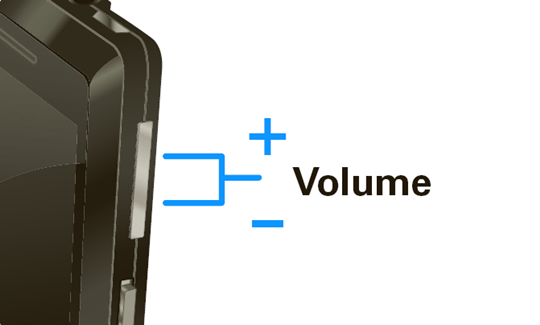
  4. Teclado deslizante fechado, em seguida, pressione o simultaneamente a tecla de volume up + down .
    volume_keys.jpg
  5. Pressione Volume baixo para selecionar apagar os dados / fábrica redefinir a pressionar o botão Power. Utilize as teclas de volume (para cima / para baixo) para selecionar.
    linote.gif
  6. Pressione Volume baixo para selecionar Sim - apagar todos os dados do usuário pressione o botão Power . processo de reset de fábrica pode demorar alguns minutos para ser concluído.
    linote.gif
  7. Selecione a reinicialização do sistema agora, em seguida, pressione o botão Power . processo de reinicialização pode demorar alguns minutos para ser concluído.
 
For the ZTE N860 Boostmobile (Wrap)

Master Reset:
1. Tap Home Key > > Settings > Privacy.
2. Tap Factory data reset.
3. Tap Reset phone. Check Erase SD card if you want to erase the memory card.
4. Tap Erase everything.


Hard Reset:
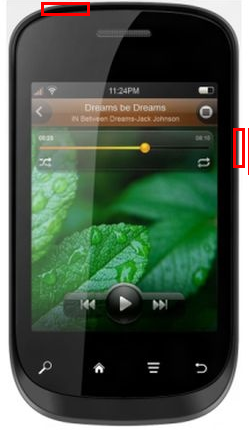
1. Turn Phone off
2. Press and hold Volume up button then Press and hold Power button till a menu will come out "Android system recovery"
4. Use the Volume button to scroll up and down and use the Camera button to select (click on).
5. Scroll down to "Wipe data/factory reset" and click on it.
6. Scroll down to "Yes -- delete all user data" and click on it.
7. After "Data wipe complete" click on "reboot system now"


FTM mode:
1. Turn Phone off
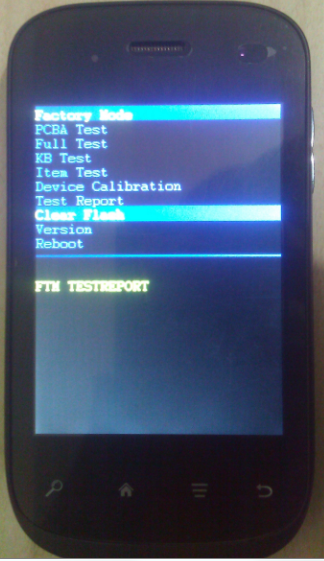
2. Press and hold Volume down button then Press and hold Power button till a screen will come out and say "FTM"
 
Lava N320 Hard Reset Solution
Google User name Pass Lock Remove Done


Press And Hold Volume Down + Power Key

Lava20N320_zpsd7694ef6.png


U Will See A Secret menu
Select 8Th Option (Clear Flash)

Lava20N320reset_zpsc473dadd.png
 
[Guide] All Lava Android Phones Hard Reset Solution Here
lavam.jpg
 
Maxx ax8 note i hard reset
MAXX AX8 NOTE I HARD RESET

maxxa8.png
 
Intex Z5 Google User Name/Password [Hard Reset] Done

way3.png


How To Hard Reset Micromax A45


rbbl8i.jpg

> Press and hold Volume up + Volume Down + power on
> you will see 2 options (recovery mode / Factore mode) press volume up to select recovery mode
> select wipe data/ factory reset by volume down button then touch menu
> volume down to select yes--delete all user data then touch menu
> reboot system now
 
Micromax A100 HardReset
Use Vol Up+power key to go to the reset menu.
Use Volume keys to navigate.
Go to factory reset option.
*LONG PRESS* volume up key to select and leave.
confirm Yes by *LONG PRESS* volume up key and leave.
after that select reboot opiton.

factory set done
 
micromax a75 hard reset
kepp pressing these two volume up + power button 3-5 seconds

with volume down select wipe data/factory reset

Micromax-A75.jpg
 
Micromax a44 hardreset
1. Volume down + power

it will show
recovery mode: Volume up
factory mode: Volume down

2. Press volume up

3. Select wipe data/ factory reset press menu button and select yes


it will done.

micromax-a44.jpg
 
MICROMAX A110 hard reset

1 volume up + volume down + power switch

2 volume up

3 recovery

4 wipe data/factory reset

micromaxa110hardreset.jpg
 
micromax-funbook-p300 hard reset

micromax-funbook-tab-p300-default-1334555442395.jpg


1. Hold and press (option + home + power button ) on the screen andriod symbol

2. Press option button on the sceen recovery menu

3. Use volume button select wipe factory reset (press power button)

4. Yes (or) no u select yes (press power button )
 
micromax a30 smarty hard reset done MICROMAX A30 SMARTY HARD RESET


PRESS AND HOLD VOL (-) AND VOL (+) AND POWER BUTTON

WAIT FOR ANDROID LOGO

AFTER YOU SEE ANDROID LOGO

PRESS HOME BUTTON

YOU CAN SEE RECOVERY MODE

PRESS VOL DOWN BUTTON

SELECT FACTORY RESET

AND REBOOT
 
Micromax A34 Google Account & Pattern Unlock Done

mmx+a34.jpg


zenu5.jpg


HOW TO USE Multi Tools WITH MICROMAX A26

1-OPEN
Multi Tools
2-PUT USB WITH POWER ON SET
3-WAIT FOR INSTALLING USB DRIVER
4-PRESS 5 FOR WIPE DATA
YOUR PHONE UNLOCKED


Android Multi Tools v1.02b


Guide] Micromax mobiles: Hard Reset Procedures
Micromax A54 Ninja 3.5 Hard Reset Done

Google User Name Password/Pattern Lock Remove Done

timthumb.php


1.Press And Hold Volume Up + Power

Note:-
Go down using Up Key

Go Up Using Down Key


2.Select Wipe data/Factory reset

3.Select Reboot System Now

4.Done
 
Micromax A35 Too Many Pattern Attempts/Google Account Removed Done
Micromax A35 Too Many Pattern Attempts/Google Account Removed Done With Android Multi Tool


80749322.jpg


Boot Your Micromax A35 into FastBoot
Press Volume Down + Power For 20 to 30 Seconds​


89444466.jpg


Now Plug USB cable to Phone & Open Android Multi Tool, Press 8 From PC Keyboard & Finally Press Enter & Enjoy.....​


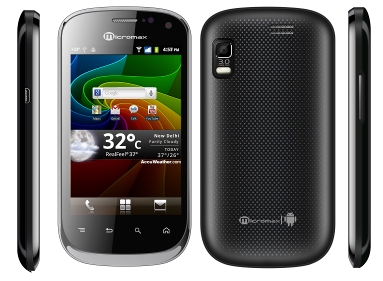
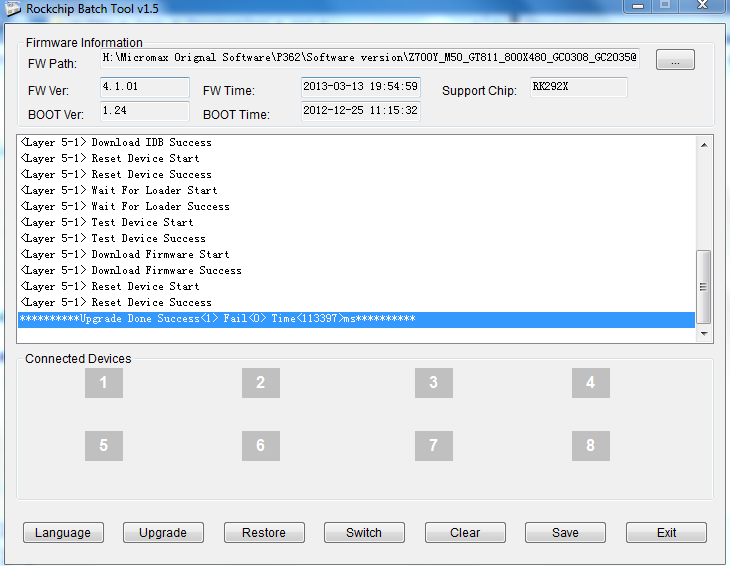
Micromax Funbook Talk P362 Flash Done
Google
User Name Password Lock Remove Done

Micromax-Funbook-Talk-P362.png


Micromax2036_zps1c93b9b6.png


Code:
[/SIZE][/COLOR][/FONT][/B][/SIZE][/I][I][SIZE=5][B][FONT=Times New Roman][COLOR=Lime][SIZE=5]Code:
 14:01:14 735    Rockchip Batch Tool v1.5.3.0 start run 14:01:30 109     **********Upgrade Start Total<1>********** 14:01:30 109     <Layer 5-1> [B]Test[/B]  Device Start 14:01:30 124    <Layer 5-1> Test Device Success  14:01:30 124    <Layer 5-1> Check Chip Start 14:01:30 124     <Layer 5-1> Check Chip Success 14:01:30 124    <Layer 5-1>  Get FlashInfo Start 14:01:30 124    <LAYER 5-1> INFO:FlashInfo: 0 0  80 0 0 20 20 28 2A 1 1 14:01:30 124    <Layer 5-1> Get FlashInfo  Success 14:01:30 499    <Layer 5-1> Prepare IDB Start 14:01:30 499     <LAYER 5-1> INFO:CS(1)        (4096MB)        (TOSHIBA)  14:01:30 514    <Layer 5-1> Prepare IDB Success 14:01:30 514     <Layer 5-1> Download IDB Start 14:01:31 045    <Layer 5-1>  Download IDB Success 14:01:31 045    <Layer 5-1> Reset Device  Start 14:01:32 045    <Layer 5-1> Reset Device Success 14:01:32  045    <Layer 5-1> Wait For Loader Start 14:01:33 108    <Layer  5-1> Wait For Loader Success 14:01:33 118    <Layer 5-1> Test  Device Start 14:01:35 138    <Layer 5-1> Test Device Success  14:01:35 138    <Layer 5-1> Download Firmware Start 14:03:22 474     <Layer 5-1> Download Firmware Success 14:03:22 474    <Layer  5-1> Reset Device Start 14:03:23 475    <Layer 5-1> Reset  Device Success 14:03:23 490[/SIZE][/COLOR][/FONT][/B][/SIZE][/I][I][SIZE=5][B][FONT=Times New Roman][COLOR=Lime][SIZE=5]

Video Here
 
micromaxx A72 canvas hard reset
1-conncet datacable
2-press volum down and power buttom
3-show trangle logo
4-press how buttom
5-select wipe data formate
6-calling buttom press ok
7 reboot choose
8 your problem is solve 10000000000000000000000%
 
Maxx Genxdroid7 Hard Reset


Hard Reset:

  • Press and hold Volume Down + Power Key
  • Now you see Android logo
  • Now press Home key for Recovery Menu
  • Now select wipe data/factory reset with volume down and press Power key to confirm
  • Now select Yes -- Delete all user data and press Power Key to confirm
  • Now reboot device
  • hard reset done
 
Who read this thread (Total readers: 0)
No registered users viewing this thread.
Back
Top