
How to Enter DFU Mode With a Broken Home or Power Button
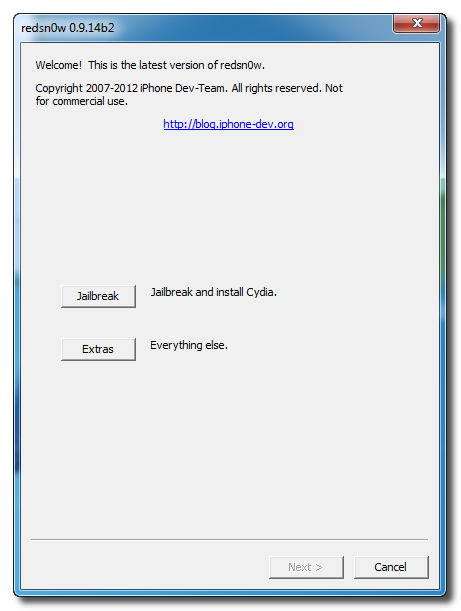
Once RedSn0w opens click the Extras button.
Choose Even More from the Extras menu.
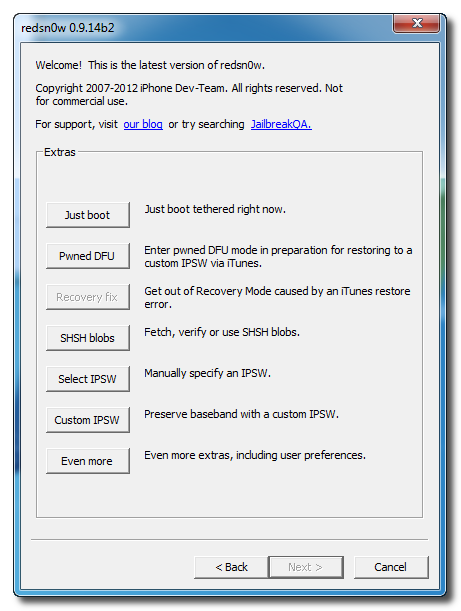
Select DFU IPSW from the Even More menu.

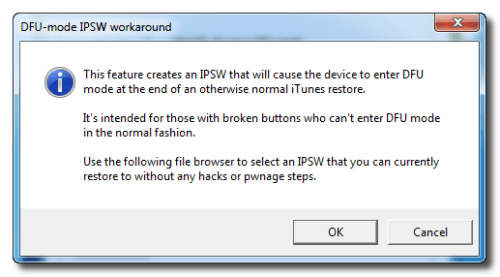
You will be instructed to select an IPSW that you can currently restore to without any hacks or pwnage steps. Click OK.
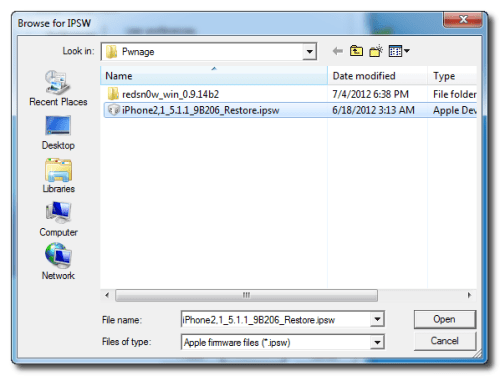
Select the ipsw firmware file you downloaded (4.2.1 3G) and click Open.
RedSn0w will now proceed to create a DFU Mode IPSW.
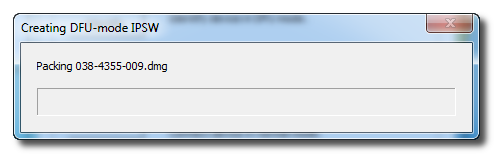
-You Should Find Created IPSW DFU Restore On Same Folder As Redsn0w
Connect your device to the computer and select it from list of devices on the left. If you haven't performed a backup recently, perform one now. Next, make sure you are on the Summary then hold down the Shift key and click Restore.
Select the ENTER_DFU ipsw from Redsn0w Folderand click the Open button.
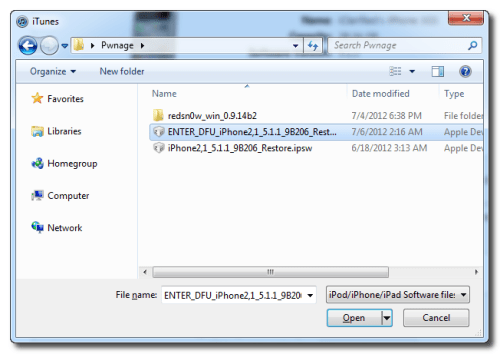
After your device has been restored it will be dumped into DFU mode. The screen will remain black and you may be able to jailbreak depending on the firmware you've restored to.
Once RedSn0w opens click the Extras button.
Choose Even More from the Extras menu.
Select DFU IPSW from the Even More menu.
You will be instructed to select an IPSW that you can currently restore to without any hacks or pwnage steps. Click OK.
Select the ipsw firmware file you downloaded (4.2.1 3G) and click Open.
RedSn0w will now proceed to create a DFU Mode IPSW.
-You Should Find Created IPSW DFU Restore On Same Folder As Redsn0w
Connect your device to the computer and select it from list of devices on the left. If you haven't performed a backup recently, perform one now. Next, make sure you are on the Summary then hold down the Shift key and click Restore.
Select the ENTER_DFU ipsw from Redsn0w Folderand click the Open button.
After your device has been restored it will be dumped into DFU mode. The screen will remain black and you may be able to jailbreak depending on the firmware you've restored to.