
- Joined
- Jun 12, 2014
- Messages
- 357
- Reaction score
- 1
- Points
- 31
How to Turn off your iPhone if your Power button doesn't work
1. Launch the Settings app on your iPhone or iPad.
2. Tap on General.
3. Tap on Accessibility.
4. Tap on AssistiveTouch.
5. Turn On the option for AssistiveTouch.
6. A new circle button will appear on your screen. Tap on it.
7. In the popup menu, tap on Device.
8. Press and hold on the option for Lock screen.
9. The Slide to Power Off dialog will appear and you can slide your finger to power down your iPhone.
<table class="ncode_imageresizer_warning" id="ncode_imageresizer_warning_2" width="400"><tbody><tr><td class="td1" width="20"> </td><td class="td2">Click this bar to view the full image.</td></tr></tbody></table>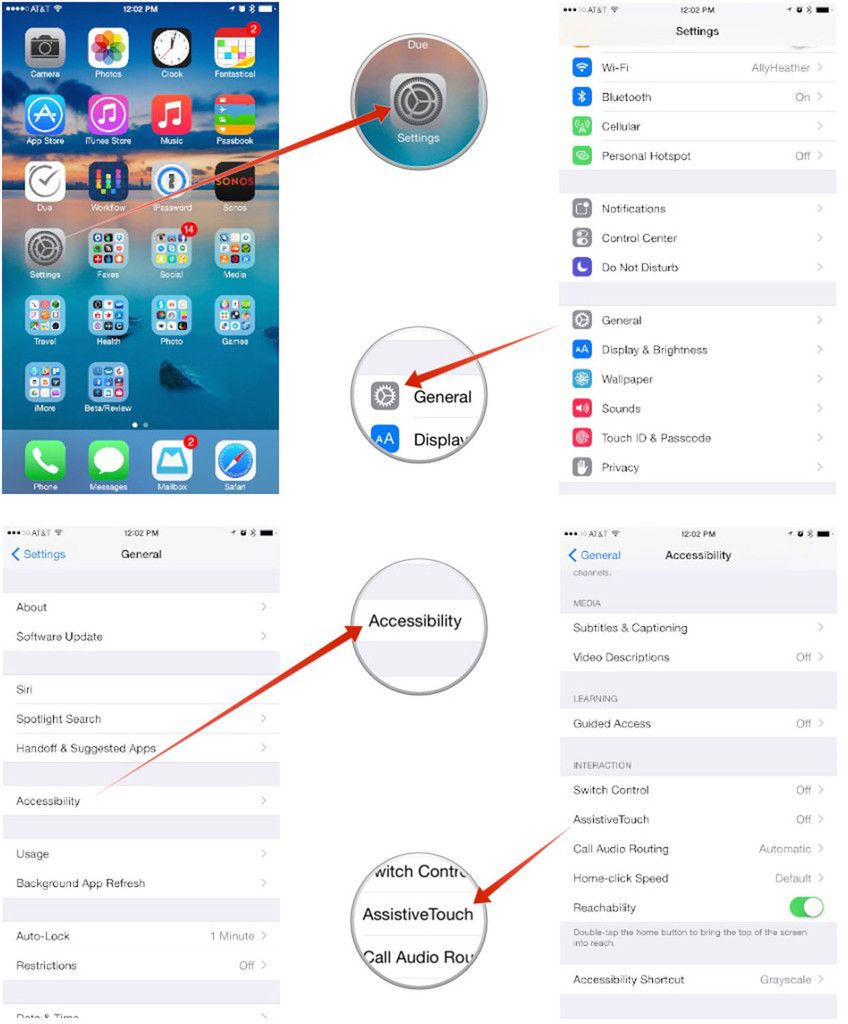
<table class="ncode_imageresizer_warning" id="ncode_imageresizer_warning_1" width="400"><tbody><tr><td class="td1" width="20"></td><td class="td2">Click this bar to view the full image.</td></tr></tbody></table>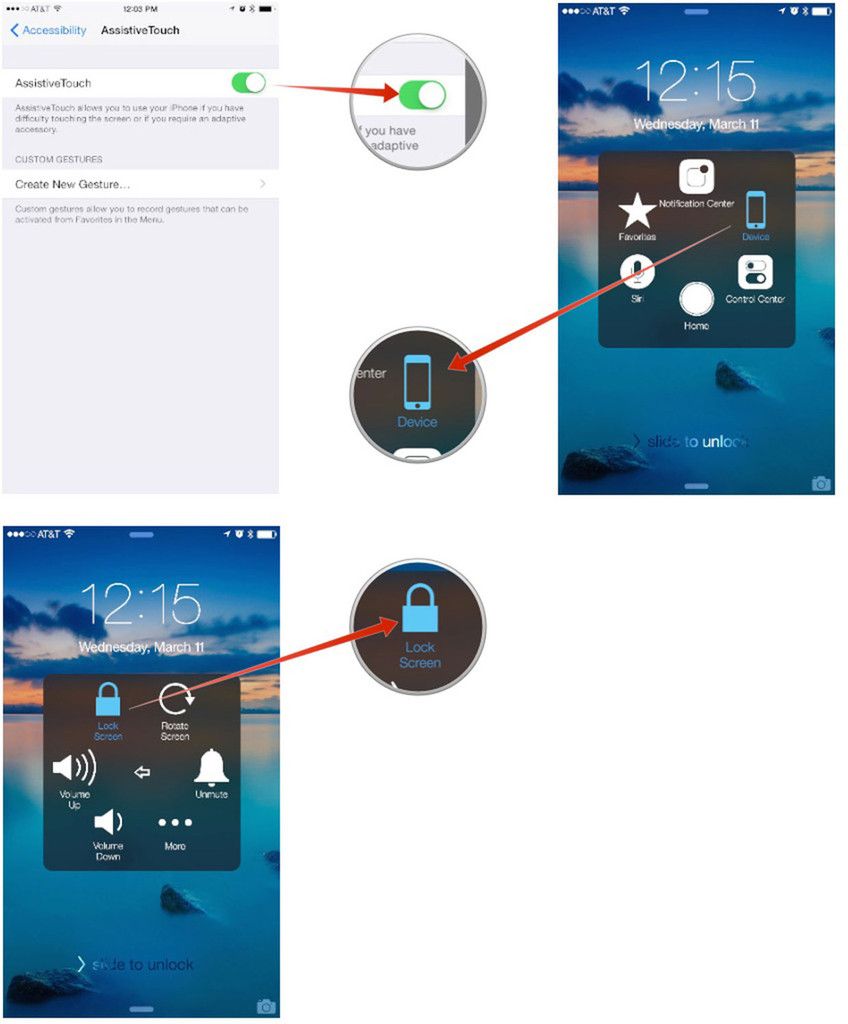
hope it helps simple but usefull..
1. Launch the Settings app on your iPhone or iPad.
2. Tap on General.
3. Tap on Accessibility.
4. Tap on AssistiveTouch.
5. Turn On the option for AssistiveTouch.
6. A new circle button will appear on your screen. Tap on it.
7. In the popup menu, tap on Device.
8. Press and hold on the option for Lock screen.
9. The Slide to Power Off dialog will appear and you can slide your finger to power down your iPhone.
<table class="ncode_imageresizer_warning" id="ncode_imageresizer_warning_2" width="400"><tbody><tr><td class="td1" width="20">
 </td><td class="td2">Click this bar to view the full image.</td></tr></tbody></table>
<table class="ncode_imageresizer_warning" id="ncode_imageresizer_warning_1" width="400"><tbody><tr><td class="td1" width="20">
 </td><td class="td2">Click this bar to view the full image.</td></tr></tbody></table>
hope it helps simple but usefull..