
Instruction
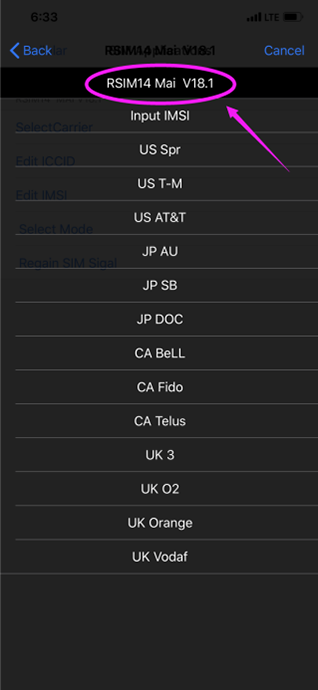
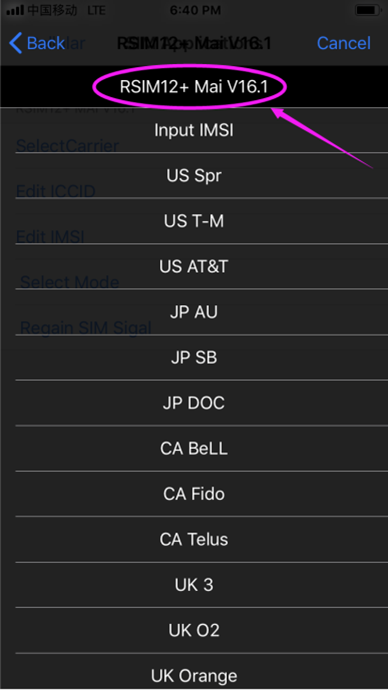
1:Insert R-SIM and SIM card into the phone together and to pop up the following menu,Select the corresponding carrier.
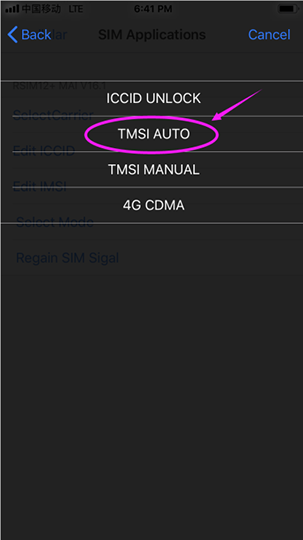
2:Select TMSI AUTO (Fully automatic operation mode) or TMSI MANUAL (semi-automatic operation mode).
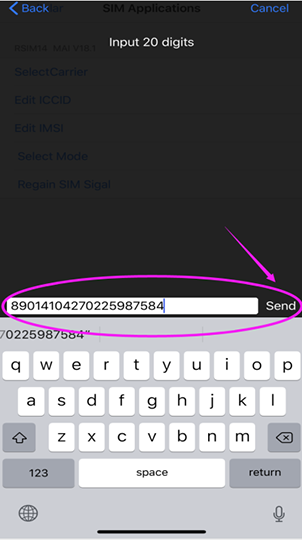
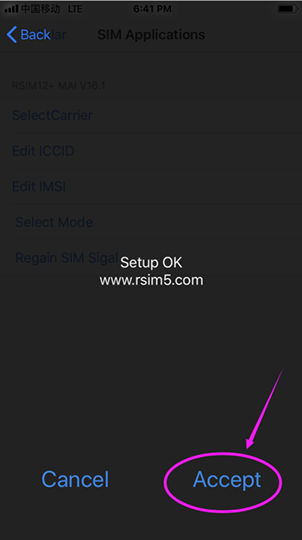
Enter the activation ICCID (follow the update of the latest ICCID code in the Unlock iPhone X MAX/XR/XS/X/8/7/6S/6 iOS7 with R-SIM,support IOS 12!RSIM R-SIM Offical Website R-SIM14,R-SIM12,GPP,GEVEY,HEICARD,HEISIM,RSIM 10,RSIM11+,RSIM 9 PRO mini air Unlock,iPhoneX,iPhone8,Firmware,Any version, No jailbreak announcement)
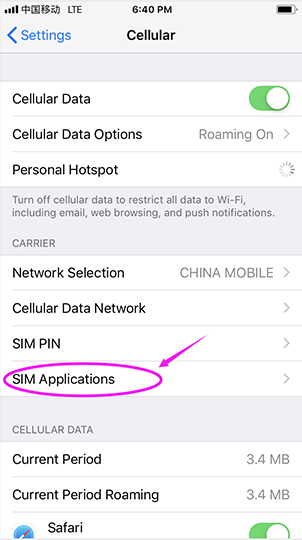
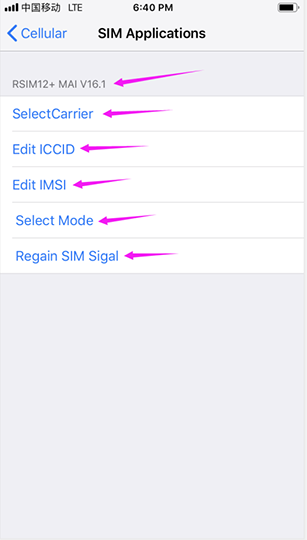
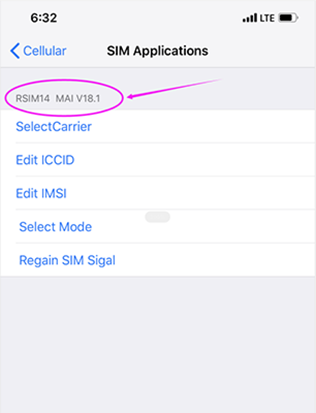
3:Unlock mode (Settings - Phone or Cellular Mobile Network - Phone - SIM Card Application - R-SIM Program Page)
1- ICCID unlock unlock mode, dedicated for ICCID unlock
2- TMSI AUTO mode,insert the card and pop-up the menu, select carrier -> select TMSI AUTO -> input activation ICCID - "point send ”->> pull card and insert card to enter the unlock mode, wait for the signal to appear. (This process will automatically exit after a short entry into active mode.
3- TMSI MANUAL mode: Select the carrier - "Select TMSI MANUAL -" input activation ICCID - "point to send -" pull card and insert the card to enter the SIM application click - "Regain SIM Signal -> wait for the signal grid to appear, then pull the card and insert the card, wait for the signal (Sometimes the unlocking is unsuccessful, need to dial 112 after the signal format appear, no need to turn off the phone, then pull the card,insert the card to wait for the signal)
4-(PS:Activated phone does not need to be reactivated)
1:Insert R-SIM and SIM card into the phone together and to pop up the following menu,Select the corresponding carrier.
2:Select TMSI AUTO (Fully automatic operation mode) or TMSI MANUAL (semi-automatic operation mode).
Enter the activation ICCID (follow the update of the latest ICCID code in the Unlock iPhone X MAX/XR/XS/X/8/7/6S/6 iOS7 with R-SIM,support IOS 12!RSIM R-SIM Offical Website R-SIM14,R-SIM12,GPP,GEVEY,HEICARD,HEISIM,RSIM 10,RSIM11+,RSIM 9 PRO mini air Unlock,iPhoneX,iPhone8,Firmware,Any version, No jailbreak announcement)
3:Unlock mode (Settings - Phone or Cellular Mobile Network - Phone - SIM Card Application - R-SIM Program Page)
1- ICCID unlock unlock mode, dedicated for ICCID unlock
2- TMSI AUTO mode,insert the card and pop-up the menu, select carrier -> select TMSI AUTO -> input activation ICCID - "point send ”->> pull card and insert card to enter the unlock mode, wait for the signal to appear. (This process will automatically exit after a short entry into active mode.
3- TMSI MANUAL mode: Select the carrier - "Select TMSI MANUAL -" input activation ICCID - "point to send -" pull card and insert the card to enter the SIM application click - "Regain SIM Signal -> wait for the signal grid to appear, then pull the card and insert the card, wait for the signal (Sometimes the unlocking is unsuccessful, need to dial 112 after the signal format appear, no need to turn off the phone, then pull the card,insert the card to wait for the signal)
4-(PS:Activated phone does not need to be reactivated)