1) Connect to pc using usb cable the Pocket wifi without simcard, wait till drivers are installed
2) Disable Huawei in network settings
3) Plug DC-Unlocker Dongle to pc. Click server and log-in
4) Choose Huawei Moden, Auto
5) If detected, click unlock, generate unlock code by imei
6) Remove Pocket Wifi Insert unaccepted sim.
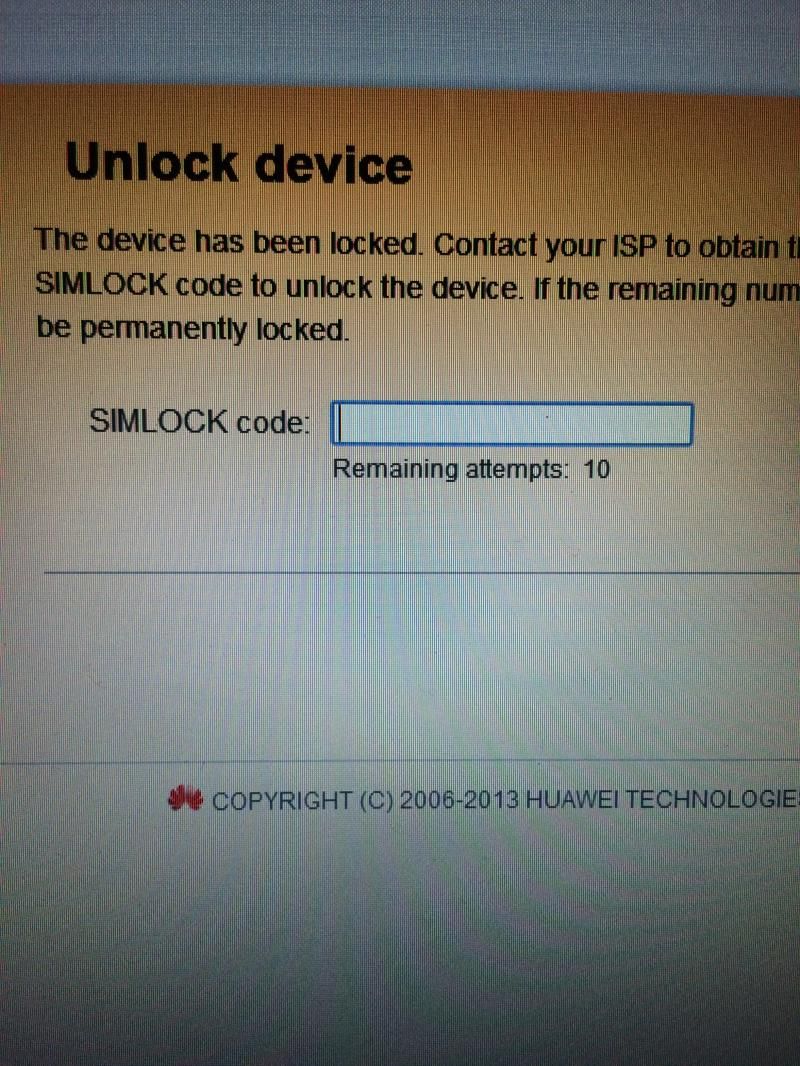
7) Type on browser 192.168.1.1
8) You will be asked for simlock code. Enter code generated by dc-unlocker
DONE
FYI: For quick settings User Name: admin Password: admin
No Need to Flash


2) Disable Huawei in network settings
3) Plug DC-Unlocker Dongle to pc. Click server and log-in
4) Choose Huawei Moden, Auto
5) If detected, click unlock, generate unlock code by imei
6) Remove Pocket Wifi Insert unaccepted sim.
7) Type on browser 192.168.1.1
8) You will be asked for simlock code. Enter code generated by dc-unlocker
DONE
FYI: For quick settings User Name: admin Password: admin
No Need to Flash


