Huawei Nexus 6p (H1512) FRP Done via TP
Tool:
-Octopus/Octoplus FRP Tool
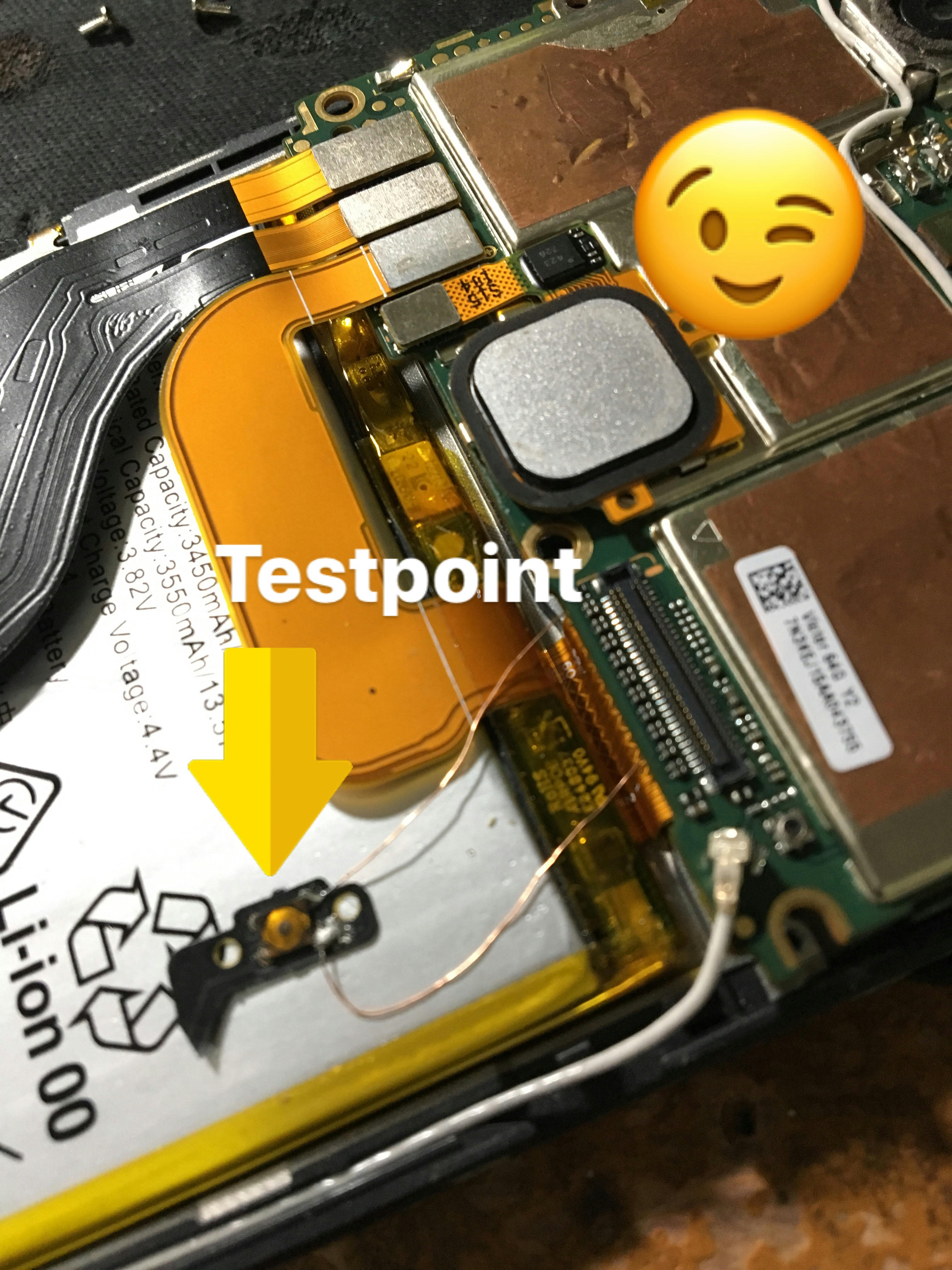
Eto ginawa ko para sa testpoint pra hindi mahirap kc nasa likod ing testpoint nya. nilagyan ko ng wire with switch.
Pindutin lang ung switch tapos salpak usb 3-5sec release switch.
**testpoint as shown in Help manual;
Eto na Tapos na..
Tool:
-Octopus/Octoplus FRP Tool
Eto ginawa ko para sa testpoint pra hindi mahirap kc nasa likod ing testpoint nya. nilagyan ko ng wire with switch.
Pindutin lang ung switch tapos salpak usb 3-5sec release switch.
**testpoint as shown in Help manual;
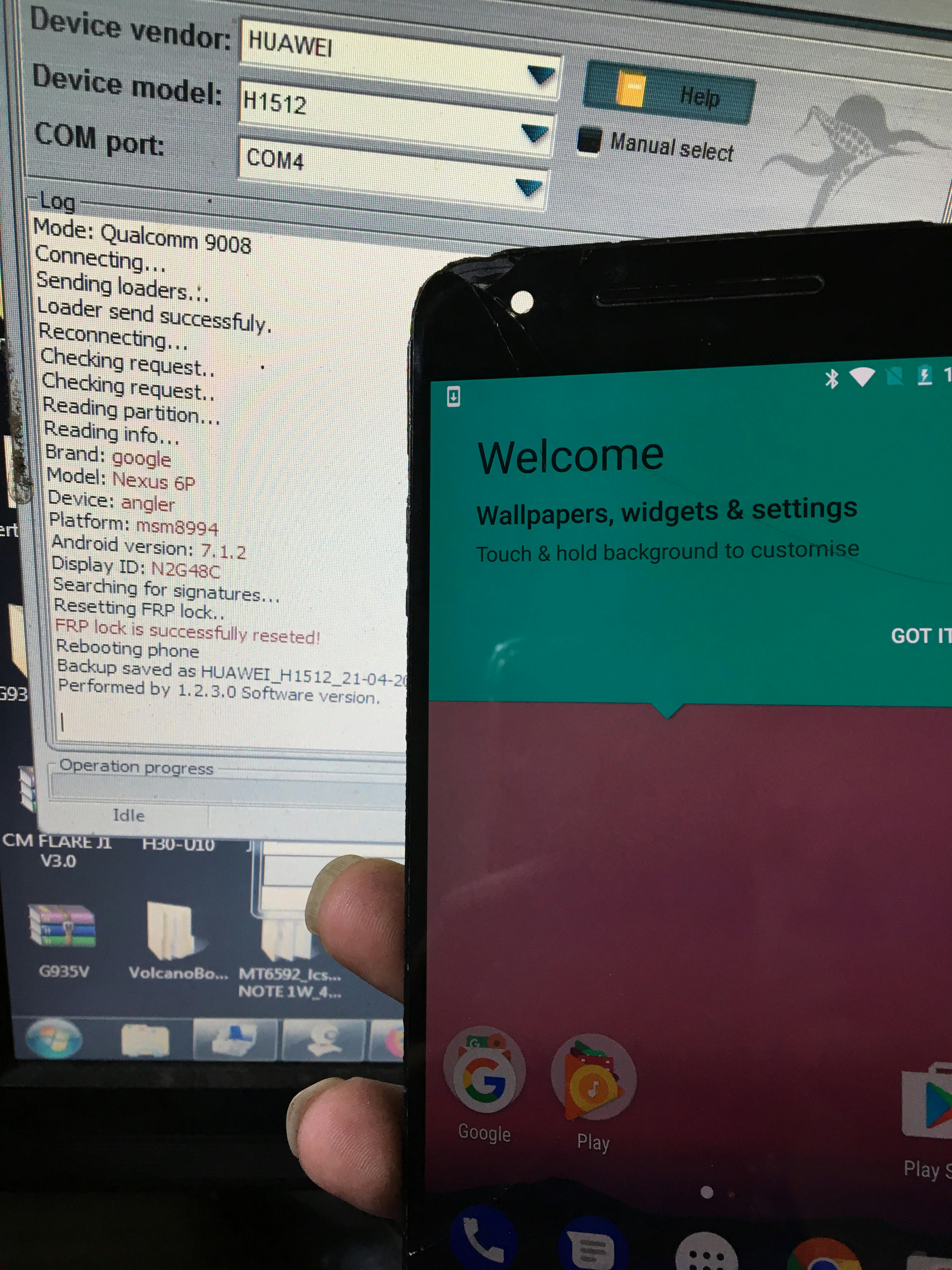
Eto na Tapos na..
Welcome to Octoplus FRP Tool v.1.2.3
Platform: HUAWEI
Selected model: H1512
Put the phone into EDL mode:
1. Attach testpoint as shown in Help manual;
2. Connect USB cable;
3. Release testpoint after 3-5 seconds.
Searching for a phone. Please wait...
Found phone on COM707
Mode: Qualcomm 9008
Connecting...
Sending loaders...
Loader send successfuly.
Reconnecting...
Checking request..
Checking request..
Reading partition...
Reading info...
Brand: google
Model: Nexus 6P
Device: angler
Platform: msm8994
Android version: 7.1.2
Display ID: N2G48C
Searching for signatures...
Resetting FRP lock..
FRP lock is successfully reseted!
Rebooting phone
Backup saved as HUAWEI_H1512_21-04-2018_10-18-49.dump file
Performed by 1.2.3.0 Software version.
