Huawei U8800 Ideos X5 Impulse 4G unlock done by zZKey
Step by step procedure
1. Install DRIVER
2. Power off CP
3. Press and hold down Vol -, Vol + buttons simultaneously then press and hold Power until your phone completely freezes on the pink screen.(BOOT MODE)

4. Connect Phone
5. Open zZKey Module
6. Select Model
7. Tick Connect button
8. Tick Unlock button
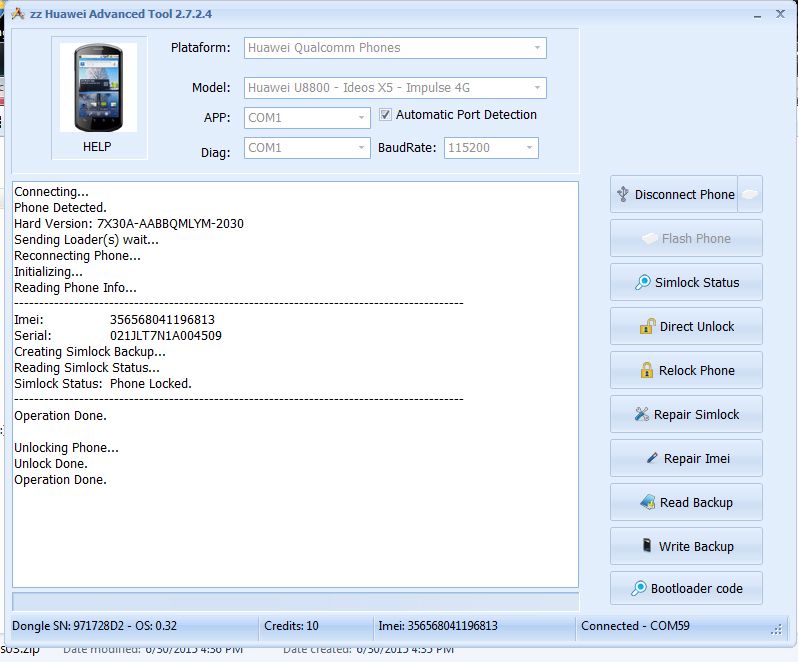
9. Done.

Step by step procedure
1. Install DRIVER
2. Power off CP
3. Press and hold down Vol -, Vol + buttons simultaneously then press and hold Power until your phone completely freezes on the pink screen.(BOOT MODE)
4. Connect Phone
5. Open zZKey Module
6. Select Model
7. Tick Connect button
8. Tick Unlock button
9. Done.