
Hi,
Usong uso ngaun ang ios7 maganda nga naman
pero paano kung ang cp mo ay hindi supported ng
ios7 makikitingin ka nalang ba kung pwede mo naman
gawin sa cp mo
Reminders: Only Running Ios 6.1.2 and 6.1.3 only
ok lets start,,...
first make sure your iphone is jailbroken..
wifi connection..
go to cydia download mo ang winterboard kung wala ka pa,,
kung my winterboard ka na search ang iOS 7 themes,,
download ang iOS 7 theme complete.. 12mb po yan
go to winterboard and select ios7 by bichko
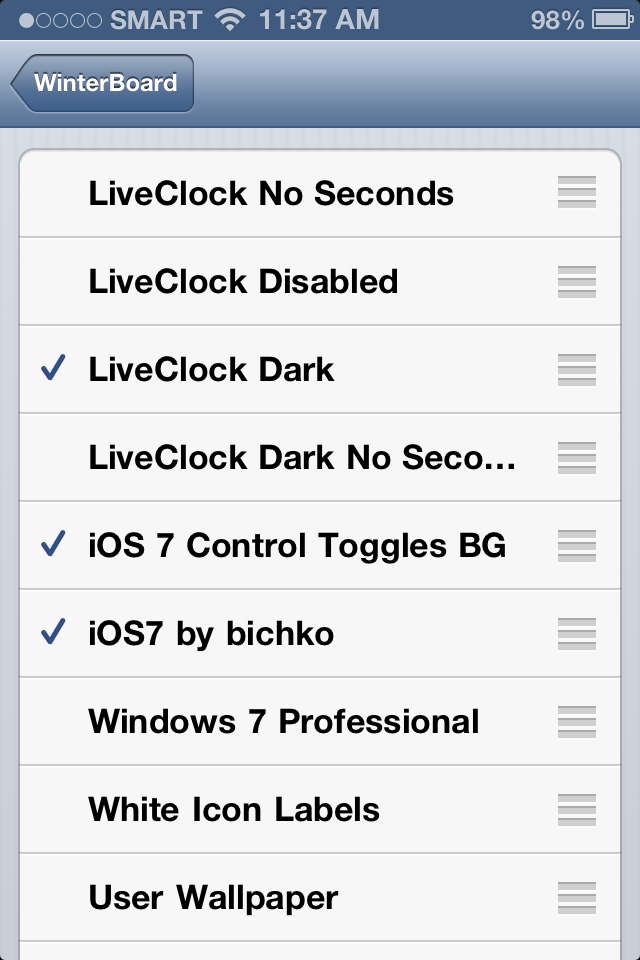
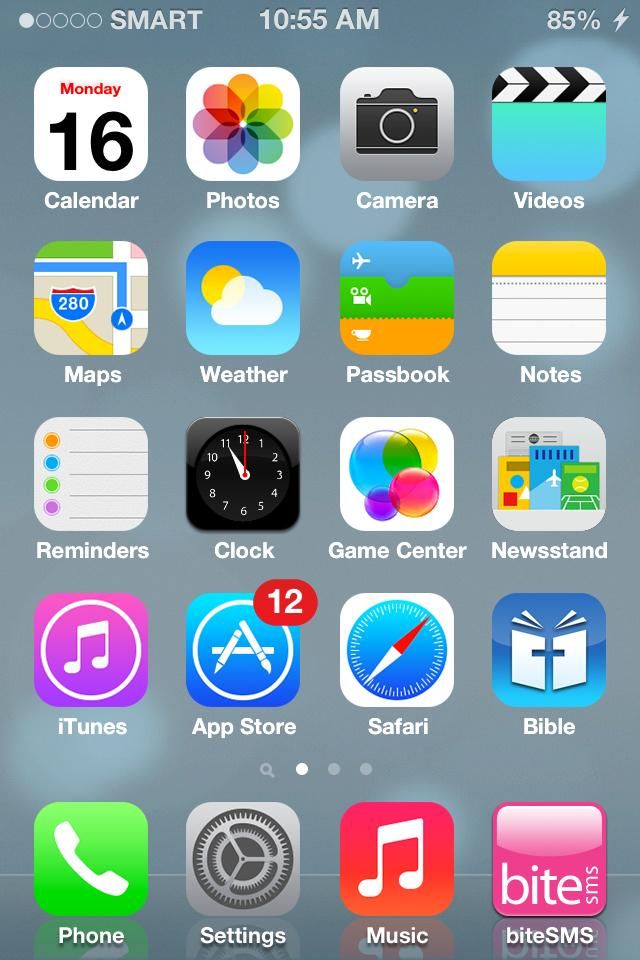
VIOLA your iphone look like iOS7 na..
kung napansin nyo sync ang clock sa status,,you must download again from
cydia the LiveClock
lastly if you want your fone act like IOS7 drop down,,download again from
cydia...
Download and install NCSettings from Cydia.
Enable NCSettings by turning it on in Settings > Notifications.
Download and install BlurriedNCBackground from Cydia.
Grab the iOS 7 Control Toggles theme for Winterboard. Enable it in both
Winterboard (iOS 7
Control Toggles BG) and NC Settings (Settings > NC Settings > Theme > iOS
7 Control Toggles).
If you want to add the Control Center-style music controls, you can add in
NCMusicGestures. It's not as good looking as the iOS 7 music controls, but
it's functionally the same.
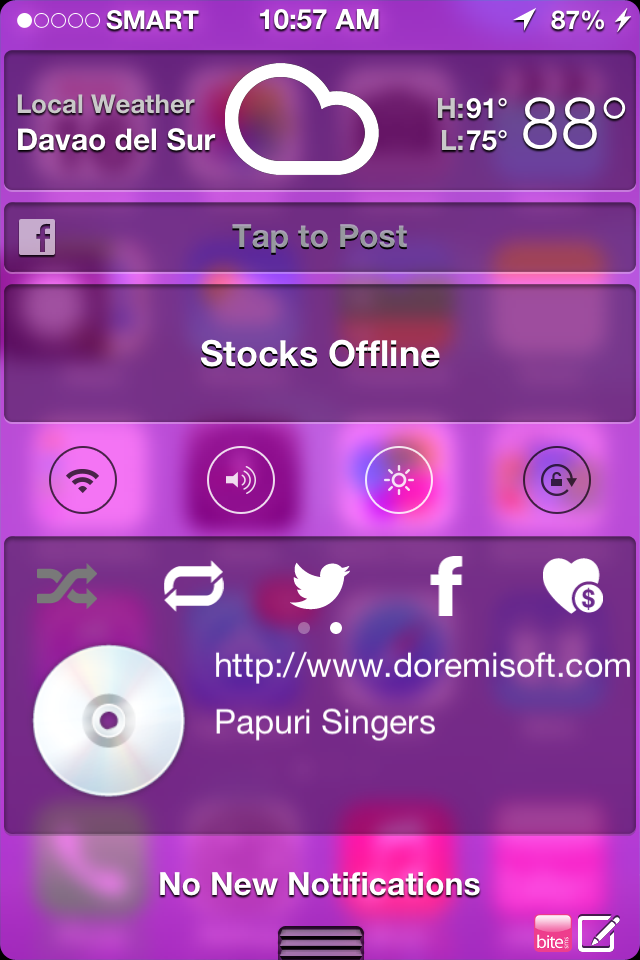
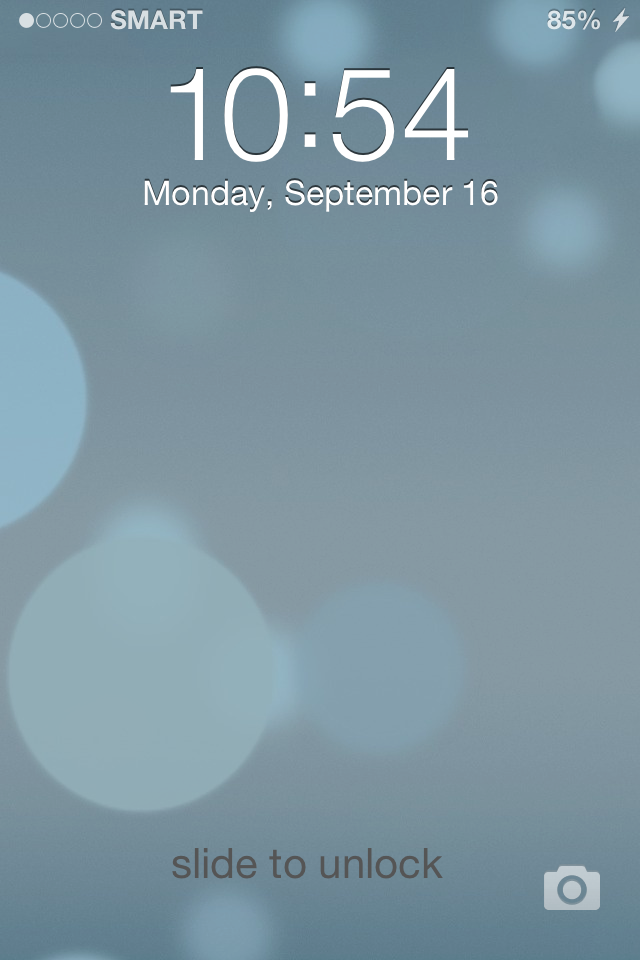
you have now the new IOS7 look like....
thanks...
ORIGINAL LINK....
How to Make Your iPhone Look Like iOS 7 Right Now
Usong uso ngaun ang ios7 maganda nga naman
pero paano kung ang cp mo ay hindi supported ng
ios7 makikitingin ka nalang ba kung pwede mo naman
gawin sa cp mo
Reminders: Only Running Ios 6.1.2 and 6.1.3 only
ok lets start,,...
first make sure your iphone is jailbroken..
wifi connection..
go to cydia download mo ang winterboard kung wala ka pa,,
kung my winterboard ka na search ang iOS 7 themes,,
download ang iOS 7 theme complete.. 12mb po yan
go to winterboard and select ios7 by bichko

VIOLA your iphone look like iOS7 na..
kung napansin nyo sync ang clock sa status,,you must download again from
cydia the LiveClock

lastly if you want your fone act like IOS7 drop down,,download again from
cydia...
Download and install NCSettings from Cydia.
Enable NCSettings by turning it on in Settings > Notifications.
Download and install BlurriedNCBackground from Cydia.
Grab the iOS 7 Control Toggles theme for Winterboard. Enable it in both
Winterboard (iOS 7
Control Toggles BG) and NC Settings (Settings > NC Settings > Theme > iOS
7 Control Toggles).
If you want to add the Control Center-style music controls, you can add in
NCMusicGestures. It's not as good looking as the iOS 7 music controls, but
it's functionally the same.


you have now the new IOS7 look like....
thanks...
ORIGINAL LINK....
How to Make Your iPhone Look Like iOS 7 Right Now
Last edited by a moderator: