Reference Lang Po.. wala kasi akong nakitang may proper guide about this model.
Paalala lang po ingatan pag baklas mahal LCD nyan 1 set.
ipad air 2 (a1567) icloud problem After Bypass 100% wifi Not working .
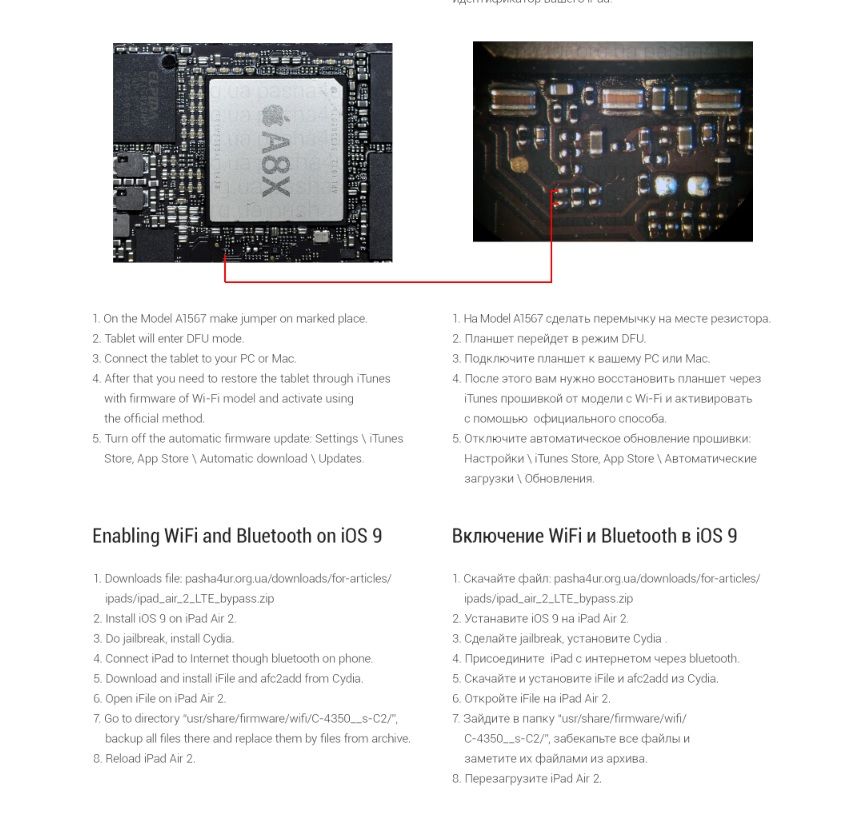
Bypass Muna Jumper lang po follow image.
after jumper itunes Dtected ipad air 2 recovery Mode or DFU Mode. then restore
lang sa pinaka lattest ios na naka sign kay apple.
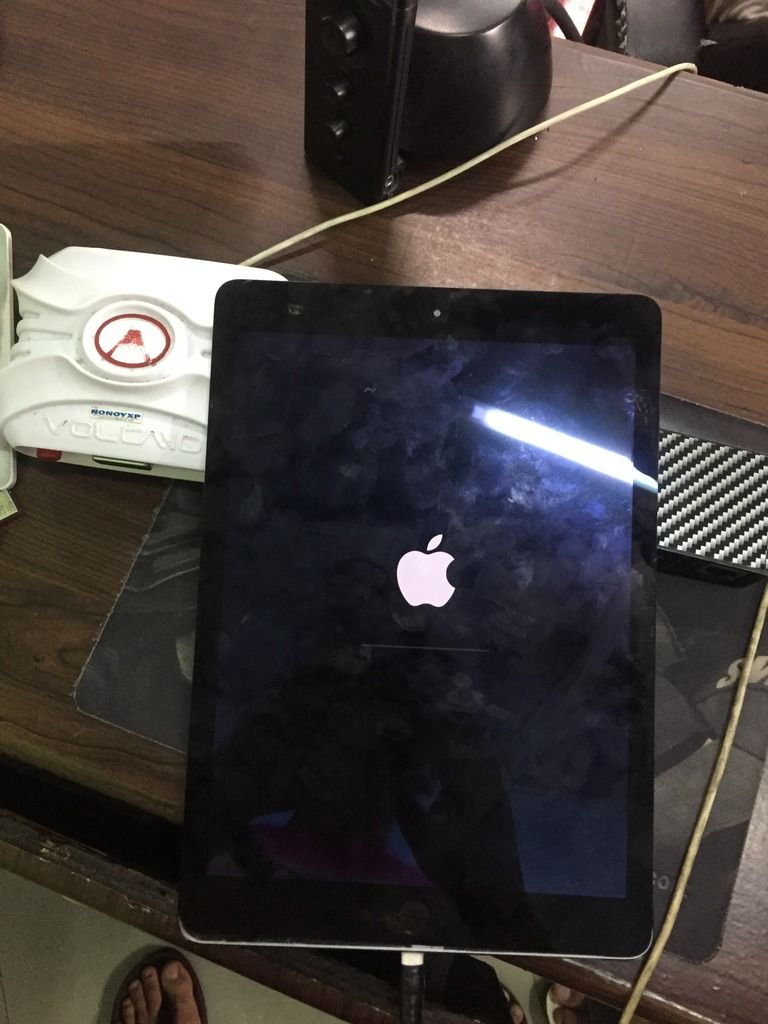
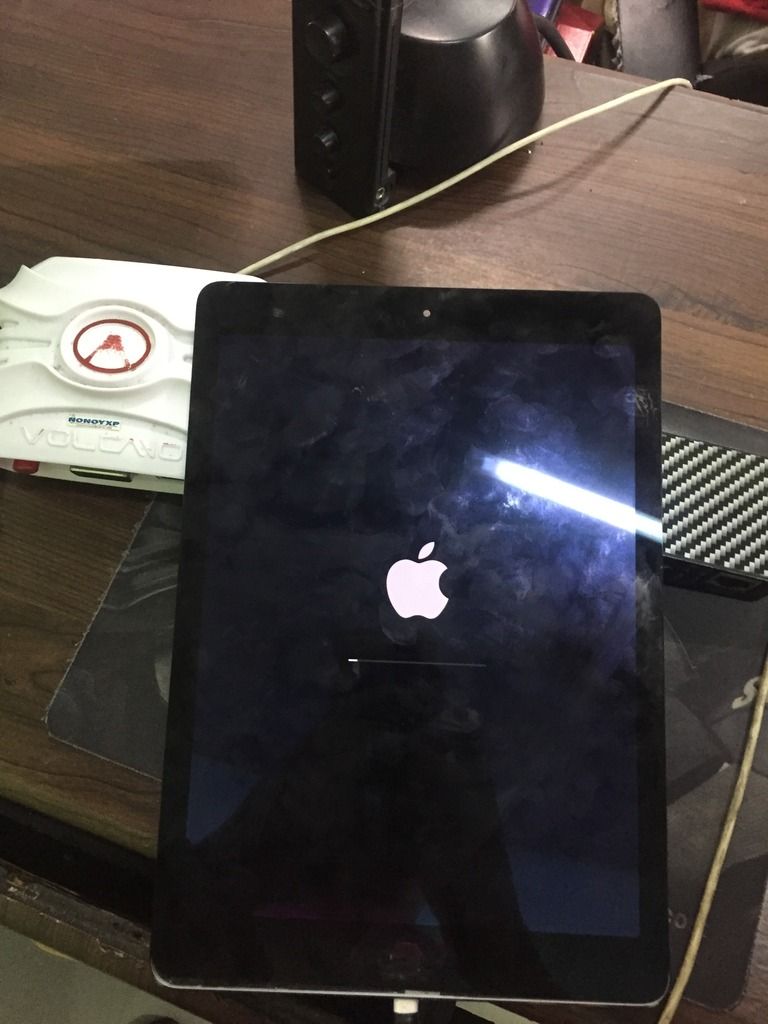
After restore wala ng icloud accont yan .... then go to settings about mapapansin nyo may wifi address sya pero naka disable ang wifi On & off nya.
reason dahil di support kay bypass ang lattest wifi driver ni ipad air 2
Solution need natin tulong ni Jailbreak para ma access natin ang main Root system ni ipad air 2
NOte: sad w/o jailbreak di natin mapapagana ang Wifi Promise.
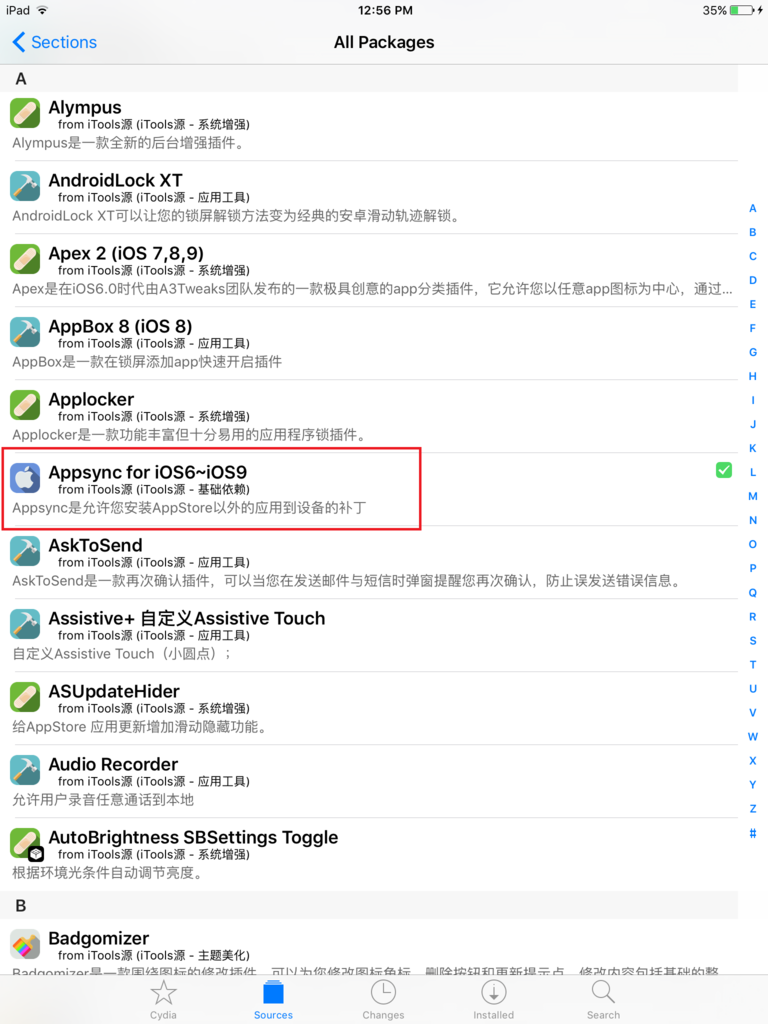
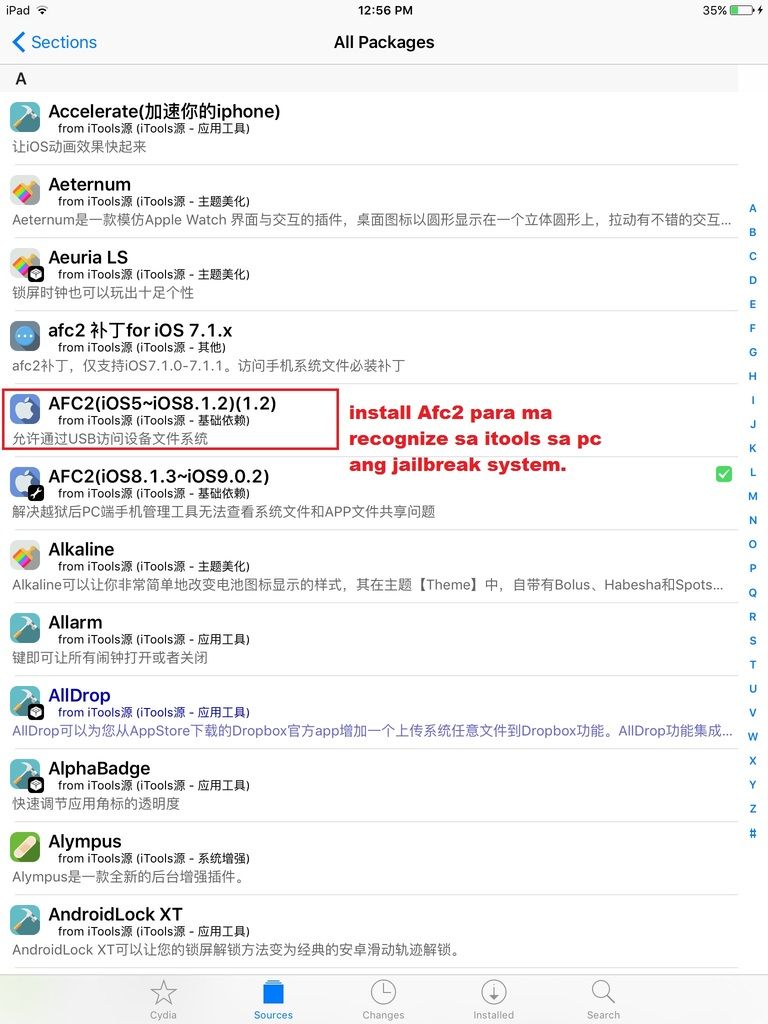
After Jailbreak Need install Apps sync and AFc2add para marecognise ni itools ang jailbreak system
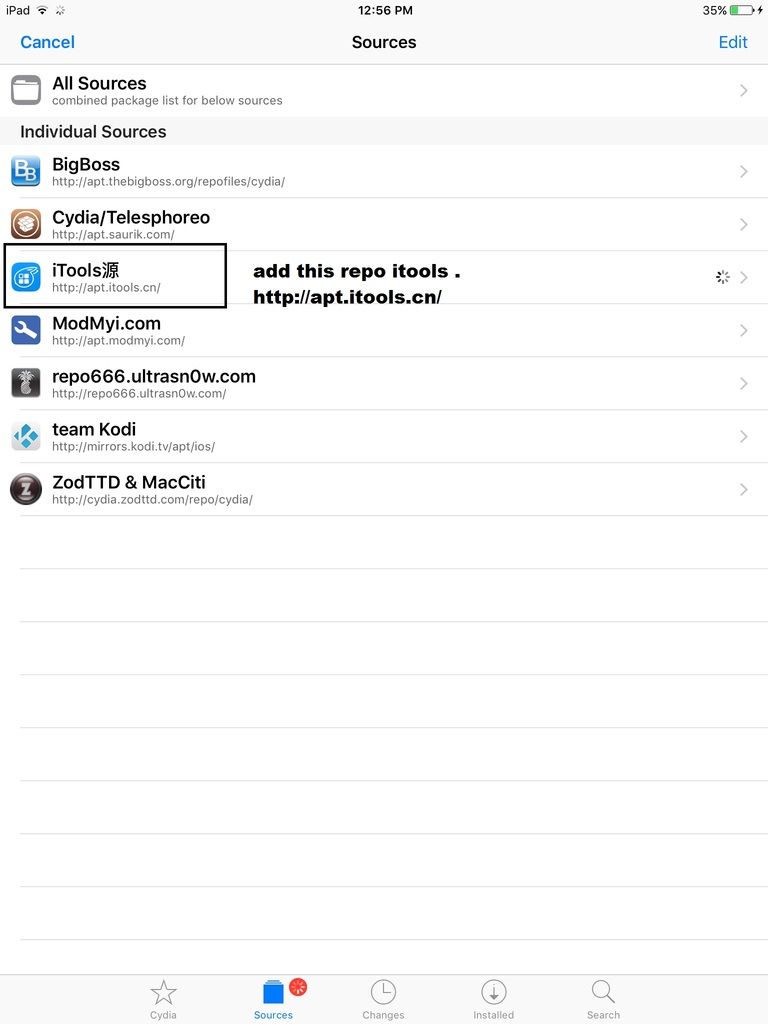
add this repo: http://apt.itools.cn/
appssync
Afc2add
Wifi Driver ... fix wifi ipad_air_2_LTE_bypass.zip
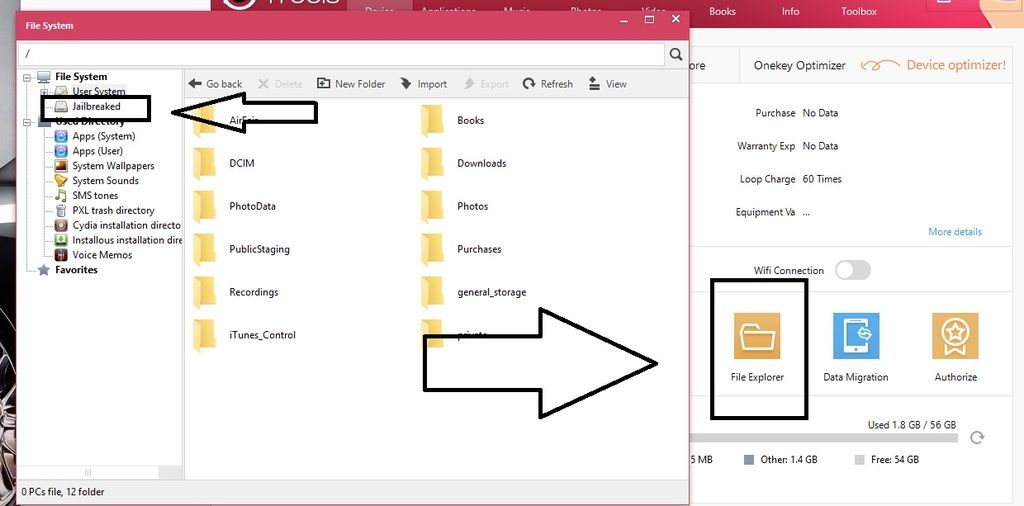
now open itools file xplorer jailbreaked
OOOOOOOOOOpssssssss May Kulang paano pala natin sya ma jailbreak kung di gumagana
wifi now jailbreak tools need internet connection.
dito papasok ng apple hotspot using Bluetooth.
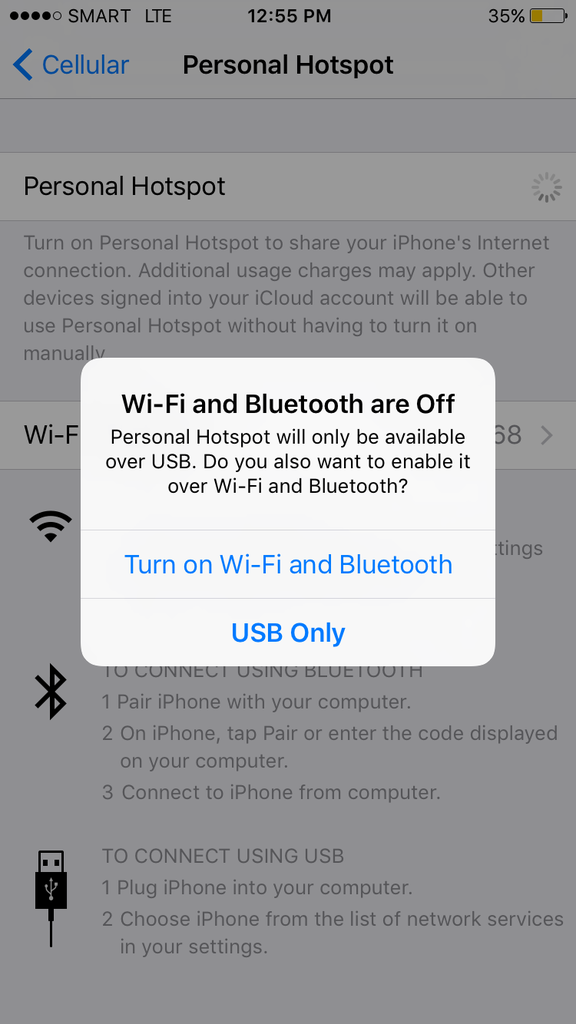
tuloy ang ligaya may net na using hotspot.
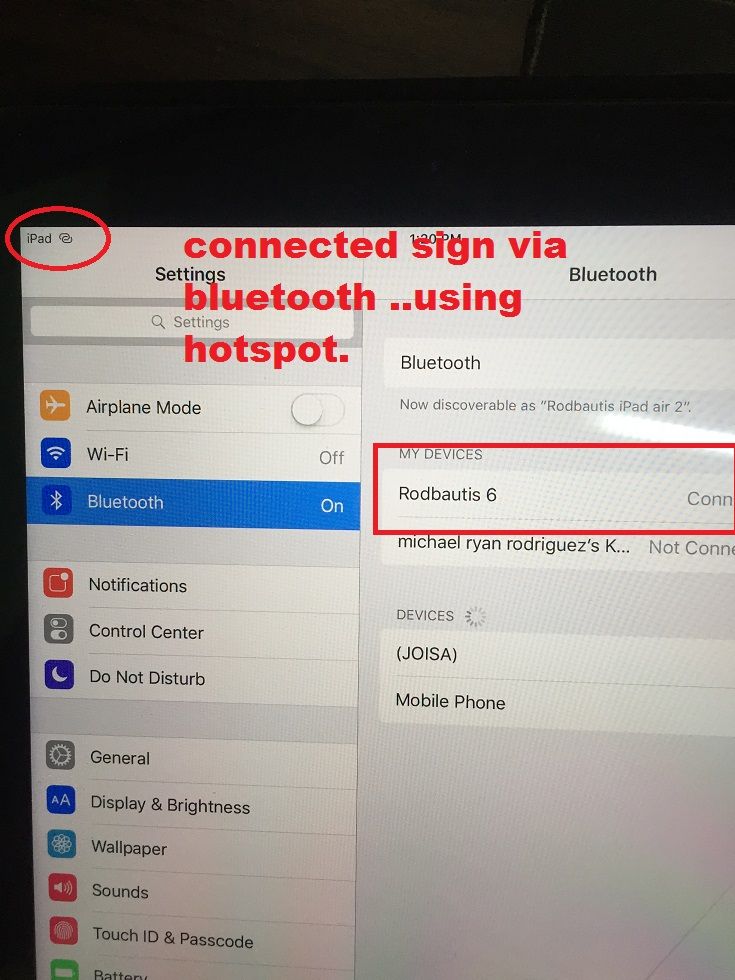
now open itools file explorer jailbreaked.
Enabling WiFi and Bluetooth on iOS 9
1. Download file: Here
2. Install iOS 9 on iPad Air2.
3. Do jailbreak, install Cydia.
4. Connect iPad to internet though Bluetooth on phone.
5. Download and install iFile and afc2add from Cydia.
6. Open ifile on iPad Air 2.
7. Go to directory “usr/share/firmware/wifi/C-4350 __ s-C2/’’. Backup all file there and
replace them by files archive.
Reload iPad Air 2.
no need restart matic na yan once na nailagay yung folder ng wifi driver.
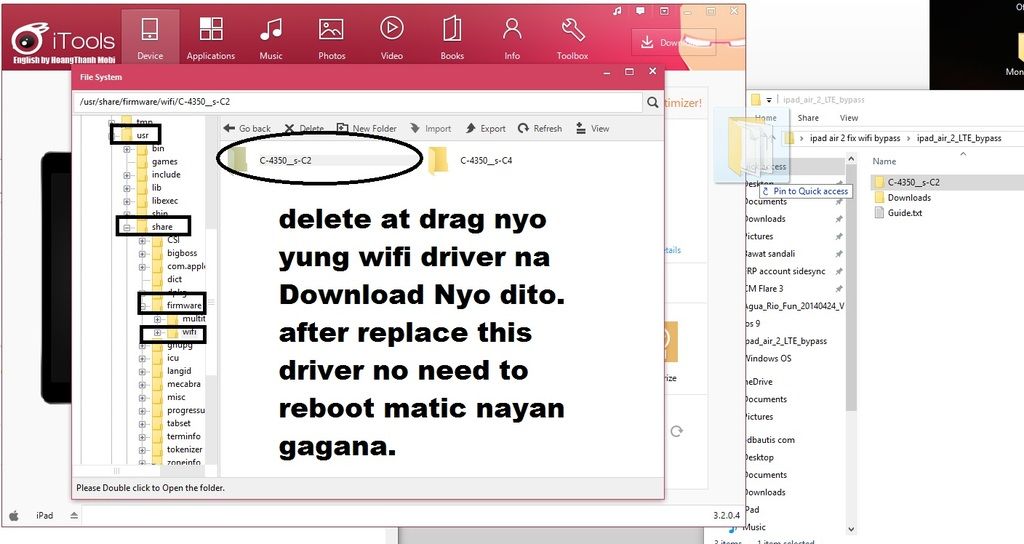
smile Na done.
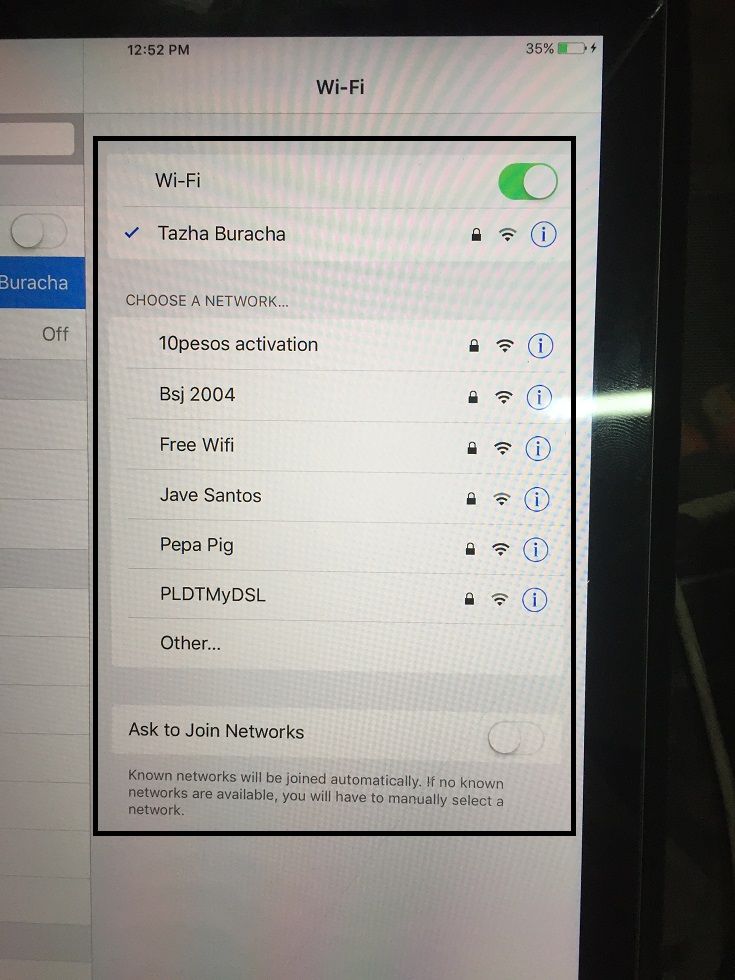
paumanhin po dikuna nakuhanan ng picture pagka jailbreak ko using hotspot connection.
mapapansin nyo sa image add source ako gamit kuna is wifi para balikan at pang guide.
Paalala lang po ingatan pag baklas mahal LCD nyan 1 set.
ipad air 2 (a1567) icloud problem After Bypass 100% wifi Not working .
Bypass Muna Jumper lang po follow image.

after jumper itunes Dtected ipad air 2 recovery Mode or DFU Mode. then restore
lang sa pinaka lattest ios na naka sign kay apple.


After restore wala ng icloud accont yan .... then go to settings about mapapansin nyo may wifi address sya pero naka disable ang wifi On & off nya.
reason dahil di support kay bypass ang lattest wifi driver ni ipad air 2
Solution need natin tulong ni Jailbreak para ma access natin ang main Root system ni ipad air 2
NOte: sad w/o jailbreak di natin mapapagana ang Wifi Promise.
After Jailbreak Need install Apps sync and AFc2add para marecognise ni itools ang jailbreak system
add this repo: http://apt.itools.cn/

appssync

Afc2add

Wifi Driver ... fix wifi ipad_air_2_LTE_bypass.zip
now open itools file xplorer jailbreaked

OOOOOOOOOOpssssssss May Kulang paano pala natin sya ma jailbreak kung di gumagana
wifi now jailbreak tools need internet connection.
dito papasok ng apple hotspot using Bluetooth.

tuloy ang ligaya may net na using hotspot.

now open itools file explorer jailbreaked.
Enabling WiFi and Bluetooth on iOS 9
1. Download file: Here
2. Install iOS 9 on iPad Air2.
3. Do jailbreak, install Cydia.
4. Connect iPad to internet though Bluetooth on phone.
5. Download and install iFile and afc2add from Cydia.
6. Open ifile on iPad Air 2.
7. Go to directory “usr/share/firmware/wifi/C-4350 __ s-C2/’’. Backup all file there and
replace them by files archive.
Reload iPad Air 2.
no need restart matic na yan once na nailagay yung folder ng wifi driver.

smile Na done.

paumanhin po dikuna nakuhanan ng picture pagka jailbreak ko using hotspot connection.
mapapansin nyo sa image add source ako gamit kuna is wifi para balikan at pang guide.
