- Joined
- Jun 17, 2014
- Messages
- 573
- Reaction score
- 61
- Points
- 81
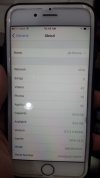
Jailbreak 9.3.3 & 9.3.2 via One Click and 3 Min. Supported devices: iPhone 5s, iPhone 6, iPhone 6 Plus, iPhone 6s, iPhone 6s Plus, iPhone SE, iPod touch 6G, iPad mini 2, iPad mini 3, iPad mini 4, iPad Air, iPad Air 2, iPad Pro (9,7 / 12,9).
1) Launch Safari from your Springboard.
2) Navigate to Evad3rs.net and click "Install Now"
3) Click Install button on the popup that appears.
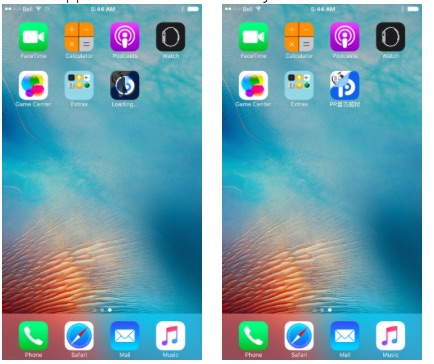
4) The PP Helper app will now be installed on your device.
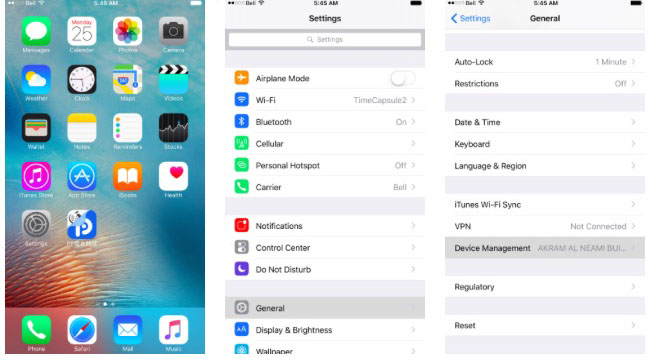
5) Go to "Settings", then "General", then "Device Management."
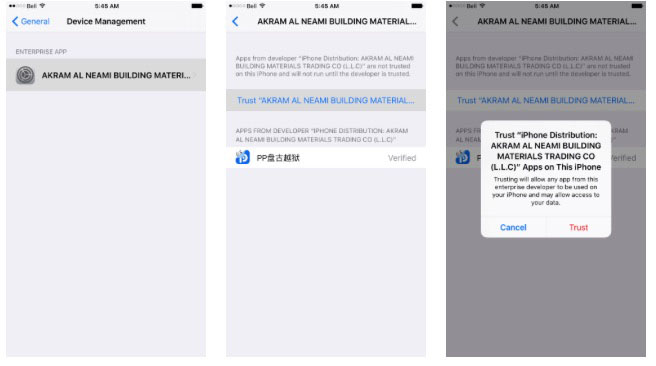
6) Select "AKRAM AL NEAMI...." - click "Trust"
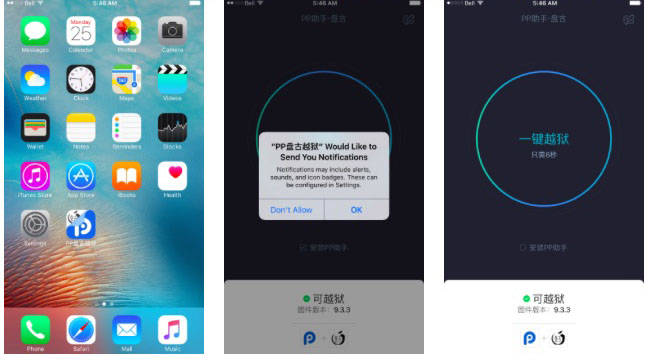
7) Click on PP app on Home Screen. When asked to allow push notifications, click OK. Uncheck the PP box below the large circle, then tap the circle.
8) Lock your screen and then wait for 6 seconds.

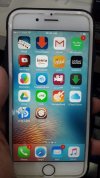
9) Unlock your device, reentering the PP app. You will see a circle with a loading animation. It is preparing the jailbreak environment for Cydia. When complete, your device will respring with Cydia on the Springboard!

FINISH PRODUCT PO
1) Launch Safari from your Springboard.
2) Navigate to Evad3rs.net and click "Install Now"
3) Click Install button on the popup that appears.
4) The PP Helper app will now be installed on your device.
5) Go to "Settings", then "General", then "Device Management."
6) Select "AKRAM AL NEAMI...." - click "Trust"
7) Click on PP app on Home Screen. When asked to allow push notifications, click OK. Uncheck the PP box below the large circle, then tap the circle.
8) Lock your screen and then wait for 6 seconds.
9) Unlock your device, reentering the PP app. You will see a circle with a loading animation. It is preparing the jailbreak environment for Cydia. When complete, your device will respring with Cydia on the Springboard!
FINISH PRODUCT PO