- Joined
- Jun 17, 2014
- Messages
- 573
- Reaction score
- 61
- Points
- 81
Jailbreak ios 9.0.2 Complete Procedure (Installation AFC2 & Appsync)...
<iframe width="500" height="300" src="https://www.youtube.com/embed/0bWY1gKZvQg" frameborder="0" allow="autoplay; encrypted-media" allowfullscreen></iframe>
Tools:
* Pangu
* iTools
* Wifi Connection
Procedure:
* First Jailbreak Apple Device using Pangu
* After Jailbreak Update Cydia (via Wifi)
* Install Apple File Conduit 2
* Install Appsync for ios 5.X > 9.X
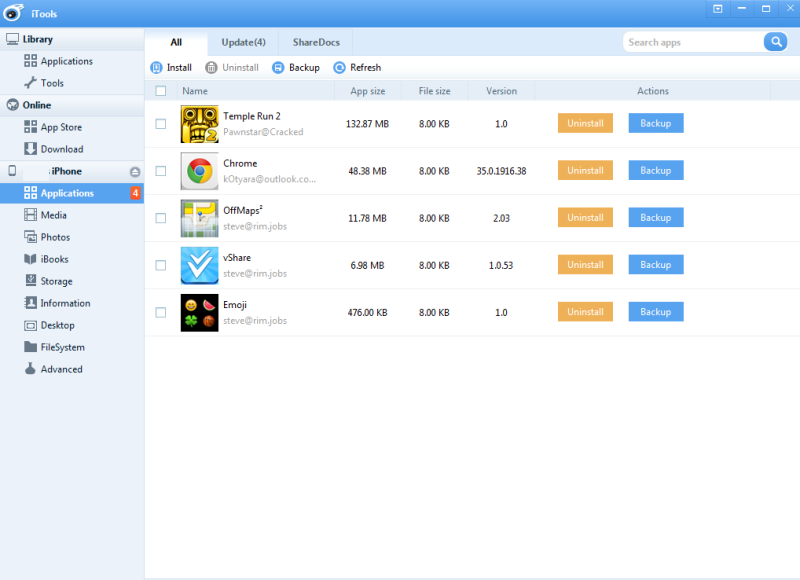
* Install desired Apps
* Done...
Screenshots:
Jailbreak Using pangu Latest Version (make sure to back-up data or newly restored device)
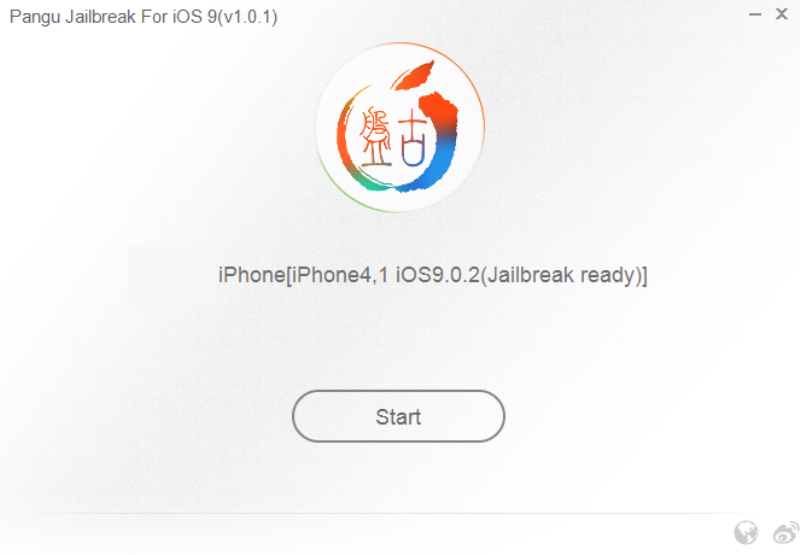
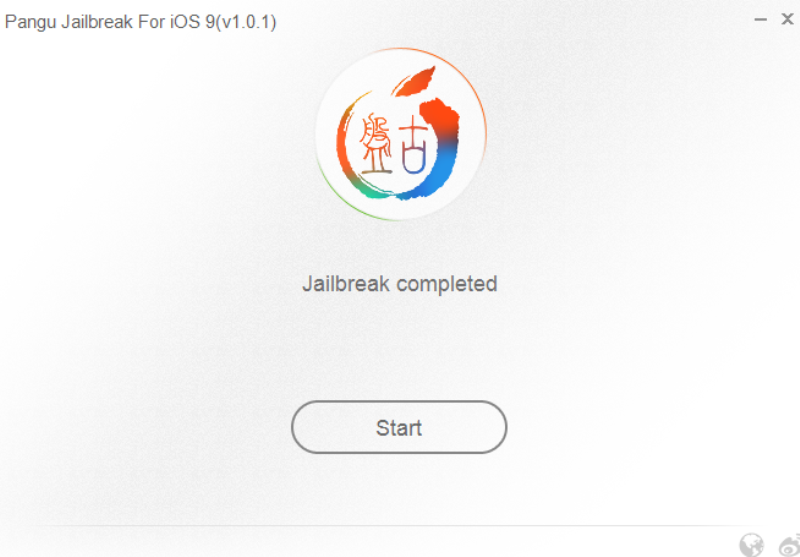
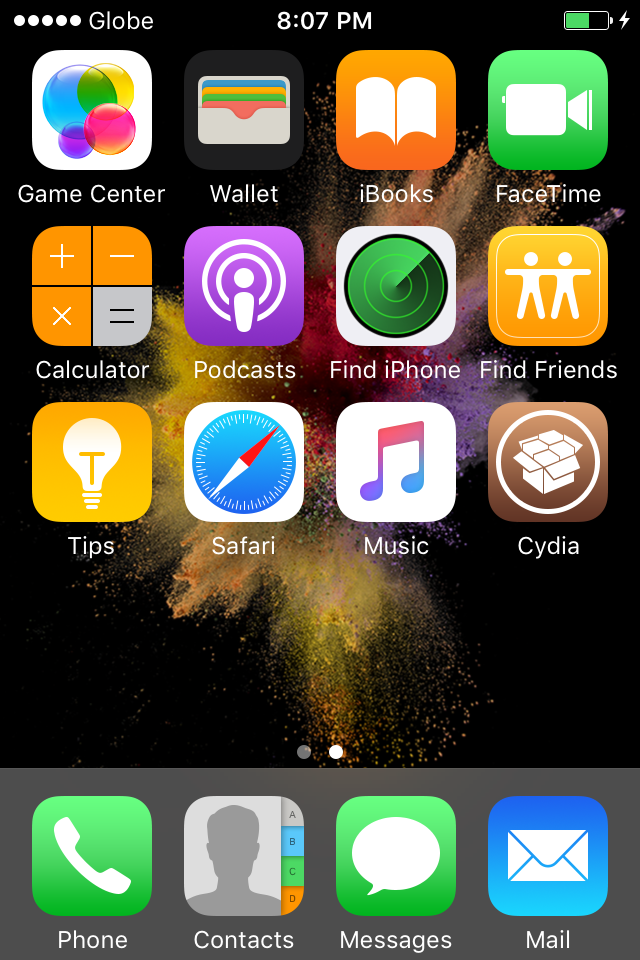
After Jailbreak may CYDIA na tayo connect to Wifi then Update CYDIA
After nyan jailbreak done na kaso AFC2 disabled pa sya
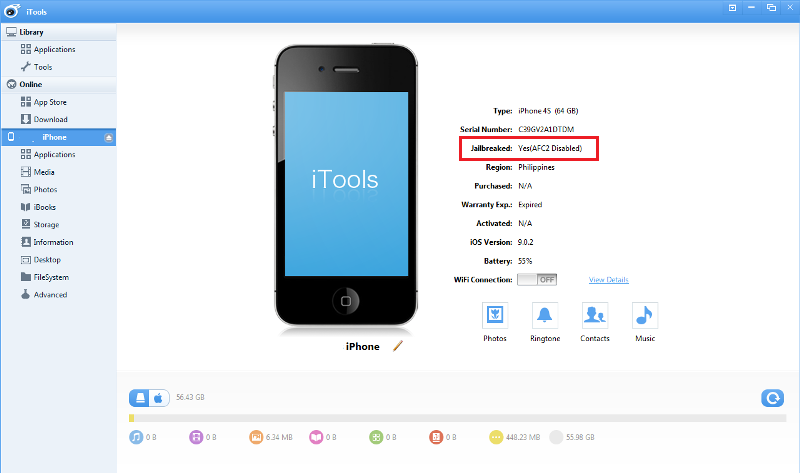
Need to Install Exact AFC2 for ios 9
follow screenshot for procedure...
sa HOME ng Cydia Browse pababa hanapin ang USER GUIDES / Copying files to/from Device
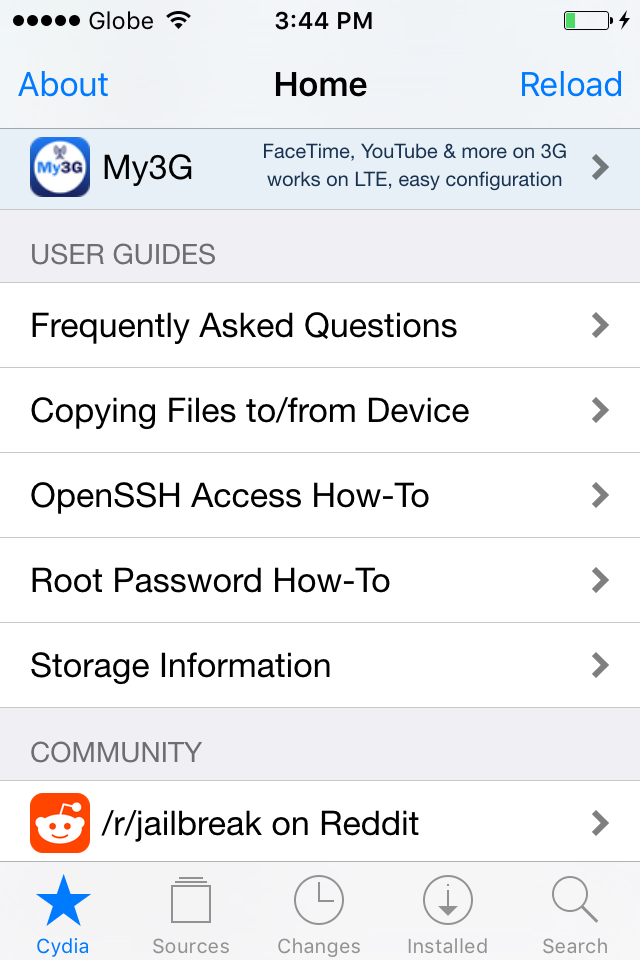
Browse ulit pababa then hanapin ang Desktop Applications click Apple File Conduit "2"
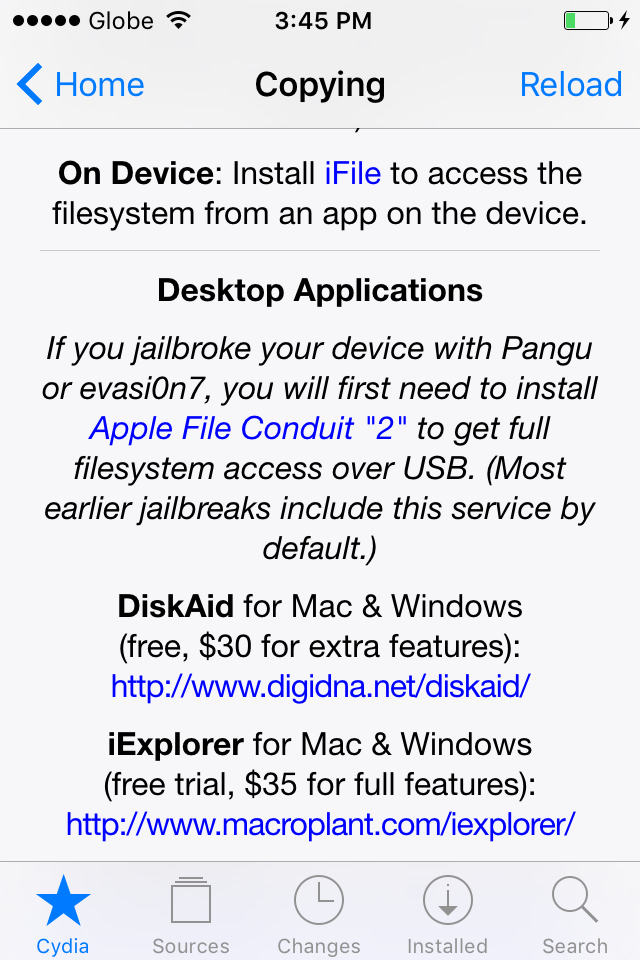
Install AFC2 then Respring/Reboot device
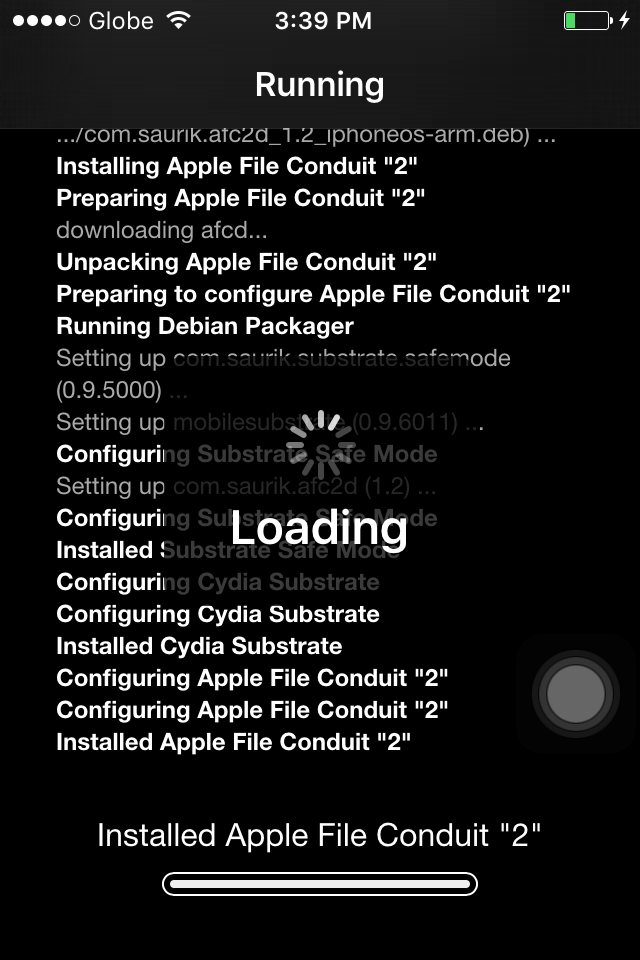

After Installation ng AFC2 Next Install Appsync for ios 5.X > 9.X
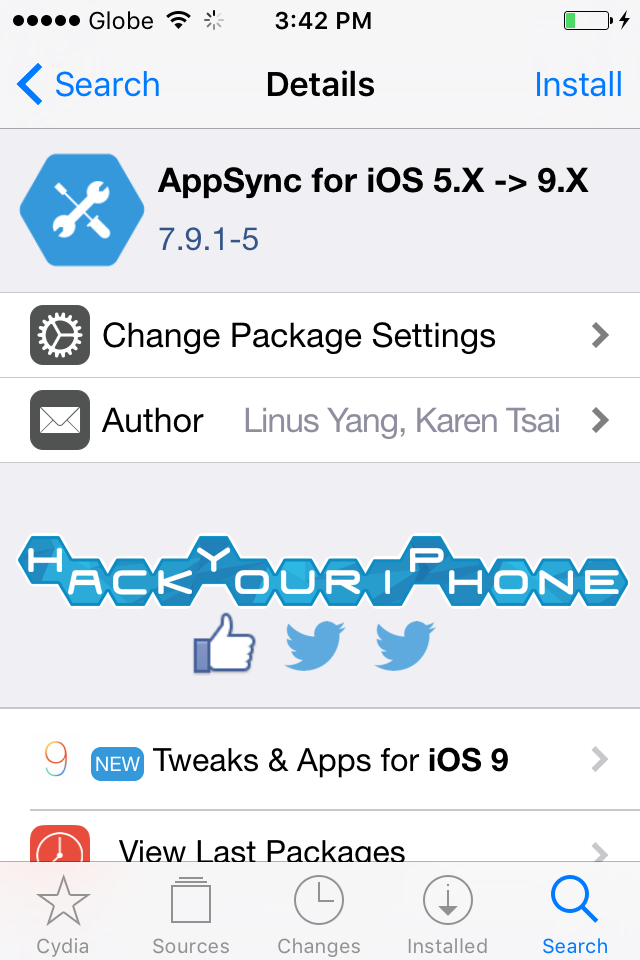
click search sa baba ng Cydia, type Appsync then Select (Appsync for Ios 5.X > 9.X)
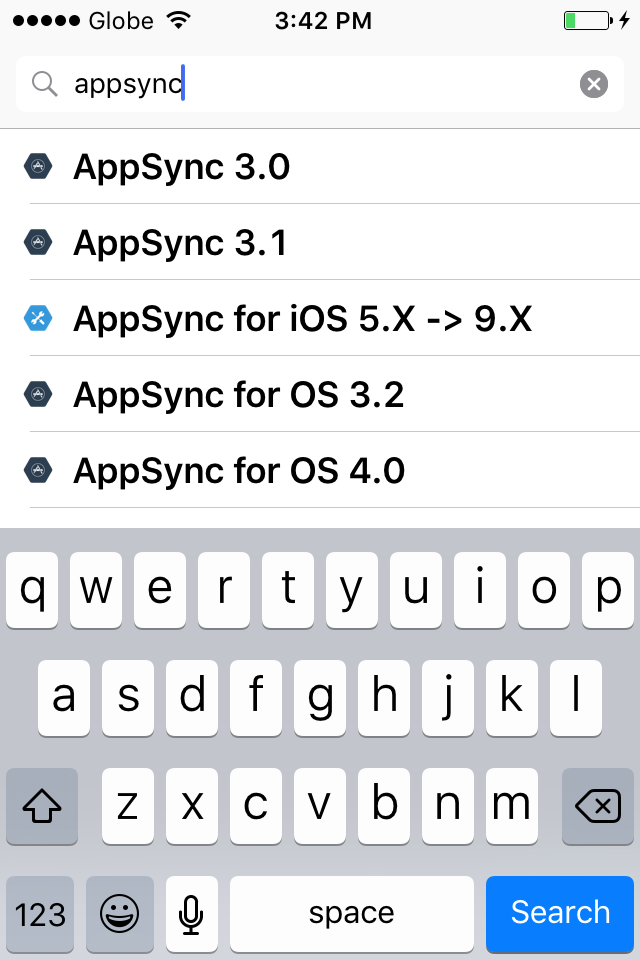
Install Appsync for ios 9
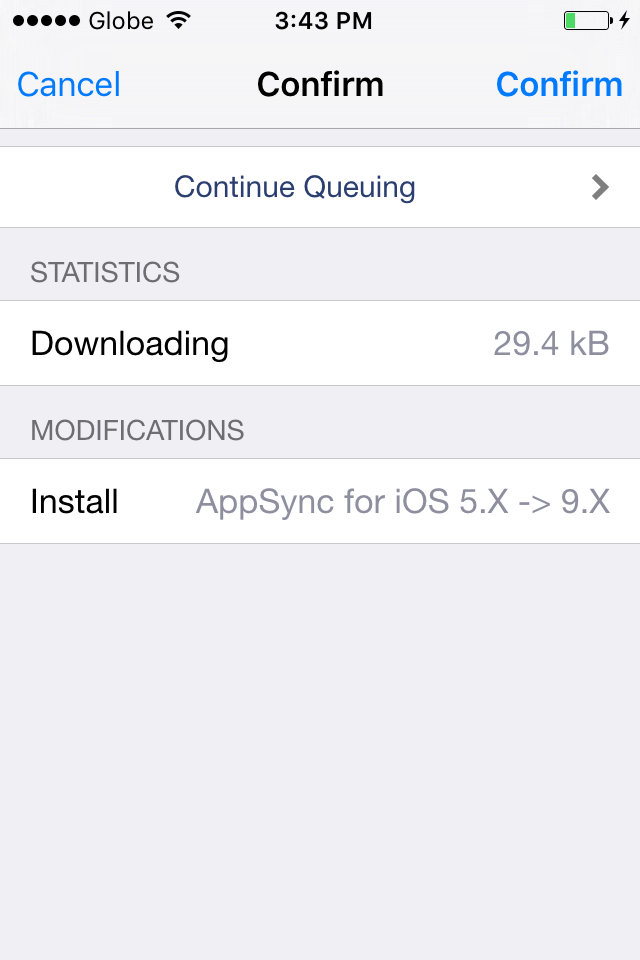
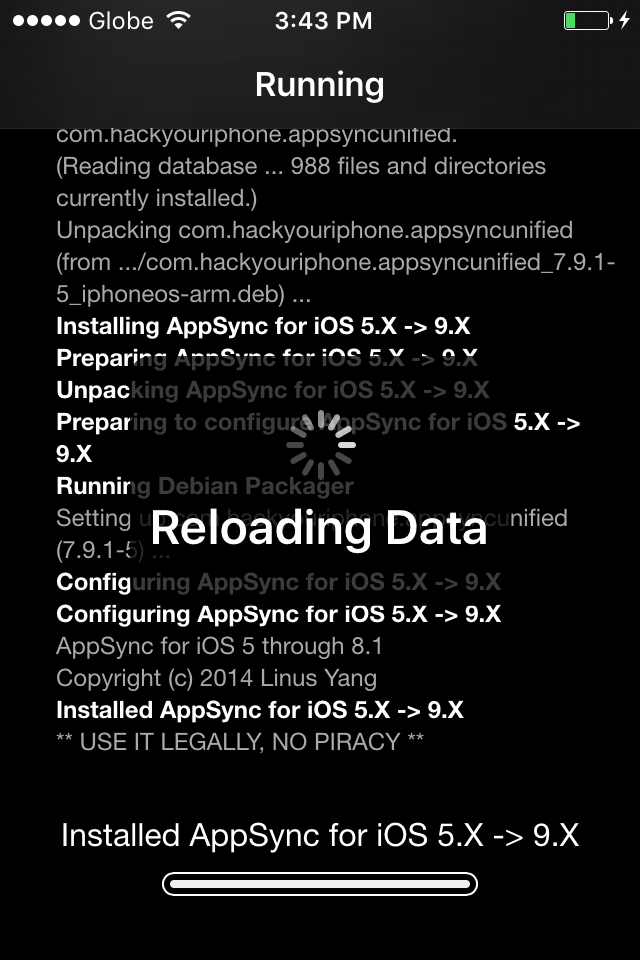
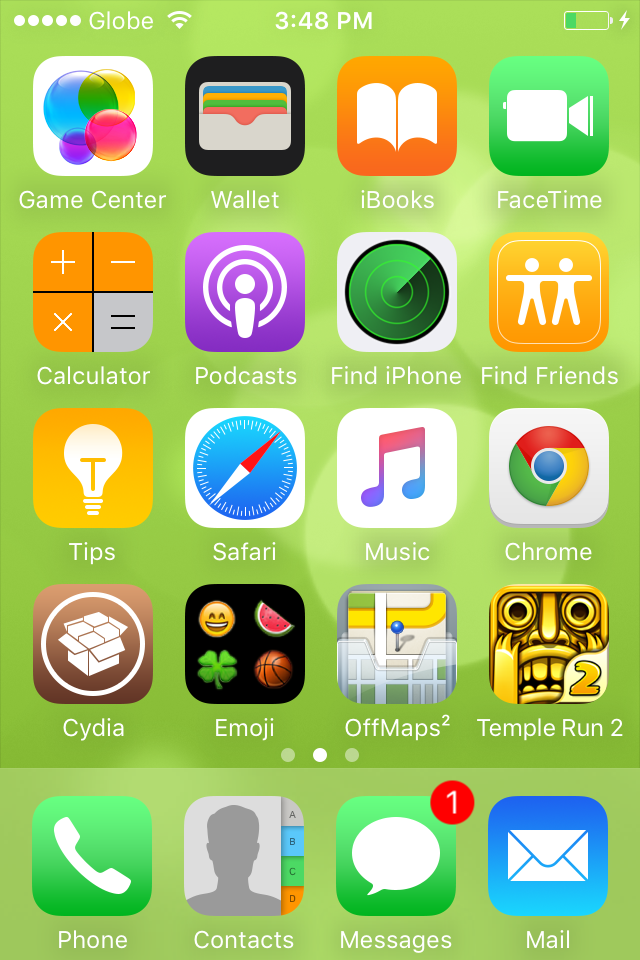
Respring / Reboot Device and your ready to install Apps
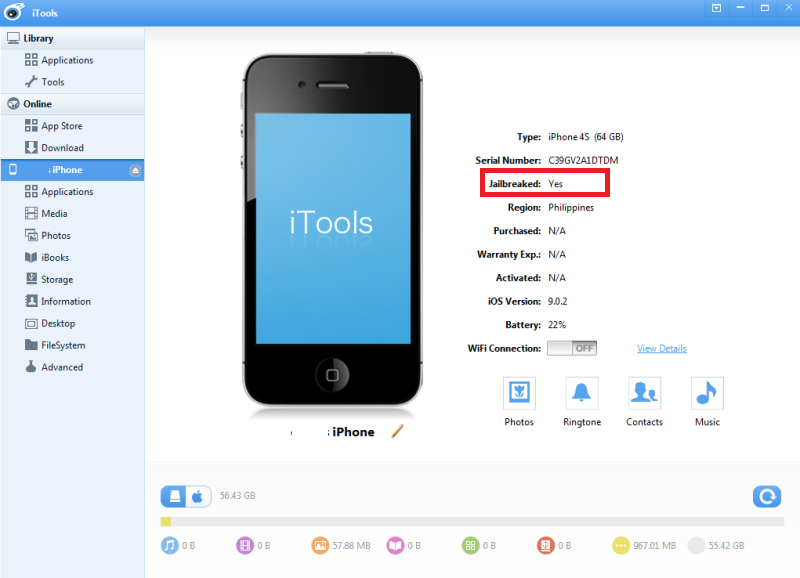
Done...
<iframe width="500" height="300" src="https://www.youtube.com/embed/0bWY1gKZvQg" frameborder="0" allow="autoplay; encrypted-media" allowfullscreen></iframe>
Tools:
* Pangu
* iTools
* Wifi Connection
Procedure:
* First Jailbreak Apple Device using Pangu
* After Jailbreak Update Cydia (via Wifi)
* Install Apple File Conduit 2
* Install Appsync for ios 5.X > 9.X
* Install desired Apps
* Done...
Screenshots:
Jailbreak Using pangu Latest Version (make sure to back-up data or newly restored device)
After Jailbreak may CYDIA na tayo connect to Wifi then Update CYDIA
After nyan jailbreak done na kaso AFC2 disabled pa sya
Need to Install Exact AFC2 for ios 9
follow screenshot for procedure...
sa HOME ng Cydia Browse pababa hanapin ang USER GUIDES / Copying files to/from Device
Browse ulit pababa then hanapin ang Desktop Applications click Apple File Conduit "2"
Install AFC2 then Respring/Reboot device
After Installation ng AFC2 Next Install Appsync for ios 5.X > 9.X
click search sa baba ng Cydia, type Appsync then Select (Appsync for Ios 5.X > 9.X)
Install Appsync for ios 9
Respring / Reboot Device and your ready to install Apps
Done...