Lenovo PB1-750M rom
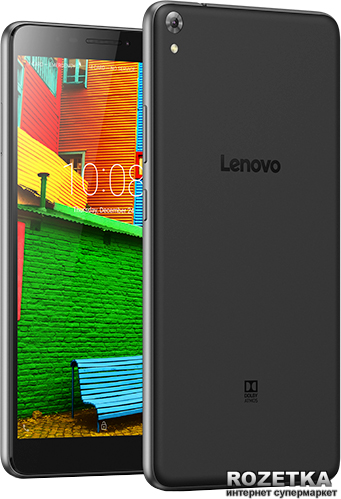
MSM8916__LENOVO__Lenovo__ANDR_v6.0.1__Lenovo_PB1-750M__PB1-750M__PB1-750M
INFO CM2QLM
https://mega.nz/#!OloUHB4a!p2m_UXApkleeJezfgIeVIipmEcgV-vtmDmJ4XaD5OdU
MSM8916__LENOVO__Lenovo__ANDR_v6.0.1__Lenovo_PB1-750M__PB1-750M__PB1-750M
INFO CM2QLM
Code:
Operation : Identify [ v1.11 ]

1. Power Off Phone , Remove battery , Insert back
2. PRESS and HOLD BOTH VOLUME KEYS!
3. Insert USB cable. In some cases require use EDL cable or TP to force EDL mode!


Wait for phone...
Device Found!
Initialize ...
Handshake passed!
BB_IDC_CPU : SnapDragon 410 [MSM8916]
ID_BLOCK_S : 0B5C5633
ID_BLOCK_I : 007050E1
ID_BLOCK_L : B0B02AD483EF1417F0A5AFB07FCA4A82
ID_BLOCK_L : 374EF05B5CC777FC11DCB16E648BA5A6
Use CM2 Internal Loader
Loader Sent! Initializing ...
Running FireHose on BBID : MSM8916 , FLASH : eMMC , mVER : 1
MemInfo : 0x0003 / 0x0200 / 0x00000003A3E00000 [ eMMC 16 GiB ]
ExtInfo : 0x00004000/00004000/00001000/00001000
Boot Ok!


Brand     : Lenovo
ProdName  : PB1-750M
ProdModel : Lenovo PB1-750M
Device    : PB1-750M
AndroidVer: 6.0.1
Manufact. : LENOVO
QLMxCPU   : MSM8916


Done!
Elapsed: 00:00:20


Reconnect Power/Cable!
https://mega.nz/#!OloUHB4a!p2m_UXApkleeJezfgIeVIipmEcgV-vtmDmJ4XaD5OdU