
https://forum-gsmunlock.com/attachm...miracle-box-tested-okay-firmware-fla-jpg.331/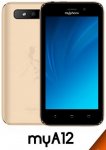
MyPhone MyA12
MT6580 Android Oreo v8.1
Infinity Cm2 Miracle Box Tested
MyPhone_MYA12_MT6580_20180607_8.1.0
Mobile Name:MyPhone
Mobile Model number:MyA12
Device CPU Type:MT6580
Android Version:Oreo v8.1
Country:USA & ALL
Language:Multi
Requirements For Flashing
I:- Download and install MTK USB Mobile driver
II:- Download and install any Mobile supported box / Dongle setup like Infinity Cm2, Miracle Box, SP Flash Tool
How To Flash MyPhone MyA12 MT6580 Android v8.1 Firmware Flash File
Start Download
Click Here
MyPhone MyA12
MT6580 Android Oreo v8.1
Infinity Cm2 Miracle Box Tested
MyPhone_MYA12_MT6580_20180607_8.1.0
Mobile Name:MyPhone
Mobile Model number:MyA12
Device CPU Type:MT6580
Android Version:Oreo v8.1
Country:USA & ALL
Language:Multi
Requirements For Flashing
I:- Download and install MTK USB Mobile driver
II:- Download and install any Mobile supported box / Dongle setup like Infinity Cm2, Miracle Box, SP Flash Tool
How To Flash MyPhone MyA12 MT6580 Android v8.1 Firmware Flash File
- Download and install MTK USB Mobile drivers and box / Dongle setup
- Download Flash File From Link and extract it
- Open Miracle Box or any supported box setup / Dongle.
- Select Correct Mobile CPU type From Setup or Sp Tool and Choose flash file.
- Turn off the Mobile, remove the battery.
- Connect the Cellphone with USB data cable through Computer and insert Mobile battery again.
- Click on flash & then wait for the complete flash
- Complete of Flash remove USB data cable and power on the device.
- Enjoy it has done.
- Charge your Mobile Battery At least 80%
Start Download
Click Here