- Joined
- Oct 17, 2014
- Messages
- 2,447
- Reaction score
- 22
- Points
- 381
Ang phone ay galing sa abroad.
Step by step procedure
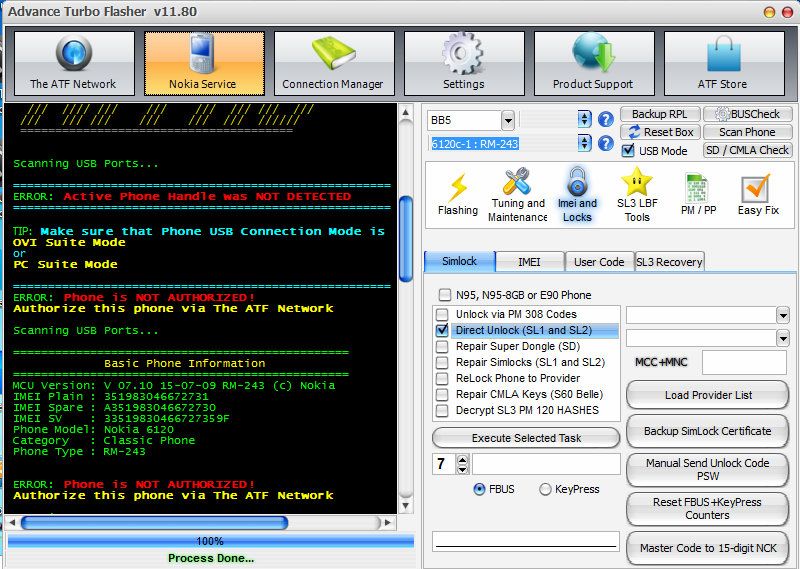
1. Power on phone connect via usb cable to PC (Install driver)
2. Open ATF module
3. Tick Nokia service button
4. Select BB5
5. Select 6120c-1:RM-243
6. Tick IMEI and Locks
7. Check direct unlock SL1/SL2
8. Tick Execute Selected Task Button
ERROR : Phone is NOT AUTHORIZED!
Authorize this phone via The ATF Network
9. Tick The ATF Network button
10. Tick Login to your ATF Network button
11. Tick Authorize BB5 button
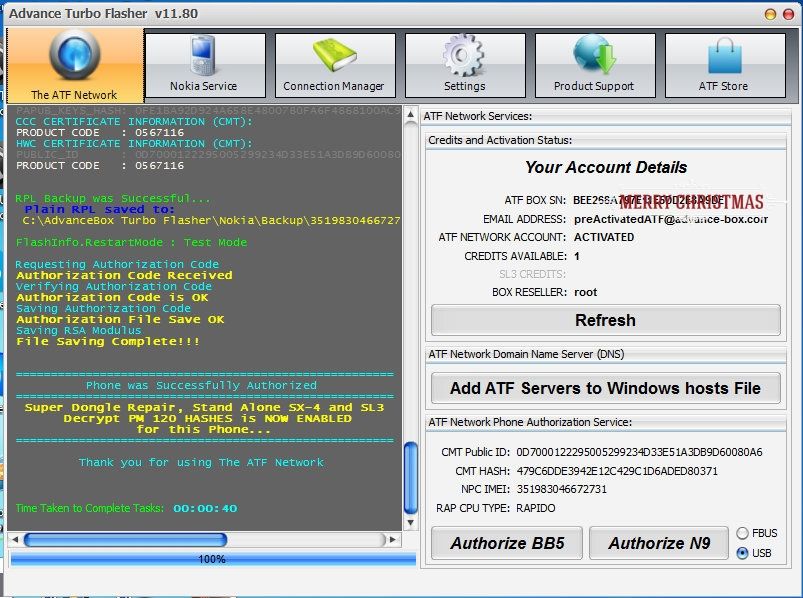
***Mag test mode ang phone.
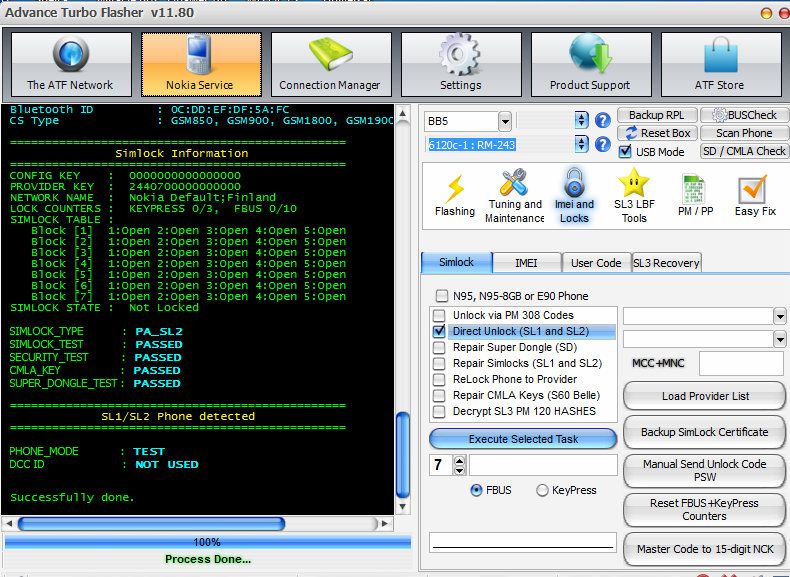
12. Tick Nokia Service button
13. Select BB5
14. Select 6120c-1:RM-243
15. Tick IMEI and Locks button
16. Check direct unlock SL1/SL2
17. Tick Execute Selected Task Button
18. DONE
May pang noodles na.
Step by step procedure
1. Power on phone connect via usb cable to PC (Install driver)
2. Open ATF module
3. Tick Nokia service button
4. Select BB5
5. Select 6120c-1:RM-243
6. Tick IMEI and Locks
7. Check direct unlock SL1/SL2
8. Tick Execute Selected Task Button
ERROR : Phone is NOT AUTHORIZED!
Authorize this phone via The ATF Network

9. Tick The ATF Network button
10. Tick Login to your ATF Network button
11. Tick Authorize BB5 button

***Mag test mode ang phone.
12. Tick Nokia Service button
13. Select BB5
14. Select 6120c-1:RM-243
15. Tick IMEI and Locks button
16. Check direct unlock SL1/SL2
17. Tick Execute Selected Task Button
18. DONE

May pang noodles na.