
- Joined
- Dec 10, 2017
- Messages
- 269
- Reaction score
- 175
- Points
- 201
Oppo A12 Frp Reset
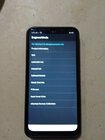
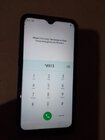
1.Check Device Version.dial in emergency call *#899#
Check model device and patch security.
2.Power Off the device.
Before reset operation device battery must be 50% above.
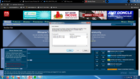
3.Open MCT tool and install libusb32
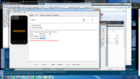
4.on mct tool select auto and bypass.press hold Vol + Vol - insert power usb cable.check the connection com3 if read the device ready reset via sp flashtool
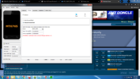
5.Open Sp Flash tool select scatter file of oppo a12.
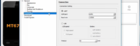
6.selet manual format sequence
On connection select com3 and baudrate.
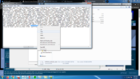
7.In folder locate scatter file and edit with notepad copy the physical address and partition length then paste in sp flashtool manual hex code box. please follow the image shown below.
8.Warning!Check all details if correct before hit start!.
9.Wait the load bar to % if show OK exit and plug out the device then power on if power ON the process is successful.
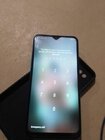
10.To bypass starter setup..preview on the first screen setup and type *#813#.Done!


Done!
Godspeed!
1.Check Device Version.dial in emergency call *#899#
Check model device and patch security.
2.Power Off the device.
Before reset operation device battery must be 50% above.
3.Open MCT tool and install libusb32
4.on mct tool select auto and bypass.press hold Vol + Vol - insert power usb cable.check the connection com3 if read the device ready reset via sp flashtool
5.Open Sp Flash tool select scatter file of oppo a12.
6.selet manual format sequence
On connection select com3 and baudrate.
7.In folder locate scatter file and edit with notepad copy the physical address and partition length then paste in sp flashtool manual hex code box. please follow the image shown below.
8.Warning!Check all details if correct before hit start!.
9.Wait the load bar to % if show OK exit and plug out the device then power on if power ON the process is successful.
10.To bypass starter setup..preview on the first screen setup and type *#813#.Done!
Done!
Godspeed!