
Brand: OPPO
Model: A53
Issue: Forgot Password/ FRP
Solution.
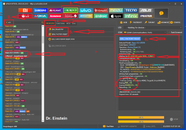
1. Buksan ang unlock tool.
2. Piliin ang OPPO sa tab lists.
3. Search OPPO A53 (2020)
4. Select BROM/ EDL
5. Meron kang dalawang options to do:
a. Factory Reset
b. Frp Reset
6. Kahit anu sa step 5, click mo, then Magloload ung right tab edl process; Pag lumabas na ung "WAITING FOR HS-USB Qloader 9008, proceed to step 7.
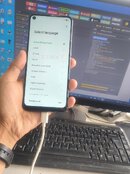
7. Press and hold volume up and down then connect mo ung mobile sa pc.
8. Kapag connecting device na,, bitawaan mo na ung volume up and down at un na un.
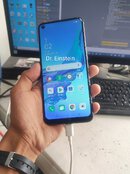
9. Just wait na magload ung sa Unit.
10. Done!!!!
Model: A53
Issue: Forgot Password/ FRP
Solution.
1. Buksan ang unlock tool.
2. Piliin ang OPPO sa tab lists.
3. Search OPPO A53 (2020)
4. Select BROM/ EDL
5. Meron kang dalawang options to do:
a. Factory Reset
b. Frp Reset
6. Kahit anu sa step 5, click mo, then Magloload ung right tab edl process; Pag lumabas na ung "WAITING FOR HS-USB Qloader 9008, proceed to step 7.
7. Press and hold volume up and down then connect mo ung mobile sa pc.
8. Kapag connecting device na,, bitawaan mo na ung volume up and down at un na un.
9. Just wait na magload ung sa Unit.
10. Done!!!!
Last edited:


 nakilig naman po ako admin sa comment mo,, hehe, thank you. We are just trying to set ng example ng post na masusundan ng lahat kahit beginner