OPPO N1 Mini (N5116) Recovery
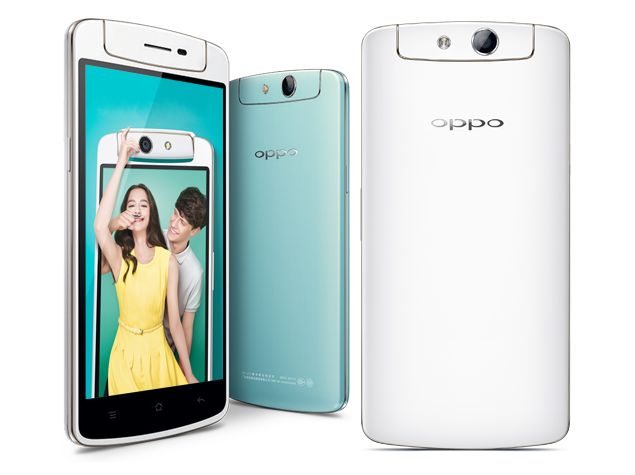
Sa tagal kung paghahanap ng recovery for N5116 nakita rin,
here is my simple Procedure..
Procedure:
1. Turn on Debugging Mode
2. Download Fastboot/ADB files
3. extract file you've downloaded
4. in folder HOLD SHIFT + Right click then click "Open Command window here"
5. now in CMD type "adb devices" make sure device listed!
6. then type "adb reboot-bootloader" (make sure fastboot showed to your phone)
7. Download Recovery zip file and extract... since Chinese yung language no need to worry about...
8. open extracted files... double click "OPPO N1 MINI Recovery.exe"
.. press any key to continue... (command prompt)
9. wait until it finish..
10. Done!
Screenshots:


to open Recovery using button:
hold volume DOWN + Power
to open Recovery using CMD:
adb reboot recovery
run in Fastboot:
adb reboot fastbot
adb reboot-bootloader
-------------------------
Backup Apps/data/settings/sms using backup & restore built-in apps
./dir backups/data*
-------------------------
----- NOTE: WALANG GOOGLE APPS TO & ENGLISH ONLY! CHINESE FIRMWARE -----
mganda sana ang firmware na'to kaya lang wala pang International, for now N5116 lang meron.
Upgrade (N5116 - N5117) using recovery
"UPDATE AT YOUR OWN RISK!"
download firmware here: Download
open in recovery mode
wipe data/cache before update
then update..
(it will stuck at 98% dont worry its normal, Please be patient!)

-----------------------------------
OTHER:
wipe data using fastboot
type "adb reboot-bootloader"
type "fastboot -w"
edit// 6-13-2015
Official Firmware:
N5116 Vietnam
Download Here:
fastboot
Recovery
Sa tagal kung paghahanap ng recovery for N5116 nakita rin,
here is my simple Procedure..
Procedure:
1. Turn on Debugging Mode
2. Download Fastboot/ADB files
3. extract file you've downloaded
4. in folder HOLD SHIFT + Right click then click "Open Command window here"
5. now in CMD type "adb devices" make sure device listed!
6. then type "adb reboot-bootloader" (make sure fastboot showed to your phone)
7. Download Recovery zip file and extract... since Chinese yung language no need to worry about...
8. open extracted files... double click "OPPO N1 MINI Recovery.exe"
.. press any key to continue... (command prompt)
9. wait until it finish..
10. Done!
Screenshots:
to open Recovery using button:
hold volume DOWN + Power
to open Recovery using CMD:
adb reboot recovery
run in Fastboot:
adb reboot fastbot
adb reboot-bootloader
-------------------------
Backup Apps/data/settings/sms using backup & restore built-in apps
./dir backups/data*
-------------------------
----- NOTE: WALANG GOOGLE APPS TO & ENGLISH ONLY! CHINESE FIRMWARE -----
mganda sana ang firmware na'to kaya lang wala pang International, for now N5116 lang meron.
Upgrade (N5116 - N5117) using recovery
"UPDATE AT YOUR OWN RISK!"
download firmware here: Download
open in recovery mode
wipe data/cache before update
then update..
(it will stuck at 98% dont worry its normal, Please be patient!)
-----------------------------------
OTHER:
wipe data using fastboot
type "adb reboot-bootloader"
type "fastboot -w"
edit// 6-13-2015
Official Firmware:
N5116 Vietnam
Download Here:
fastboot
Recovery