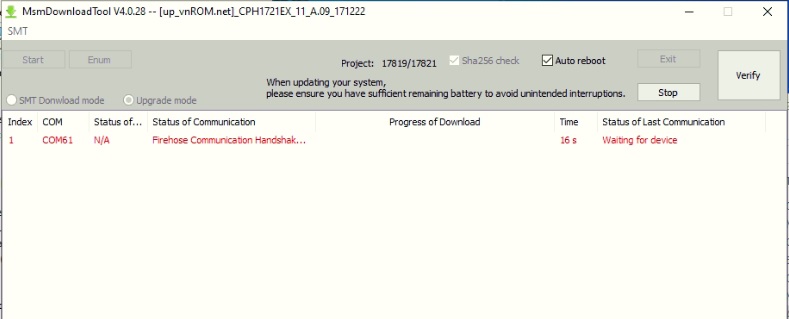
Flash Oppo R11s Plus CPH1721:
Download Oppo R11s Plus CPH1721 Flash file.
1- Download the Firmware package & run Flash tool.
2- Out of the icon appearing, Double click on MSM Download Tool.
3- it will launch the tool on your PC, Click on Start All.
4- Then it will verify for PC Memory Checksum.
5- Switch off your Mobile and Connect it to PC by pressing Volume down and Volume up key.
6- It will lead you to Successful Flashing.
Download Oppo R11s Plus CPH1721 Flash file.
1- Download the Firmware package & run Flash tool.
2- Out of the icon appearing, Double click on MSM Download Tool.
3- it will launch the tool on your PC, Click on Start All.
4- Then it will verify for PC Memory Checksum.
5- Switch off your Mobile and Connect it to PC by pressing Volume down and Volume up key.
6- It will lead you to Successful Flashing.