What's new
PinoyTechnician

This is a sample guest message. Register a free account today to become a member! Once signed in, you'll be able to participate on this site by adding your own topics and posts, as well as connect with other members through your own private inbox!

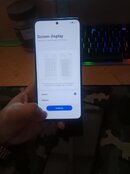
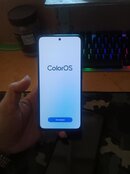
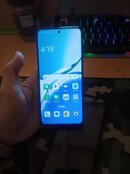
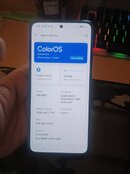
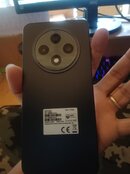
REFERENCE OPPO RENO 12F 4G FRP REMOVE

hero_den18

Premium 2024
Joined
Jul 12, 2019
Messages
336
Reaction score
356
Points
31
Location
General Trias Cavite
PROCEDURE
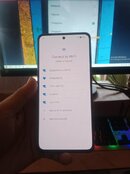
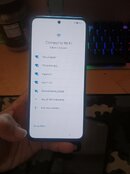
OPPO RENO 12F 4G
FRP PROBLIM
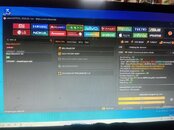
OPIN UNLOCK TOOLS
CLICK BY OPPO TAB
CLICK SEARCHING/TYPE RENO 12F 4G
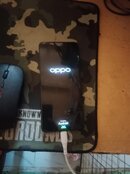
TURN OFF PHONE
THEN CLICK/ERASE FRP
THEN/HOLD VOLUME UP DOWN
CONECT USB CABLE
WAITING TO REBOOTING
DONE FINISH
 

Attachments

  • reno 12f.jpg
    reno 12f.jpg
    70.3 KB · Views: 5
  • reno 12f1.jpg
    reno 12f1.jpg
    72 KB · Views: 4
  • reno 12f2.jpg
    reno 12f2.jpg
    83.1 KB · Views: 11
  • reno 12f3.jpg
    reno 12f3.jpg
    93.1 KB · Views: 11
  • reno 12f4.jpg
    reno 12f4.jpg
    61 KB · Views: 12
  • reno 12f5.jpg
    reno 12f5.jpg
    54.9 KB · Views: 3
  • reno 12f6.jpg
    reno 12f6.jpg
    55.3 KB · Views: 3
  • reno 12f7.jpg
    reno 12f7.jpg
    71.8 KB · Views: 3
  • reno 12f8.jpg
    reno 12f8.jpg
    71.9 KB · Views: 5
Back
Top