
How To Flash
Now open SP flash tool.exe.
When SP flash tool open, go to download button in SP flash tool.
In download tab, click on scatter load button.
After locating the scatter tab, click on the download button.
Now connect your smart phone with a USB cable and press volume up or volume down key for easy detection (remove and re insert your phone battery if it is removable)
When flashing is completed, a green ring will appear in SP flash tool.
Close SP flash tool on your computer and unplug phone.
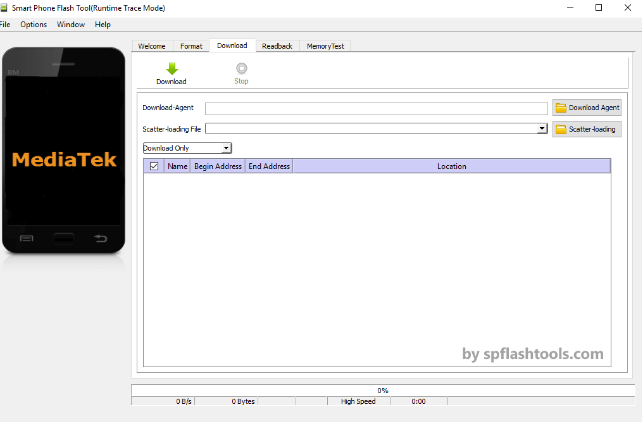
spflashtools.. spflashtools.
download.. Orro M900 MT6572 V4.2.2
Now open SP flash tool.exe.
When SP flash tool open, go to download button in SP flash tool.
In download tab, click on scatter load button.
After locating the scatter tab, click on the download button.
Now connect your smart phone with a USB cable and press volume up or volume down key for easy detection (remove and re insert your phone battery if it is removable)
When flashing is completed, a green ring will appear in SP flash tool.
Close SP flash tool on your computer and unplug phone.
spflashtools.. spflashtools.
download.. Orro M900 MT6572 V4.2.2