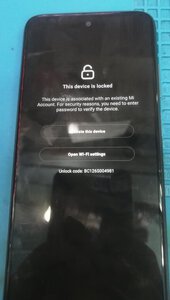
REFERENCE Redmi 10 selene mi account

chrislian01

Registered
Joined
Jan 25, 2015
Messages
111
Reaction score
40
Points
101
Location
San Jose Del Monte Bulacan
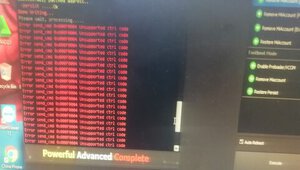
Action Taken Umpisahan npo natin. 1. Open. hydra tool mtk exe 2. Click Brand. 3. Click Select xiaomi Redmi 10 Selene 4 . Tick Boot info 5. Hapin ung sign setting. 6. Tick Remove MiAcxount(New Method. 7.Tick Execute wait nyo lng po mag red at error.. 8. Dont worry Done npo yan.
 

Attachments

  • IMG_20220723_135128.jpg
    IMG_20220723_135128.jpg
    39 KB · Views: 15
  • IMG_20220723_135256.jpg
    IMG_20220723_135256.jpg
    28.4 KB · Views: 23
  • IMG_20220723_135441.jpg
    IMG_20220723_135441.jpg
    26.9 KB · Views: 22
Who read this thread (Total readers: 0)
No registered users viewing this thread.
Back
Top