- Joined
- Oct 17, 2014
- Messages
- 2,447
- Reaction score
- 22
- Points
- 381
cable Used: Combo cable E210 (usb + com)
Proceedures:
1. connect Cable and power on phone w/o Simcard
2. on phone keypad press the following *#782872#
3. install qualcomm driver found on z3x folder
4. after finish intalling goto device managermodem,then properties then qualcomm usb modem check port number.
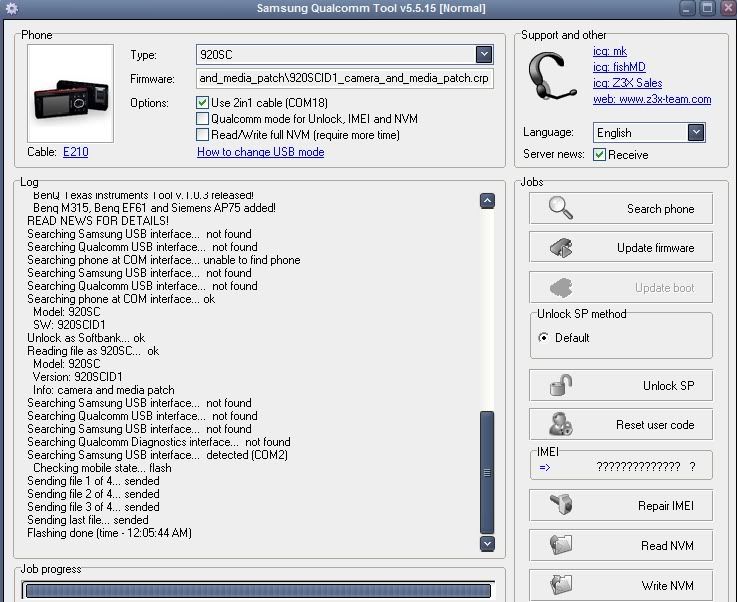
5.on Z3x program tick "use 2n1 cable then select second, then select modem port found below, then tick qualcomm mode (see attached pic)

6. press search to checked if phone detects
7. Unlock.
Proceedures:
1. connect Cable and power on phone w/o Simcard
2. on phone keypad press the following *#782872#
3. install qualcomm driver found on z3x folder
4. after finish intalling goto device managermodem,then properties then qualcomm usb modem check port number.
5.on Z3x program tick "use 2n1 cable then select second, then select modem port found below, then tick qualcomm mode (see attached pic)
6. press search to checked if phone detects
7. Unlock.