
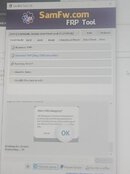
1. open SamFw Tool
2. On Test Mode click Remove FRP
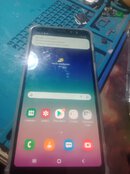
3. Power On cellphone
4. salpak cable
5. on phone may instruction click emergency
6. type *#0*#
7. lalabas yung tanong allow usb debugging
8. click always allow
9. antayin matapos pera na done
2. On Test Mode click Remove FRP
3. Power On cellphone
4. salpak cable
5. on phone may instruction click emergency
6. type *#0*#
7. lalabas yung tanong allow usb debugging
8. click always allow
9. antayin matapos pera na done
Last edited by a moderator:


