
- Joined
- Feb 23, 2015
- Messages
- 1,961
- Reaction score
- 6
- Points
- 181
i have here samsung galaxy ace s5830i hang in startup
solution flash phone
1. put it in download mode by holding on volume + and - then power on at the same time when screen appears release then select up.
2. connect usb cable
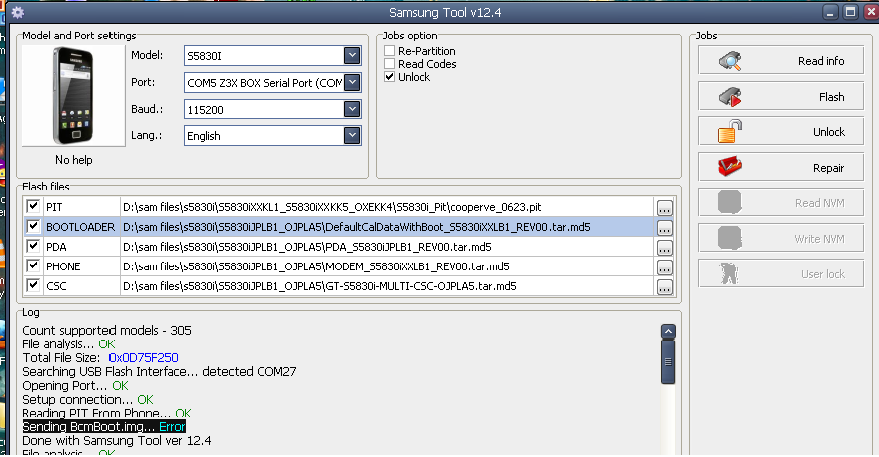
3. put desired files like this picture below as shown
4. click flash
after click start i got error in the last which is boot image error so i try to change a file of boot image maybe its corrupted. but i fails again. so this is what i do
follow instructions from 1 and 2 in method 3 put desired files w/o boot image then click flash
see the picture here
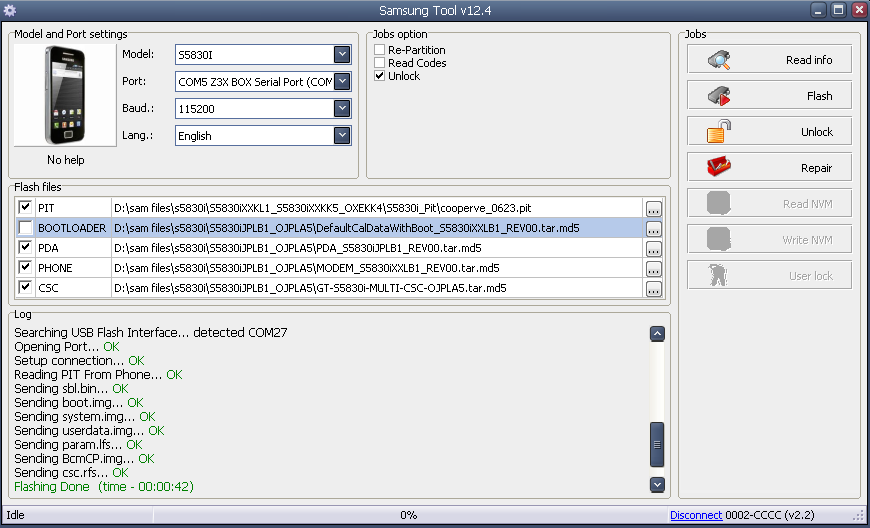
phone flashing success done