
- Joined
- Feb 23, 2015
- Messages
- 1,961
- Reaction score
- 6
- Points
- 181
share ko lang mga master natanggap ko ngayon lang..
unit: SAMSUNG GALAXY S BLAZE (T769)
android version: 4.0.4

problem: NETWORK LOCK.
unlock using z3x..
PROCEDURES:
1. Phone must be powered on.
2. Type *#7284# and choose Modem for both options.
3. Type *#9090# and choose USB Diag.
4. Reboot phone.
5. Connect USB cable, install drivers.
6. Select diagnostic port in port settings.
7. Press "Unlock" button.
* NO NEED TO ROOT THE PHONE
i used samsung tool v13.8
i choose same model doon sa model type ng z3x then direct unlock
successful naman kaso pag-lagay ko ng sim e nag-hahanap parin ng unlocking code ang phone

so i try different type of model sa list ng z3x i used I727
i try to read codes at yun success naman nya na read..
put sim card ulit sa phone then input the network code na naread..
at ayun SAPUL!!! Success!!
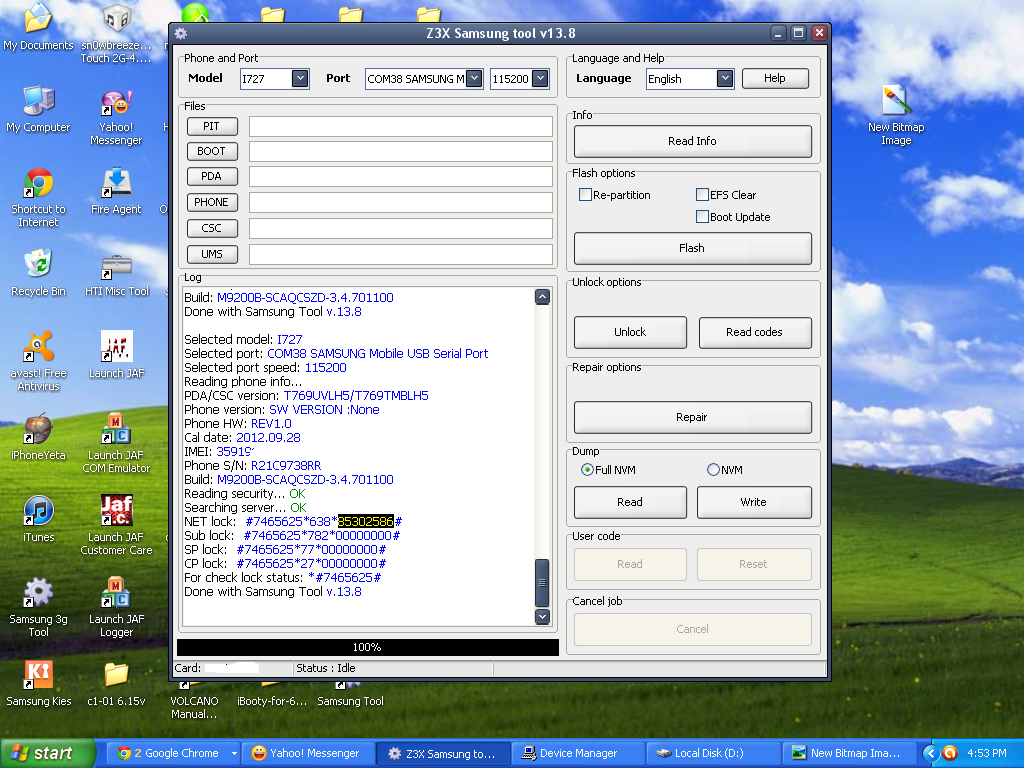
credit kay katukayo Boss catac sa thread niya
pasensya po ala screenshot ng actual phone
salamat sa pag silip.
GOD BLESS TO ALL!!
unit: SAMSUNG GALAXY S BLAZE (T769)
android version: 4.0.4
problem: NETWORK LOCK.
unlock using z3x..
PROCEDURES:
1. Phone must be powered on.
2. Type *#7284# and choose Modem for both options.
3. Type *#9090# and choose USB Diag.
4. Reboot phone.
5. Connect USB cable, install drivers.
6. Select diagnostic port in port settings.
7. Press "Unlock" button.
* NO NEED TO ROOT THE PHONE
i used samsung tool v13.8
i choose same model doon sa model type ng z3x then direct unlock
successful naman kaso pag-lagay ko ng sim e nag-hahanap parin ng unlocking code ang phone
so i try different type of model sa list ng z3x i used I727
i try to read codes at yun success naman nya na read..
put sim card ulit sa phone then input the network code na naread..
at ayun SAPUL!!! Success!!
credit kay katukayo Boss catac sa thread niya
pasensya po ala screenshot ng actual phone
salamat sa pag silip.
GOD BLESS TO ALL!!