Samsung Galaxy S20 Exynos (SM-G980F)
Factory reset| frp bypass
As of October 10, 2023
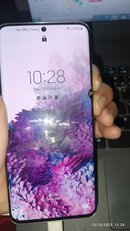
Issue: forgot password
Solution:
Factory Reset (timing is a must, wag susuko, try N try
)
1. Connect phone to pc via usb cable
2. Force restart by holding power button and volume down wait till shutdown
3. Keep holding power button release volume down and press hold volume up
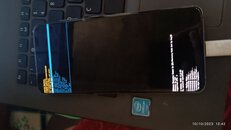
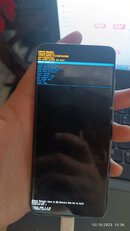
4. When logo appears release power button keep holding volume up wait till recovery screen apears
5. Wipe data/factory reset
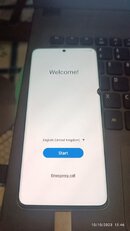
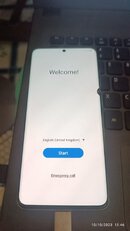
6. Reboot to system
FRP BYPASS
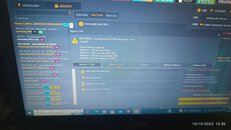
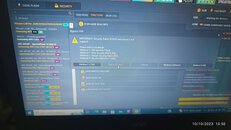
1. Open Unlock Tool
Go to Samsung > Security > Function
2. Click [com] remove frp [2023]
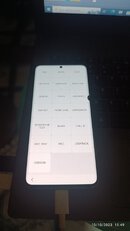
3. Open dialer and type *#0*# click continue
4. Select Method 2 [new]
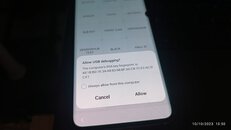
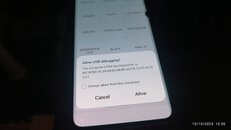
5. Allow usb debugging wait untill done
Factory reset| frp bypass
As of October 10, 2023
Issue: forgot password
Solution:
Factory Reset (timing is a must, wag susuko, try N try
)
1. Connect phone to pc via usb cable
2. Force restart by holding power button and volume down wait till shutdown
3. Keep holding power button release volume down and press hold volume up
4. When logo appears release power button keep holding volume up wait till recovery screen apears
5. Wipe data/factory reset
6. Reboot to system
FRP BYPASS
1. Open Unlock Tool
Go to Samsung > Security > Function
2. Click [com] remove frp [2023]
3. Open dialer and type *#0*# click continue
4. Select Method 2 [new]
5. Allow usb debugging wait untill done