
open unlock tool
samsung tab
search flip 3
select correct model
Bootkey Modified cable
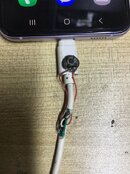
power off phone then insert modified cable
quickly press Volume down 15 times or quick press 4x pass the swicth of modified cable
phone now in Qualcomm mode.
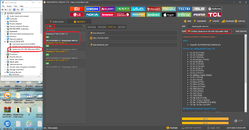
then insert normal cable
hit erase FRP.
and done
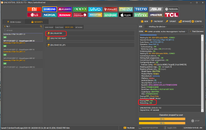
New Security Patch.
Android ver. 15
Bit C
logs
done
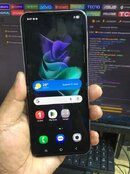
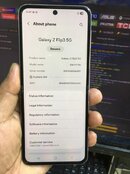
front
back
samsung tab
search flip 3
select correct model
Bootkey Modified cable
power off phone then insert modified cable
quickly press Volume down 15 times or quick press 4x pass the swicth of modified cable
phone now in Qualcomm mode.
then insert normal cable
hit erase FRP.
and done
New Security Patch.
Android ver. 15
Bit C
logs
[EDL] ERASE FRP Waiting for HS-USB QDLoader 9008... COM23
Selected Model : Samsung Z Flip3 5G (BIT-C)
Code Name : SM-F711N (BIT-C)
Operation : Erase FRP [1]
Authenticating... OK
Retrieving server data... OK [393.89 KiB]
Initializing data... OK
Waiting for HS-USB QDLoader 9008... COM23
Connecting to device... OK
Writing flash programmer... OK
Connecting to flash programmer... OK
Configuring device... OK
Firehose config : UFS [Sector:4096] [Target:0] [Host:1048576]
Reading partition map... OK - LU Count : 6
Reading software info... OK [super]
Model Name : SM-F711N
Product Name : b2qksx
Manufacturer : samsung
Platform : lahaina
Android Version : 15
Security Patch : 2025-11-01
Build ID : AP3A.240905.015.A2.F711NKSSCKYK1
Build : F711NKSSCKYK1
Build Date : Wed Nov 5 15:27:45 KST 2025
Code Name : SM-F711N
PDA : F711NKSSCKYK1
Erasing FRP... Read-Only
Switched to SMART Mode!
Erasing FRP... OK
Rebooting... OK
UNLOCKTOOL 2026.03.17.0
Elapsed time : 47 seconds
done
front
back


