
- Joined
- May 10, 2017
- Messages
- 2,464
- Reaction score
- 1,053
- Points
- 471
- Location
- San Jose Del Monte Bulacan
To reset Google account activation or Samsung reactivation lock:
1. ADB must be activated in any way (you can flash sBoot from combination firmware,
make sure, that you are not upgrade sBoot).
2. Connect the phone to PC with USB cable, install drivers if needed.
3. Select device in ADB settings.
4. Press 'Reset FRP/React/EE' to deactivate Google/Samsung/EE account activation lock.
(Sometimes needs to perform 'wipe data/factory reset' once more, to complete this locks removal.)
Done with Samsung Tool PRO v.31.5.1
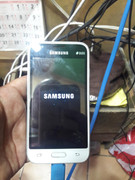
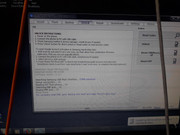
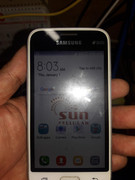
see picture :
1. ADB must be activated in any way (you can flash sBoot from combination firmware,
make sure, that you are not upgrade sBoot).
2. Connect the phone to PC with USB cable, install drivers if needed.
3. Select device in ADB settings.
4. Press 'Reset FRP/React/EE' to deactivate Google/Samsung/EE account activation lock.
(Sometimes needs to perform 'wipe data/factory reset' once more, to complete this locks removal.)
Done with Samsung Tool PRO v.31.5.1
see picture :