
Issue: Nakalimutan password.
Solution:
Hard reset muna yung unit,
while nakaconnect sa computer press and hold volume down, bixby and power button until ma off and then release volume down and ilipat sa volume up. Continue pressing power and bixby. Antayin yung recovery and factory reset.
Next is Open latest unlock tool then click on SAMSUNG TAB > FUNCTIONS > [COM] REMOVE FRP 2023.
Select on method 2 and follow instructions. *#0*# on phone and hit ok.
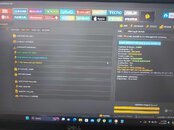
Success!
Solution:
Hard reset muna yung unit,
while nakaconnect sa computer press and hold volume down, bixby and power button until ma off and then release volume down and ilipat sa volume up. Continue pressing power and bixby. Antayin yung recovery and factory reset.
Next is Open latest unlock tool then click on SAMSUNG TAB > FUNCTIONS > [COM] REMOVE FRP 2023.
Select on method 2 and follow instructions. *#0*# on phone and hit ok.
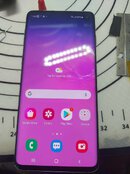
Success!