- Joined
- Oct 17, 2014
- Messages
- 2,447
- Reaction score
- 22
- Points
- 381
**Samsung S3850 corby II qwerty keyboard for sms**
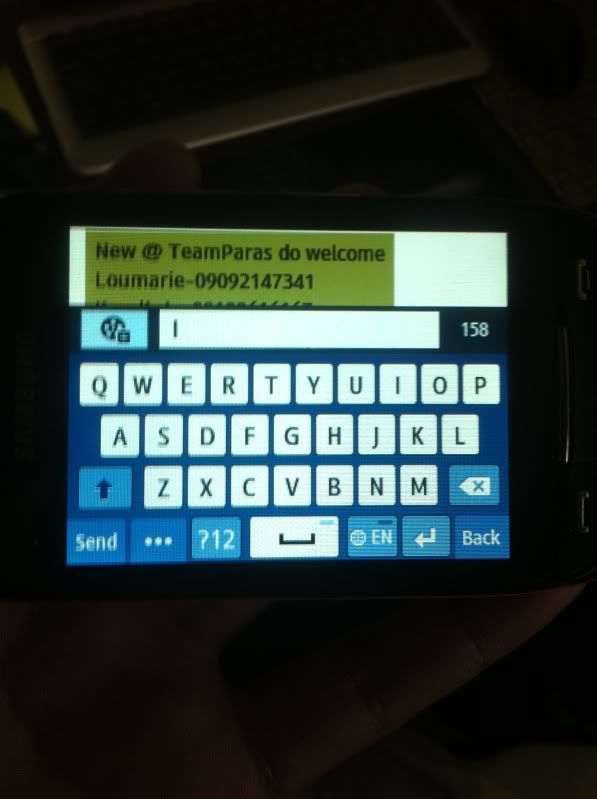
Update ur firmware to use a qwerty keyboard for sms
tools needed
z3x box
mini usb
S3850JPKG1_OJPKF1 available at supportsite
samsung kies latest version dl at samsung.com/support
or you can use multiloader
dl here
http://search.4shared.com/postDownlo...ader_v562.html
Procedure:
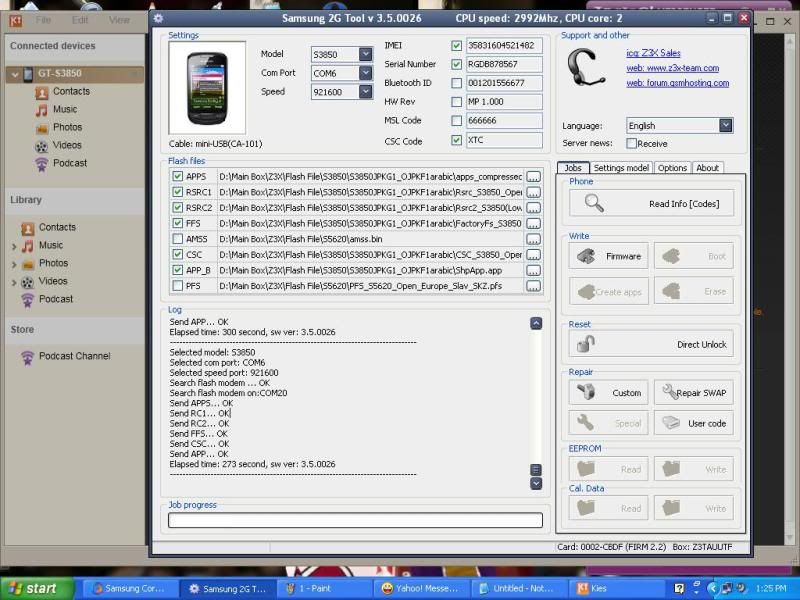
Open Z3X shell choose model then run
Put ur phone to download mode ( Volume down + call + power )
Connect ur phone to pc via usb
Load firmware except AMSS & PFS
Tick firmware
wait to complete it will restart the phone
Now go to dialer and type
*#5239870*# admin settings
select Pre-configuration
Operator code will pop up type
*#27236*# then confirm
select JED and install wait to reboot
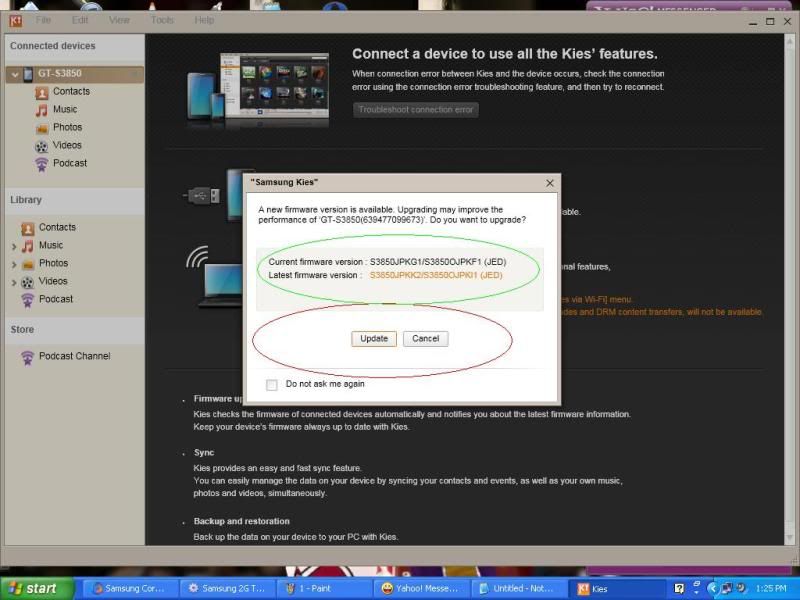
Connect ur corby 2 to pc & open samsung kies
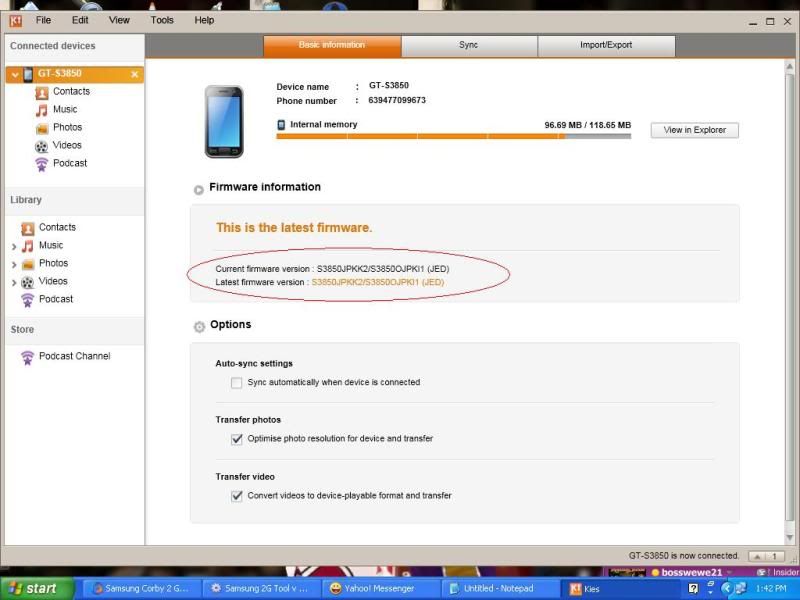
u'll notice that there's an availble firmware update
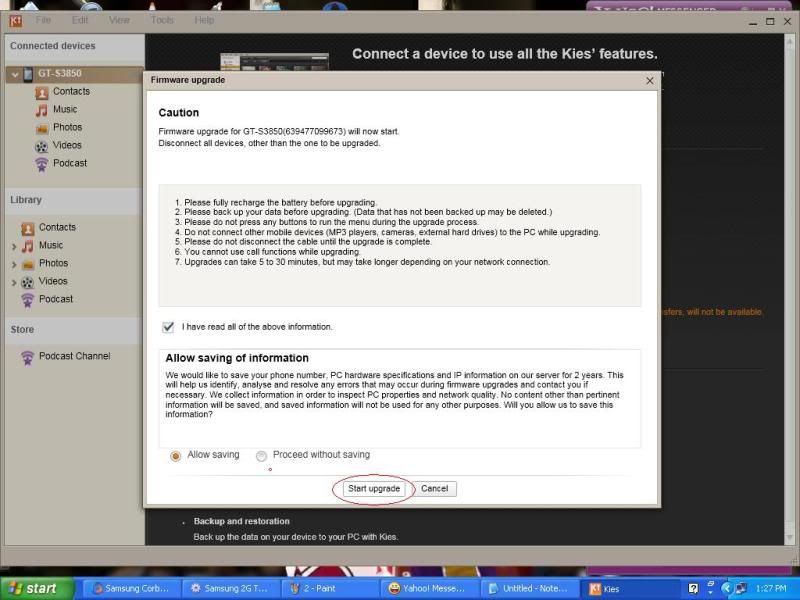
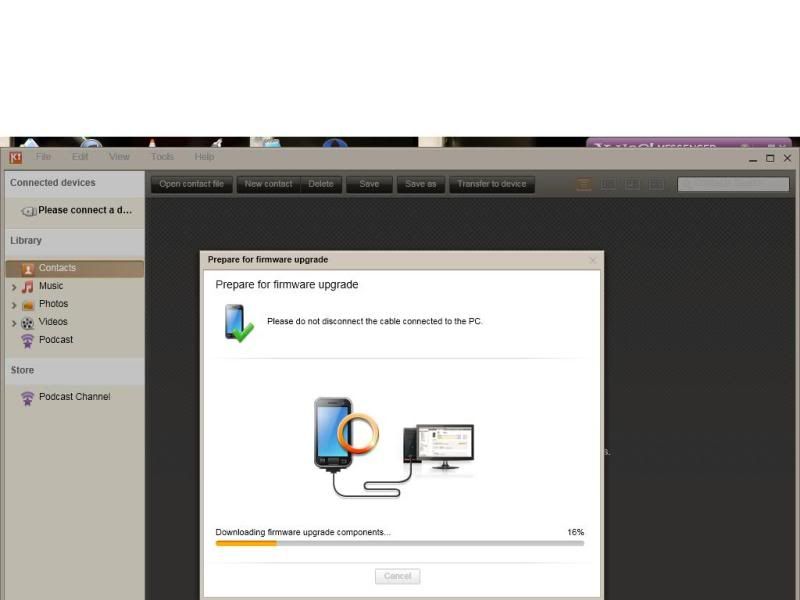
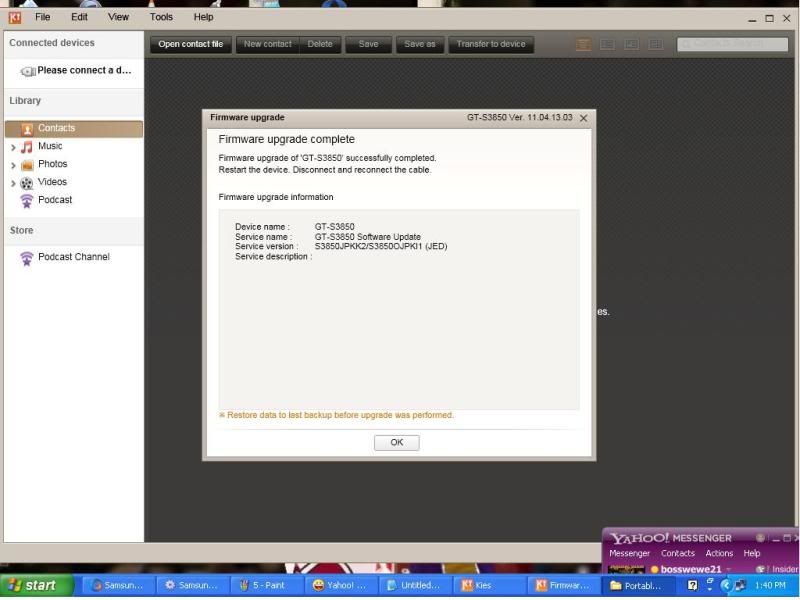
click update
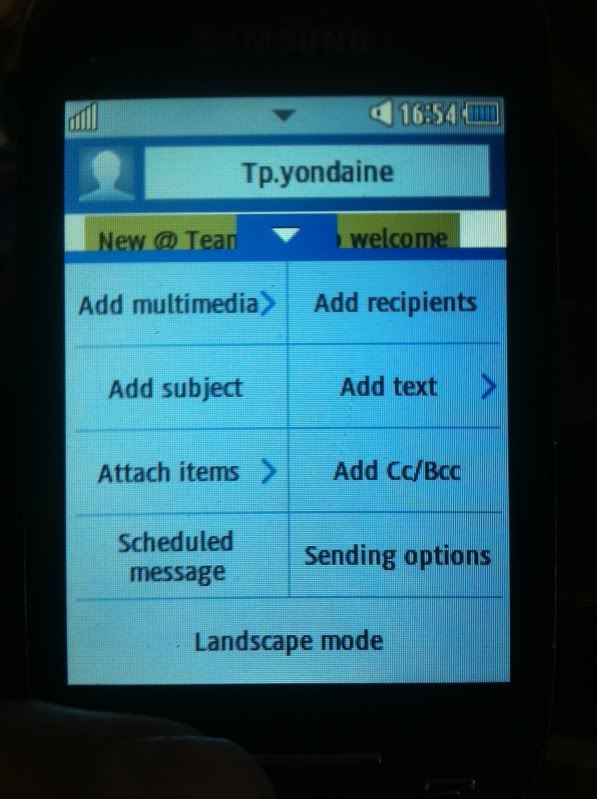
after update complete ur corby2 has a landscape option in sms menu
finish!!!
screenshots

Update ur firmware to use a qwerty keyboard for sms
tools needed
z3x box
mini usb
S3850JPKG1_OJPKF1 available at supportsite
samsung kies latest version dl at samsung.com/support
or you can use multiloader
dl here
http://search.4shared.com/postDownlo...ader_v562.html
Procedure:
Open Z3X shell choose model then run
Put ur phone to download mode ( Volume down + call + power )
Connect ur phone to pc via usb
Load firmware except AMSS & PFS
Tick firmware
wait to complete it will restart the phone
Now go to dialer and type
*#5239870*# admin settings
select Pre-configuration
Operator code will pop up type
*#27236*# then confirm
select JED and install wait to reboot
Connect ur corby 2 to pc & open samsung kies
u'll notice that there's an availble firmware update
click update
after update complete ur corby2 has a landscape option in sms menu
finish!!!
screenshots