share ko lang po mga boss baka po makatulong
tools:
multiloader:
MultiLoader_V5.62.exe
firmware:
http://www.mediafire.com/download/hvr8eu4lk34xoxh/S5620AEJF1_SFRJF1.rar
procedure:
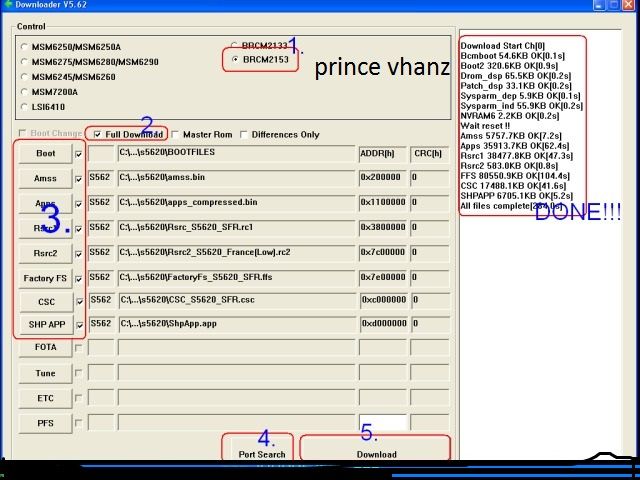
Run the Downloader Program and Select ( BRCM2153 ).
Put your phone into Download Mode by pressing ( Volume Down + Power button ) at the same time.
Now Connect USB cable to phone.
In the program window press Port Search Button to check good connection.
If you want to flash Boot files then chec: Full Download option and then press Boot button and select Boot files folder.
Now you have to select these files : Amss – Rsrc1 – Rsrc2 – FactoryFS - Csc - Shp app - each one in its field.
Press Download button to start the programming operation.
Do not remove phone or cable till the program finish the whole process.
flashing:

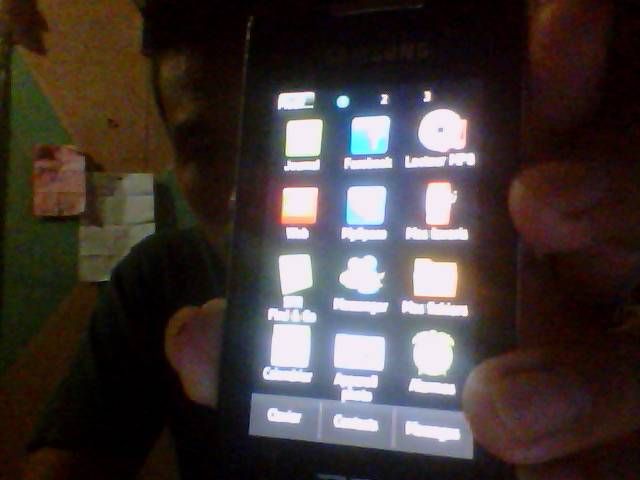
finish

sana po ay makatulong
tools:
multiloader:
MultiLoader_V5.62.exe
firmware:
http://www.mediafire.com/download/hvr8eu4lk34xoxh/S5620AEJF1_SFRJF1.rar
procedure:
Run the Downloader Program and Select ( BRCM2153 ).
Put your phone into Download Mode by pressing ( Volume Down + Power button ) at the same time.
Now Connect USB cable to phone.
In the program window press Port Search Button to check good connection.
If you want to flash Boot files then chec: Full Download option and then press Boot button and select Boot files folder.
Now you have to select these files : Amss – Rsrc1 – Rsrc2 – FactoryFS - Csc - Shp app - each one in its field.
Press Download button to start the programming operation.
Do not remove phone or cable till the program finish the whole process.
flashing:


finish


sana po ay makatulong


 try ko ito


