
- Joined
- Jun 12, 2014
- Messages
- 744
- Reaction score
- 21
- Points
- 81
SHELL making - Sample and Guides Tutorial here
CONTINUATION from this thread ---> http://antgsm.com/showthread.php?p=207842#post207842
Lets start for another guides or sample.
Sample project: PAGE JUMP
PROCEDURE:
Follow image procedure lang po.
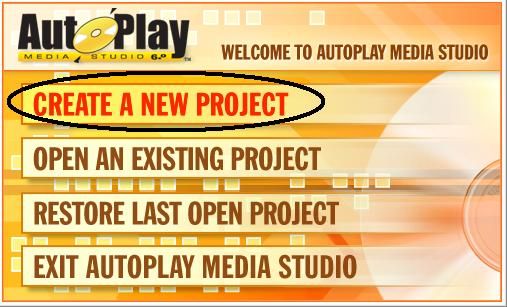
- click CREATE A NEW PROJECT
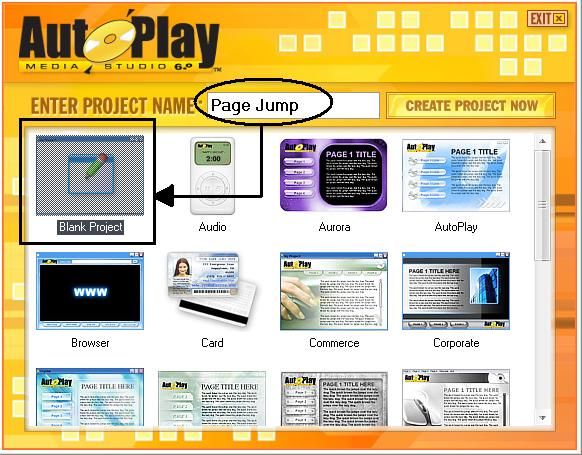
- type your project title
ex: PAGE JUMP
- then choose BLANK PROJECT
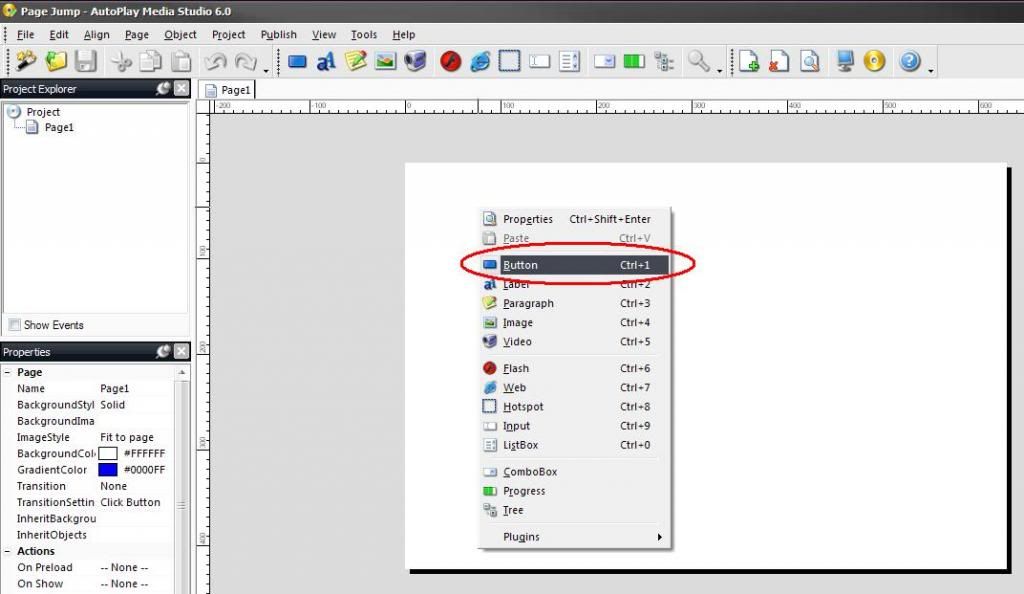
- right click on project background and click BUTTON to add Button
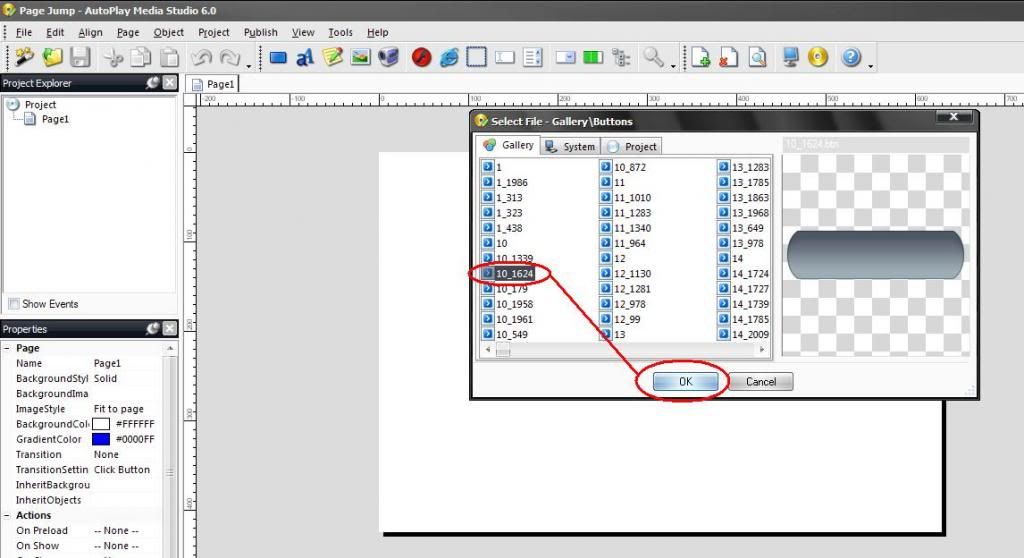
- choose any BUTTON and click OK
- double click your BUTTON then type PAGE 2 or anything you want to type in SETTING TAB and TEXT.
- then click OK
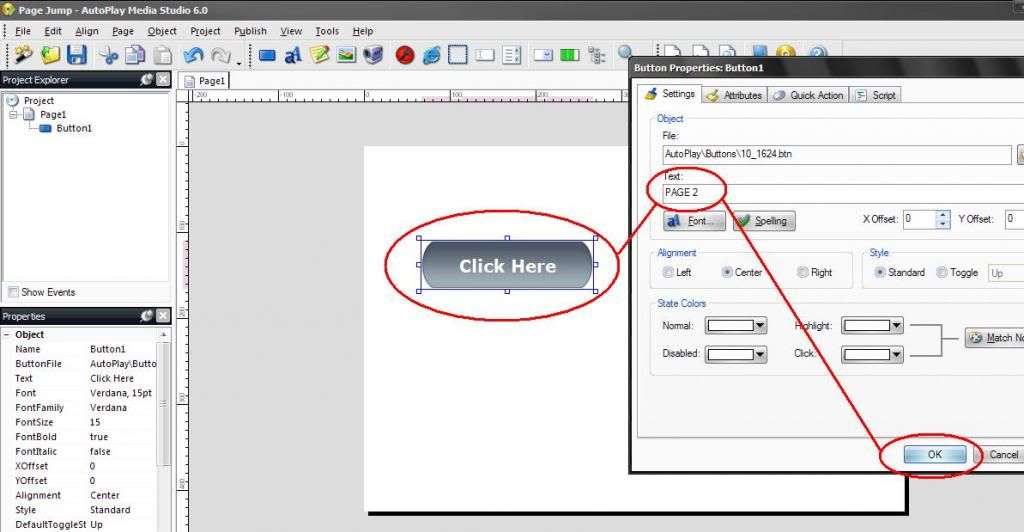
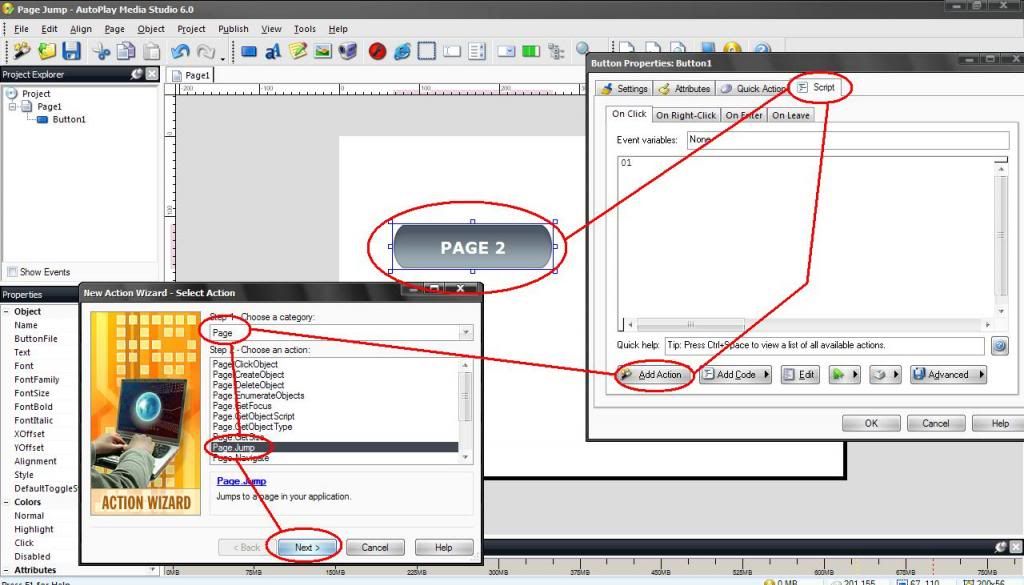
- double click on PAGE 2
- S C R I P T
- Add Action
- PAGE
- PAGE JUMP
- NEXT
- type PAGE2
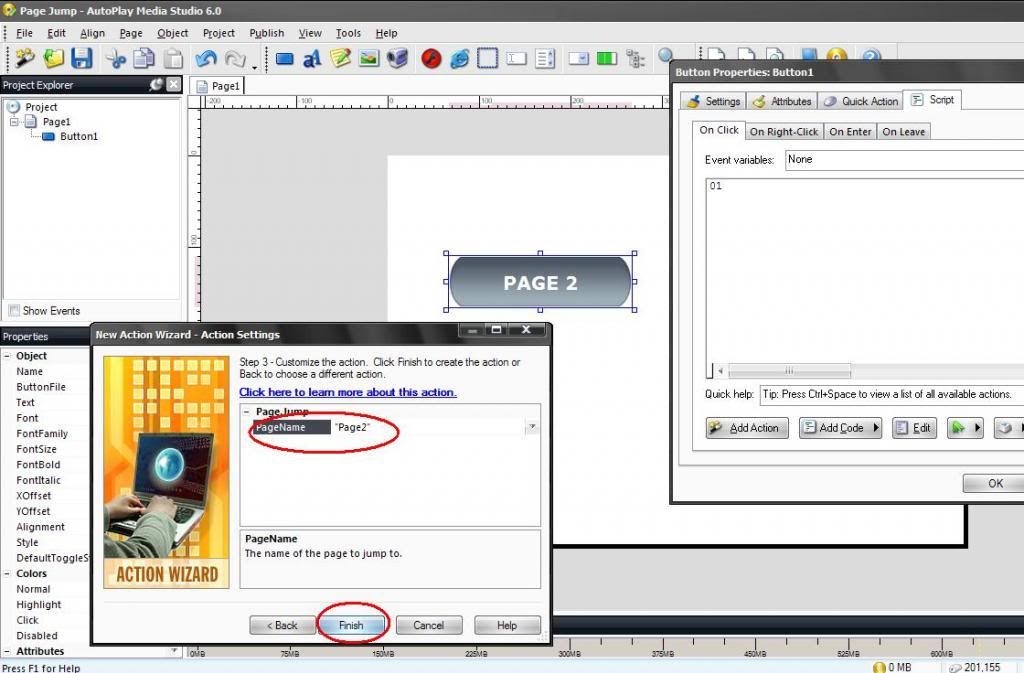
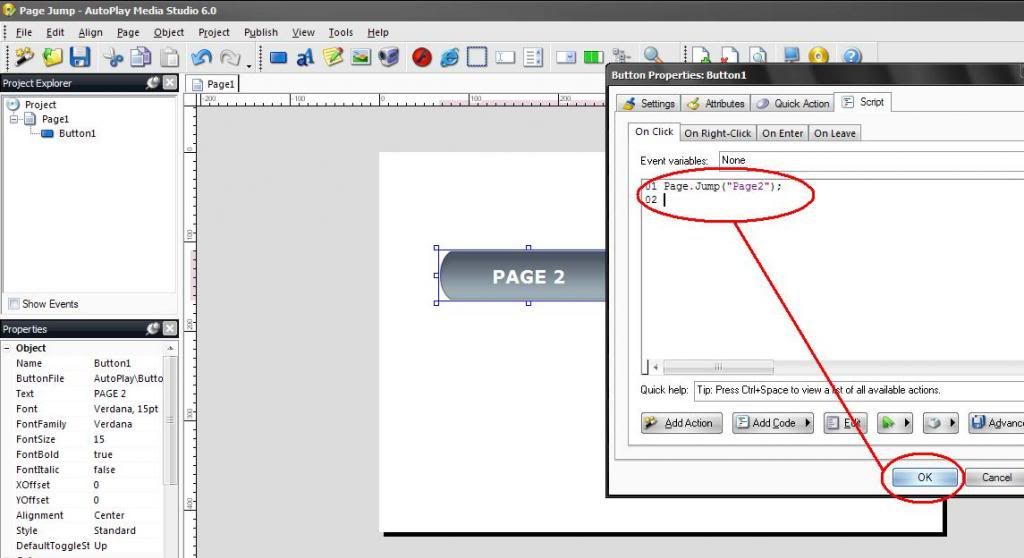
- right click in PAGE 1
- click ADD to add page
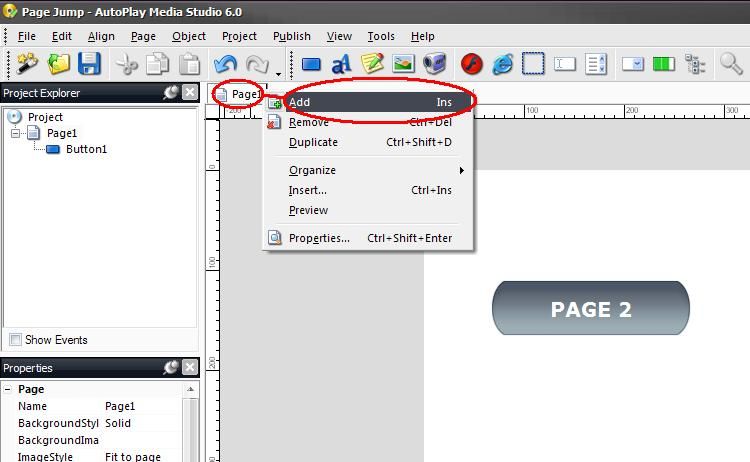
- on PAGE2
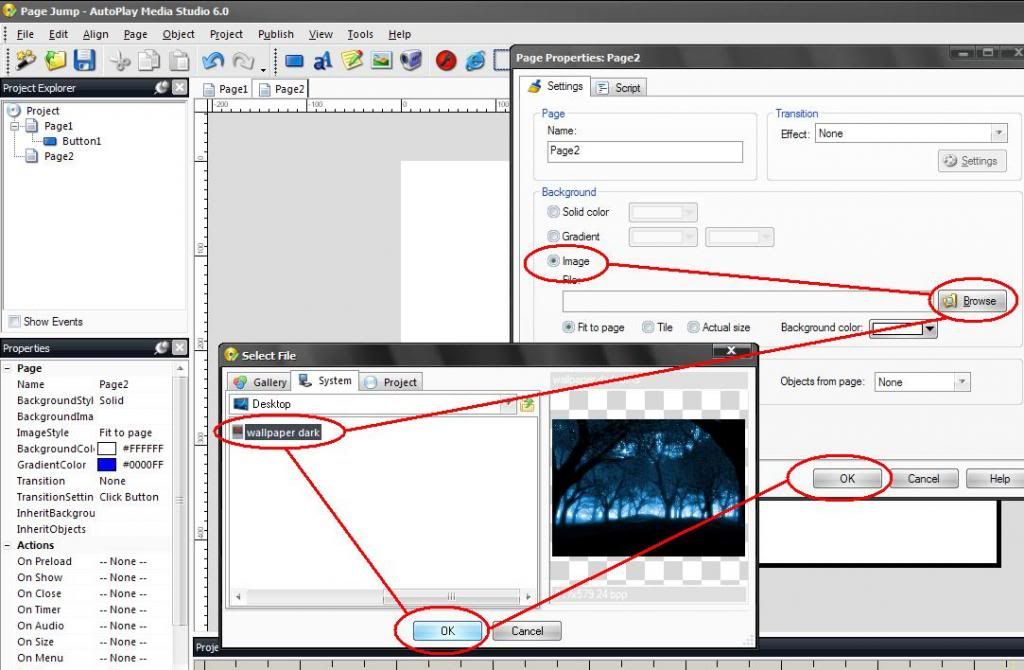
- right click on background and click PROPERTIES
- choose IMAGE
- BROWSE any wallpaper on your hard drive
- click OK then click OK again
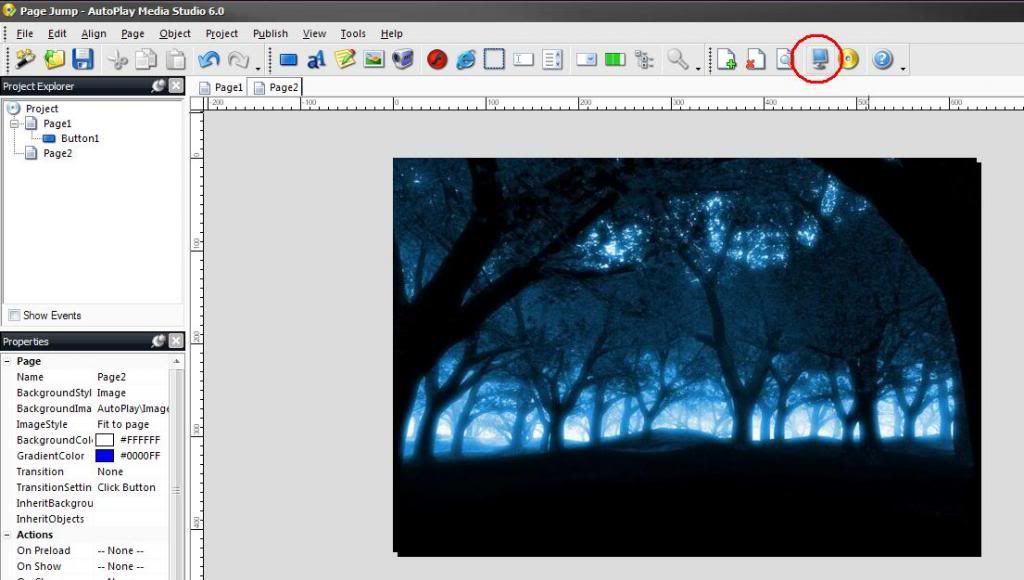
- click PREVIEW to test your project
click PAGE 2
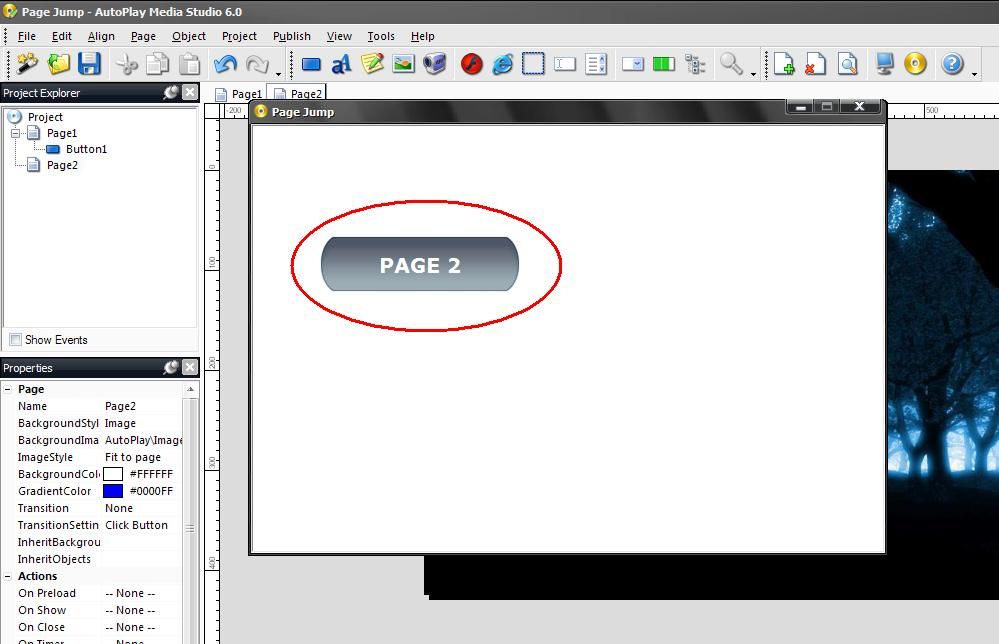
FINISH
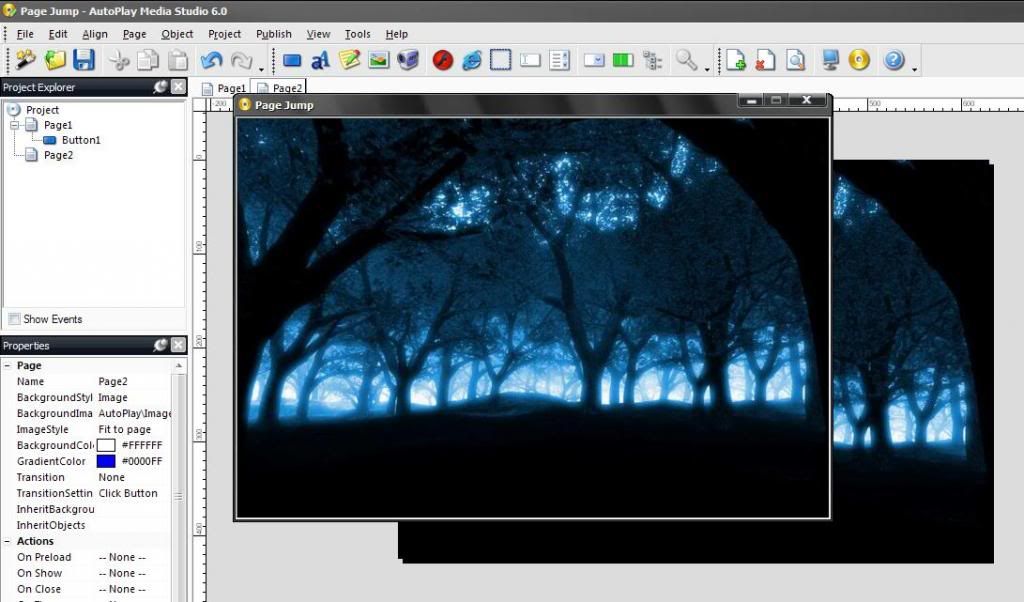
THANKS.
TO BE CONTINUE FOR OTHER SAMPLES AND GUIDES

Credit To The Owner Xands Miranda A.K.A Xeven2nd
CONTINUATION from this thread ---> http://antgsm.com/showthread.php?p=207842#post207842
Lets start for another guides or sample.
Sample project: PAGE JUMP
PROCEDURE:
Follow image procedure lang po.
- click CREATE A NEW PROJECT
- type your project title
ex: PAGE JUMP
- then choose BLANK PROJECT
- right click on project background and click BUTTON to add Button
- choose any BUTTON and click OK
- double click your BUTTON then type PAGE 2 or anything you want to type in SETTING TAB and TEXT.
- then click OK
- double click on PAGE 2
- S C R I P T
- Add Action
- PAGE
- PAGE JUMP
- NEXT
- type PAGE2
- right click in PAGE 1
- click ADD to add page
- on PAGE2
- right click on background and click PROPERTIES
- choose IMAGE
- BROWSE any wallpaper on your hard drive
- click OK then click OK again
- click PREVIEW to test your project
click PAGE 2
FINISH
THANKS.
TO BE CONTINUE FOR OTHER SAMPLES AND GUIDES
Credit To The Owner Xands Miranda A.K.A Xeven2nd
