
Share ko lang mga ANTECH
Back to basic posting tayo Hehehe yung may HISTORY, TOOLS, at PROCEDURE.
Naisipan ko ring e post wala pa kasing nakalagay na ganitong unit
HISTORY:
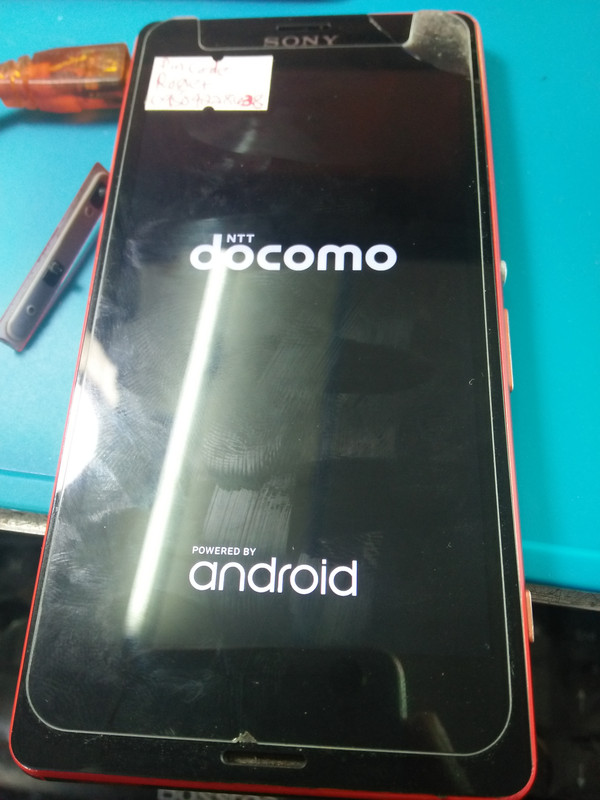
Dinala ni TUMER sa akin naka Pin code Lock. Kaya try ko muna sa hard reset, sa kasamaang palad hindi makapasok sa recovery mode. Kaya naisipan kung e flashing. Saktong sakto may naitabi na akong ftf file na whole firmware. Kaya na try ko sa kasamaang palad nag hang on logo na lang. Dapat sana userdata lang ang na e flsh ko. Mga 5 firmware na nagamit ko hang logo pa rin. Kaya naiisipan kung e flash sa removed lock na ftf file, at di naman nabigo. Success.
TOOLS:
Flashtool: https://devfiles.co/download/MIRnJ1H2/flashtool-0.9.23.1-windows.exe
Drivers: http://www.mediafire.com/file/a7p1ci157u09yhd/Flashtool-drivers.rar/file
Removed Lock FTF File: https://drive.google.com/uc?id=1CYoFYJBZEu_VQem0C6rtq_da5M7yvbyG&export=download
PROCEDURE:
* Install ang flash tool sa computer then open
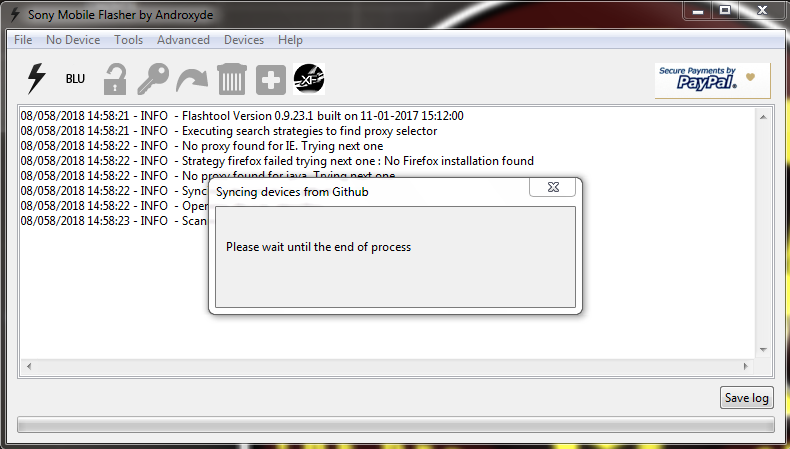
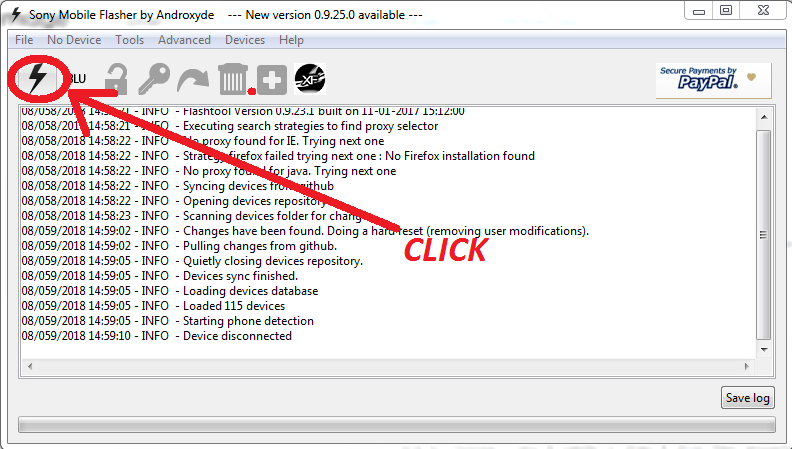
* CLICK
* Click OK
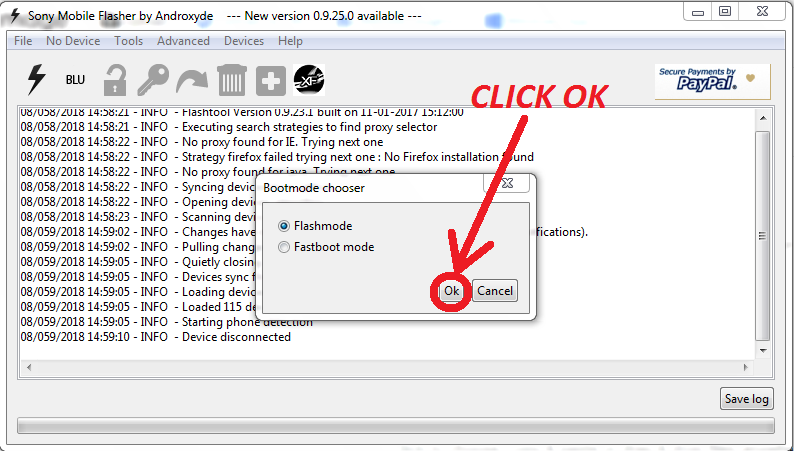
* CLICK
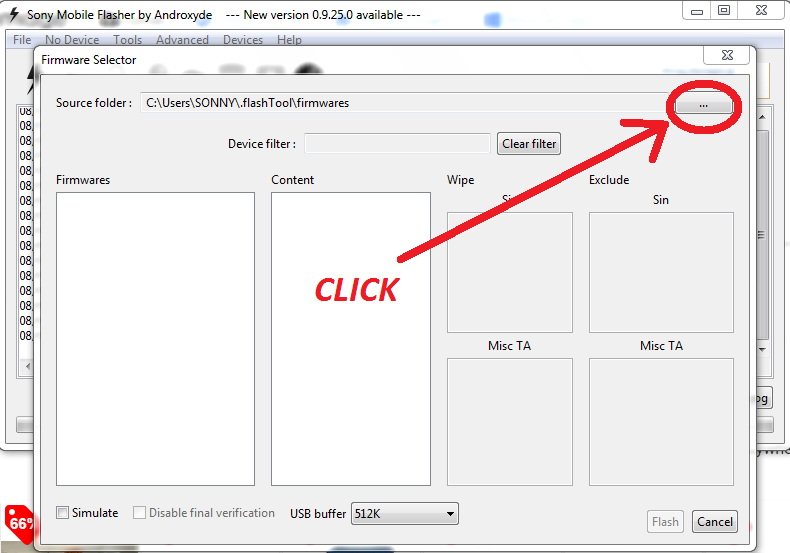 https://postimages.org/
* Locate ang folder kung saan nakalagay ang ftf file
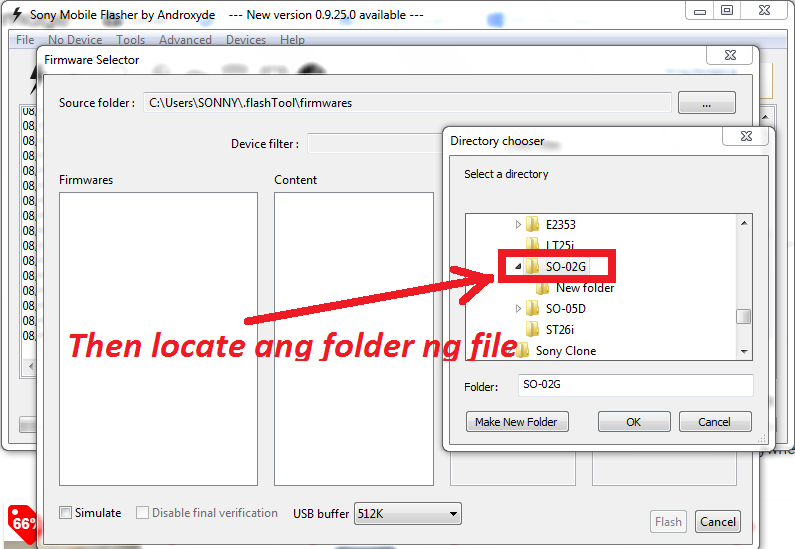
* Click ang arrow
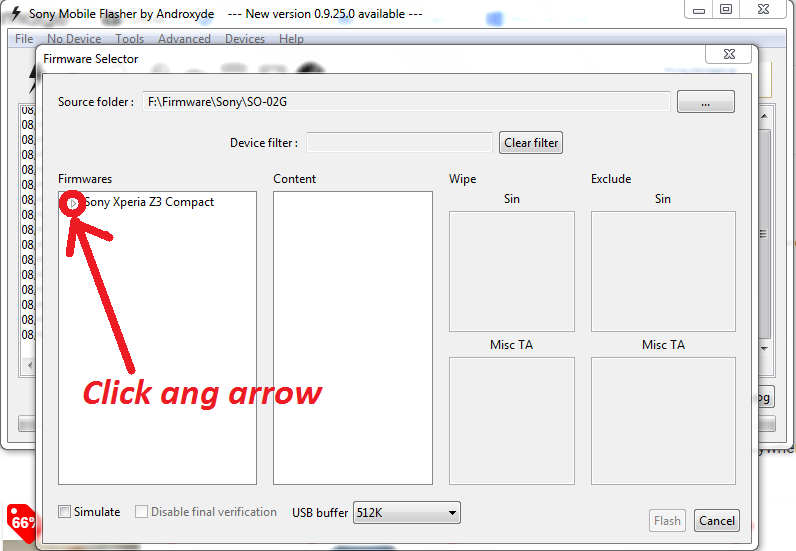
* Click ang arrow
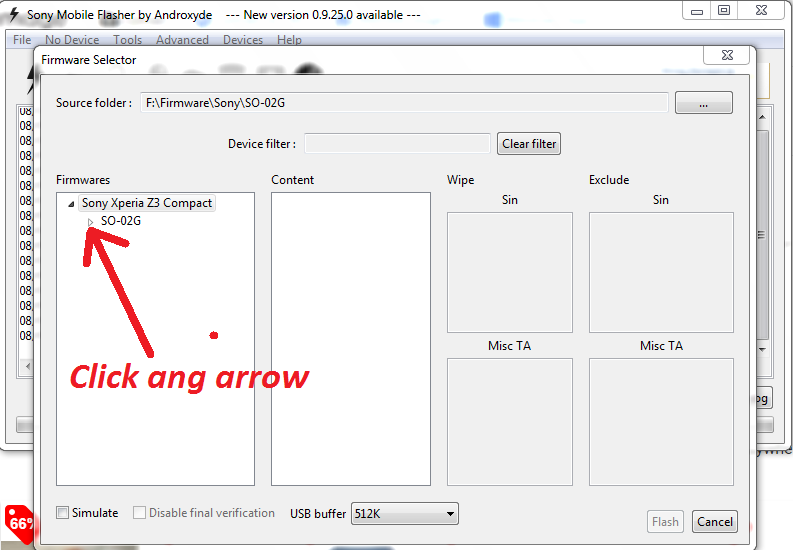
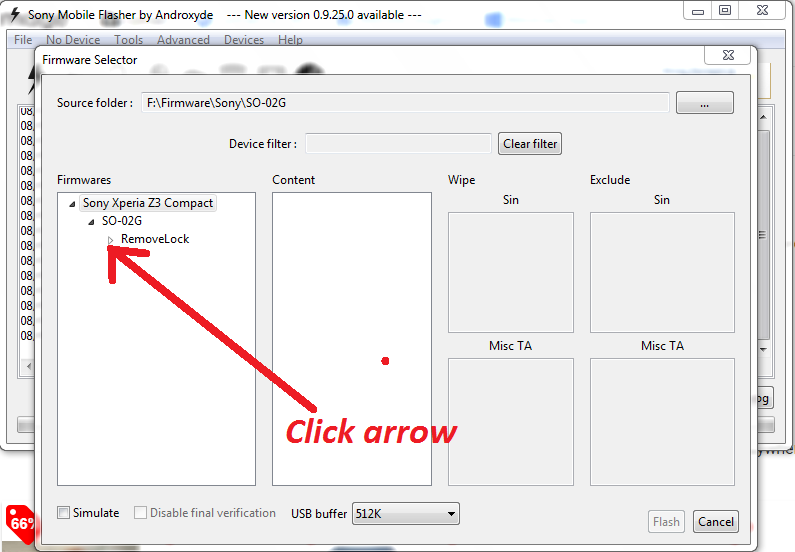
* Click arrow
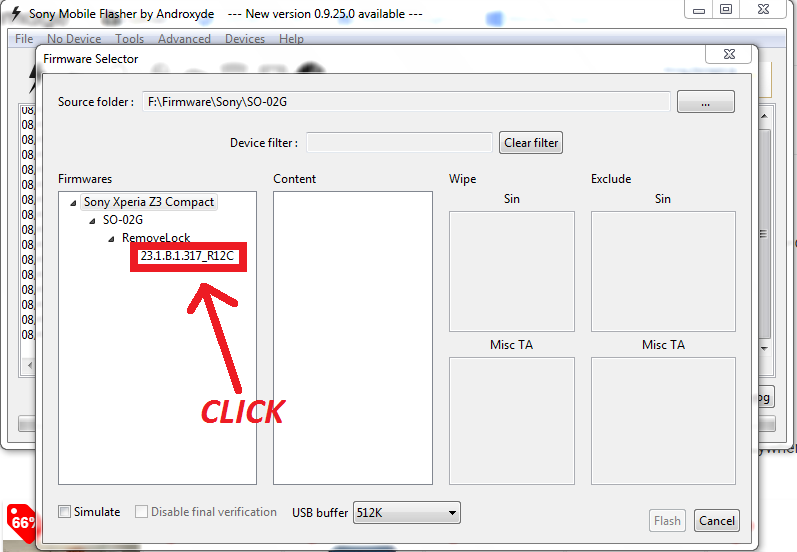
* CLICK
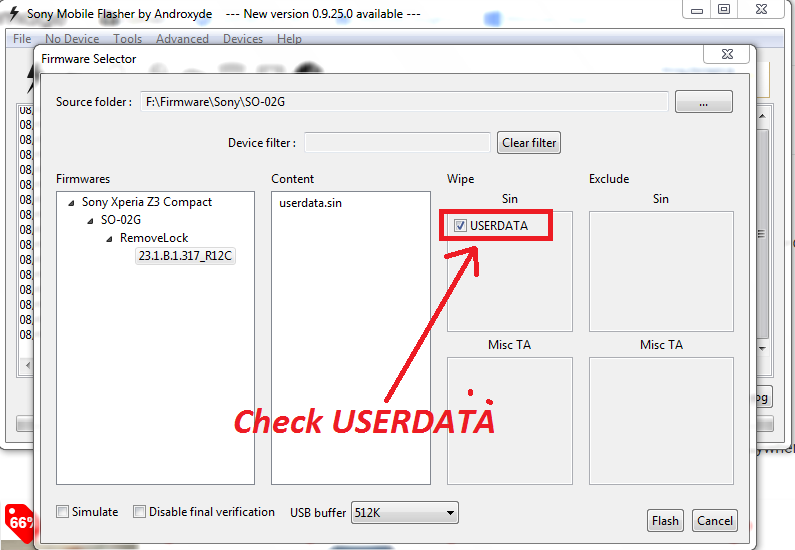
* Check USERDATA
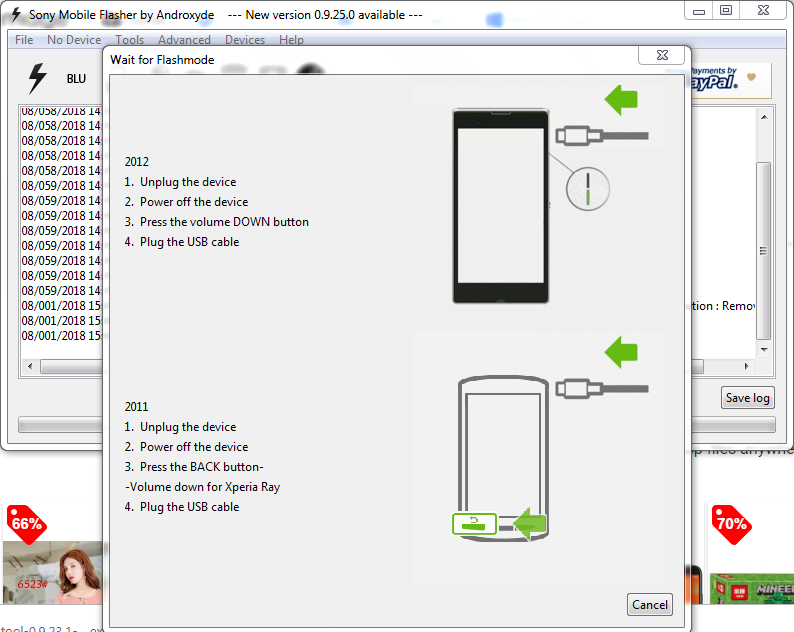
* Then hold volume down para sa bootkey then insert usb cable sa phone.
 https://treetop100babynames.com/exotic-baby-names-boys
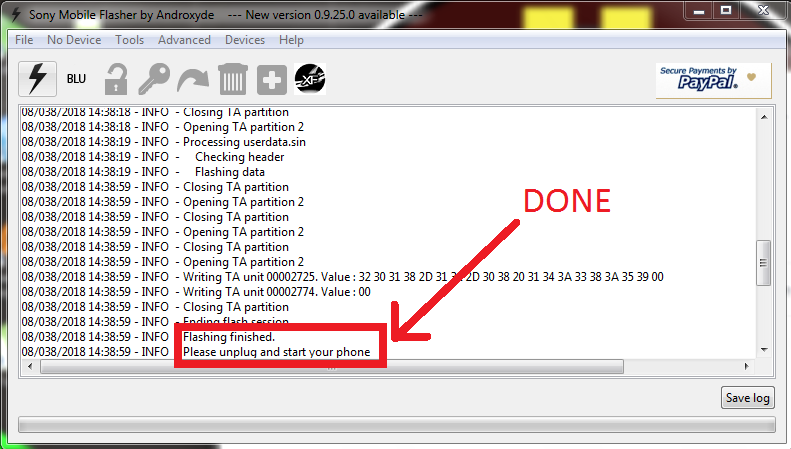
* Flashing DONE
 https://falloutfacts.com/top-10-fallout-weapons
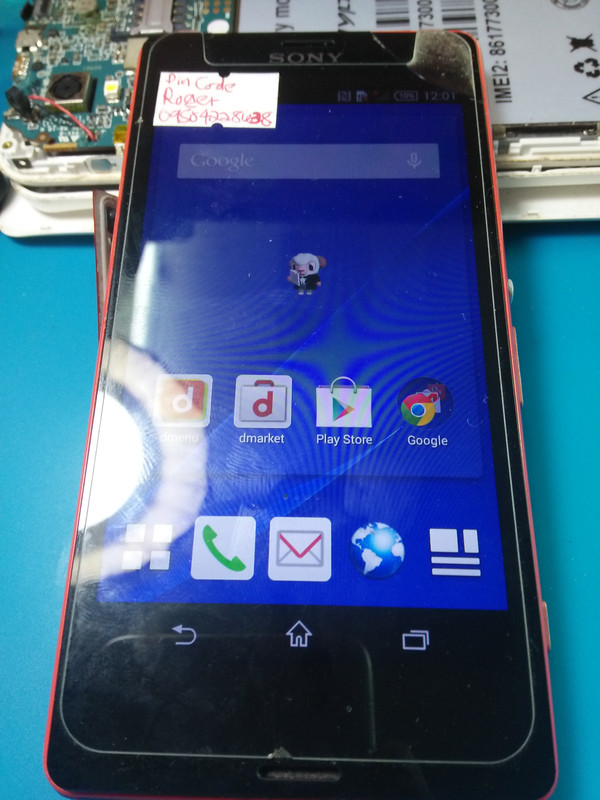
FINISH PRODUCT:
"GOD IS GOOD ALL THE TIME"
Back to basic posting tayo Hehehe yung may HISTORY, TOOLS, at PROCEDURE.
Naisipan ko ring e post wala pa kasing nakalagay na ganitong unit
HISTORY:
Dinala ni TUMER sa akin naka Pin code Lock. Kaya try ko muna sa hard reset, sa kasamaang palad hindi makapasok sa recovery mode. Kaya naisipan kung e flashing. Saktong sakto may naitabi na akong ftf file na whole firmware. Kaya na try ko sa kasamaang palad nag hang on logo na lang. Dapat sana userdata lang ang na e flsh ko. Mga 5 firmware na nagamit ko hang logo pa rin. Kaya naiisipan kung e flash sa removed lock na ftf file, at di naman nabigo. Success.
TOOLS:
Flashtool: https://devfiles.co/download/MIRnJ1H2/flashtool-0.9.23.1-windows.exe
Drivers: http://www.mediafire.com/file/a7p1ci157u09yhd/Flashtool-drivers.rar/file
Removed Lock FTF File: https://drive.google.com/uc?id=1CYoFYJBZEu_VQem0C6rtq_da5M7yvbyG&export=download
PROCEDURE:
* Install ang flash tool sa computer then open
* CLICK
* Click OK
* CLICK
https://postimages.org/* Locate ang folder kung saan nakalagay ang ftf file
* Click ang arrow
* Click ang arrow
* Click arrow
* CLICK
* Check USERDATA
* Then hold volume down para sa bootkey then insert usb cable sa phone.
https://treetop100babynames.com/exotic-baby-names-boys* Flashing DONE
https://falloutfacts.com/top-10-fallout-weaponsFINISH PRODUCT:
"GOD IS GOOD ALL THE TIME"
Last edited by a moderator: