
SP Flashtool Downloadlink: SPFlashTool 5.1628
Drivers Download Link: Mobile Mtk Drivers
ENJOY.
Drivers Download Link: Mobile Mtk Drivers
- Power the phone off, remove the battery from the smartphone and put it back without booting the phone (if the battery is inside then simply switch it off).
- Launch SP Flashtool
*Double clicks onFlash_tool.exe
*Press OK


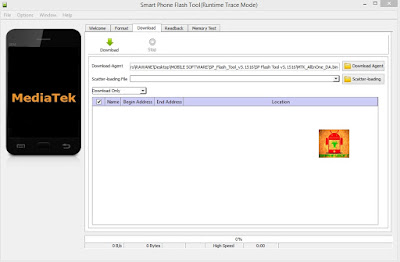
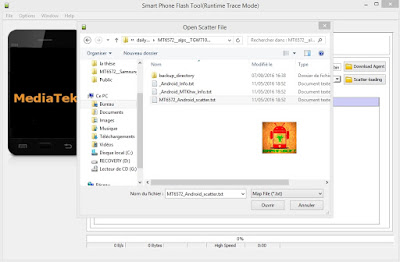
- Click on scatter-loading option and browse to the scatter file of your stock rom choose MTxxxx_android.txt (scatter.txt).

- Dont touch any options, Keep the original setting (In case you want to format device before flash press choose format+download but it'snt recommanded because you will be ended with an EMEI null)
- If you phone is alive and has a software issue (contain virus, Stuck on logo, apps setting problem, blink, or not work as expected) I advise you to Uncheck Preloader as a precaution. On contarary check all pertitions if you have a boot problem (you phone does'nt boot when you try to power on it).
-

- Once you are done with everything, click on the download button at the top of the software.
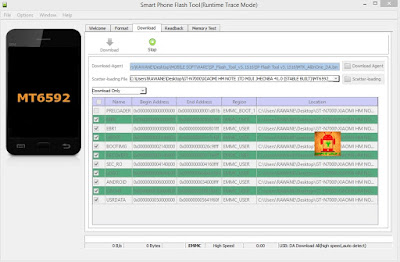
Stop should now be prominent while other options should be grayed out
- Connect your switched off phone with battery inside to PC via Usb cable
- A progressbar should start running

- In the end of an success flash process, a box should show up with green OK symbol inside

- Disconnect the phone, remove the battery, slot it back in then power the phone.
ENJOY.
Last edited: