
Gsm_Yam
Premium Account
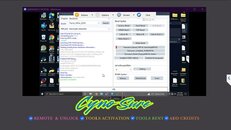
Tecno Camon 30 5g (CL7) - UserLock + FRP Kick = Done (FRT Tool)
-Open FRT Tool
-Select Chipset Mediatek
-Select boots Tecno_Infinix 2024
-EMI_Init Automatic "Automatic detection"
-Off unit, hold vol up & down, sabay salpak usb
-Click Transsion_Reset FRP & UserData (META)
-wait a seconds...Done
Success Logs:
============
Searching device uart port...
Connecting port:COM3
Entering META mode...
success
searching MTK VCOM devices....
searching MTK VCOM devices....
Reading mobile phone hardware information...
CPU_TYPE:t6855
Bulid_Time:hu Sep 18 22:13:02 CST 2025Base_Ver:lps-mp-s0.mp1.rc-V17.23_reallytek.s0mp1rc.k61v1.64.bsp_P24
Soft_Ver:L7-15.1.0.138SP05(OP001PF001AZ)
Enabled USB Debug....
manufacturer:TECNO
model:TECNO CL7
build display id:CL7-15.1.0.138SP05(OP001PF001AZ)
build version release:15
hardware:mt6855
Reset frp...
Reset userdata...
reboot devices... Time taken:48 S
operation completed
============
Searching device uart port...
Connecting port:COM3
Entering META mode...
success
searching MTK VCOM devices....
searching MTK VCOM devices....
Reading mobile phone hardware information...
CPU_TYPE:t6855
Bulid_Time:hu Sep 18 22:13:02 CST 2025Base_Ver:lps-mp-s0.mp1.rc-V17.23_reallytek.s0mp1rc.k61v1.64.bsp_P24
Soft_Ver:L7-15.1.0.138SP05(OP001PF001AZ)
Enabled USB Debug....
manufacturer:TECNO
model:TECNO CL7
build display id:CL7-15.1.0.138SP05(OP001PF001AZ)
build version release:15
hardware:mt6855
Reset frp...
Reset userdata...
reboot devices... Time taken:48 S
operation completed
★彡REMOTE & UNLOCK_TOOLS ACTIVATION_TOOLS for RENT_ADD CREDITS彡★
Direct Message lang...