
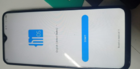
Here's the frp unit.
Open MTK Tool
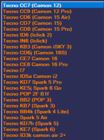
Click Tecno
since there's no Tecno Pourvoir 4 in the list choose Tecno CC7 (Camon 12)
And in functions select erase frp [all mtk]
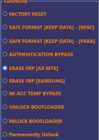
and hit start.
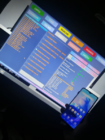
and follow the procedure in the right application

once you reach the formatting data - OK
remove the usb and reset the phone by pressing vol + and power button
wait until it loads and done.

I hope it helps.
Open MTK Tool
Click Tecno
since there's no Tecno Pourvoir 4 in the list choose Tecno CC7 (Camon 12)
And in functions select erase frp [all mtk]
and hit start.
and follow the procedure in the right application
once you reach the formatting data - OK
remove the usb and reset the phone by pressing vol + and power button
wait until it loads and done.
I hope it helps.